
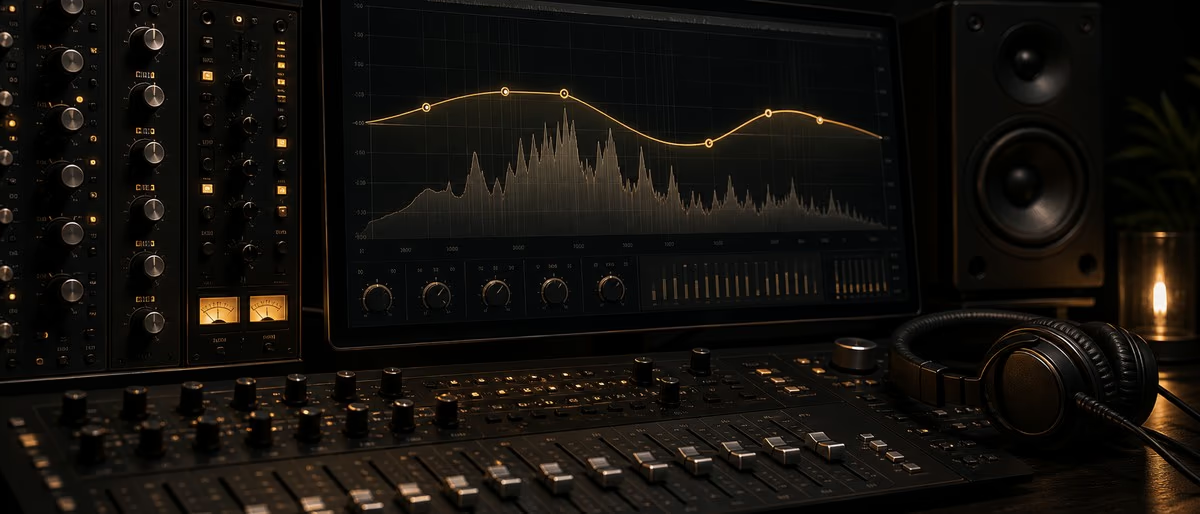
Free EQ plugins are strong enough for release mixes when you pick the right job: stock parametric EQ for basic balance, TDR Nova for dynamic problems, and SlickEQ or MEqualizer for musical tone. For the current ranked free-EQ shortlist with frequency target tables, use the 2027 free EQ plugins guide. This page stays educational: types, filters, and mix steps.
EQ changes frequency balance. Cut mud and resonances before boosting air. High-pass only when the source needs it. Level-match A/B so louder does not fake “better.” Plugin names below remain free options; the single head listicle for “best free EQ plugins” is the 2027 frequency-charts article.
Parametric, dynamic, graphic, and tonal EQ
The architecture determines which controls are available. Pick the smallest tool that gives you the control the problem requires.
| EQ type | What you control | Good first use |
|---|---|---|
| Parametric | Frequency, gain, and bandwidth for individual bands | Correcting resonances and shaping tracks |
| Dynamic | An EQ band's gain changes only when its detector crosses a threshold | Intermittent harshness, mud, or frequency conflicts |
| Graphic | Gain at fixed frequency bands | Fast broad tonal curves and repeatable adjustments |
| Linear-phase | Frequency gain with phase relationships preserved by the filter design | Selected mastering or parallel-processing tasks where added latency is acceptable |
| Color / tonal | A limited set of broad bands plus optional saturation or gain compensation | Musical shaping when surgical control is unnecessary |
Free EQ plugins by documented role
| Plugin | EQ design | Best starting role | Availability | Evidence |
|---|---|---|---|---|
| TDR Nova | Parallel dynamic equalizer | Corrective EQ, dynamic bands, frequency-selective compression | Windows / macOS downloads | Developer page and manual |
| ReaEQ | Unlimited-band IIR parametric EQ | Fast track EQ and flexible filter counts | Free ReaPlugs VST suite for Windows; also included with REAPER | Developer page |
| TDR VOS SlickEQ | Tonal mixing and mastering EQ | Broad shaping, gain-compensated comparison, optional saturation | Windows / macOS downloads | Developer page and manual |
| MEqualizer | Six-band EQ with analyzer | General track shaping with visual feedback | Free through MFreeFXBundle | Developer page |
| Voxengo Marvel GEQ | 16-band linear-phase graphic EQ | Broad fixed-band curves and multichannel work | Windows / macOS; VST, VST3, AU, AAX | Developer page and manual |
EQ listening checklist by source
Use these as questions, not automatic frequency prescriptions. Solo can help you locate a problem, but make the final decision in the arrangement.
| Source | Listen for | First action |
|---|---|---|
| Kick and bass | Masking between fundamental notes and low-mid harmonics | Decide which source owns each range before cutting either one |
| Vocals | Variable boom, nasal tone, harsh consonants, or missing presence | Use a dynamic band when the issue occurs only on certain words |
| Snare and percussion | Excess ring, papery mids, or brittle high-frequency peaks | Find the resonance with a narrow band, then use the smallest useful cut |
| Pads and guitars | Low-mid buildup and competition with vocal presence | Shape them while the vocal and rhythm section are playing |
| Mix bus | A broad tonal imbalance rather than one bad track | Make small moves and level-match bypass before deciding |
How to choose and use an EQ
A repeatable decision process is more useful than copying a frequency chart.
- Name the problem. Decide whether you are removing a resonance, balancing tone, controlling a changing frequency, or creating an effect.
- Choose the matching architecture. Use parametric EQ for precision, dynamic EQ for intermittent problems, and broad tonal or graphic EQ for larger curves.
- Adjust in context. Sweep briefly if needed, then return to the full mix before setting gain and bandwidth.
- Level-match the comparison. Output gain changes can make the louder version seem preferable even when the tonal move is not helping.
- Remove unnecessary bands. Bypass each move one at a time; keep only changes that solve the named problem.
Common filter shapes
High-pass
Attenuates frequencies below the cutoff. Use it only when the removed low-frequency content is not part of the source's role.
Low-pass
Attenuates frequencies above the cutoff and can reduce noise, brightness, or space for other elements.
Bell
Boosts or cuts around a center frequency with adjustable bandwidth; the core shape for parametric EQ.
Notch
A very narrow cut for a specific tone or resonance. Excessively narrow filters can sound unnatural when overused.
Shelf
Raises or lowers a broad region above or below a chosen frequency; useful for overall brightness or weight.
Documentation-reviewed picks
TDR Nova
Free dynamic equalizerTokyo Dawn describes Nova as a parallel dynamic equalizer with four dynamic bands plus high-pass and low-pass sections. Each band includes dynamics controls, allowing parametric EQ, dynamic EQ, frequency-selective compression, multiband compression, and wideband compression workflows in one interface.
Dynamic and static EQ roles in one plugin; official manual and current binaries; analyzer and loudness-aware comparison tools are documented.
More controls than a simple tonal EQ, so it is unnecessary when the task is only one broad boost or cut.
ReaEQ
Free unlimited-band parametric EQCockos documents ReaEQ as an unlimited-band IIR equalizer with shelves, bands, high-pass, low-pass, notch, band-pass, and all-pass filters. The free standalone ReaPlugs download is an older Windows VST suite; REAPER users get the maintained built-in version with the DAW.
Unlimited bands; broad filter selection; free Windows VST download and a built-in REAPER version.
The standalone ReaPlugs package is Windows-only and older, so macOS users should not expect the same separate free installer.
TDR VOS SlickEQ
Free tonal equalizerTokyo Dawn positions SlickEQ for mixing and mastering with musical filter models, gain-compensated auto gain, optional saturation, stereo or sum-difference processing, A/B comparison, and preset management. It is a role-based choice for broad shaping rather than surgical cleanup.
Focused tonal workflow; gain compensation supports fairer comparisons; current Windows and macOS downloads.
The compact band layout is not intended to replace an unlimited surgical parametric EQ.
MEqualizer
Free six-band equalizerMeldaProduction lists MEqualizer as a six-band EQ with seven filter types per band, tube saturation, harmonics control, a spectrum analyzer, and a sonogram. It is installed through the official MFreeFXBundle, whose paid upgrade unlocks additional workflow features.
Six-band general-purpose layout; analyzer; part of a maintained free bundle.
The bundle installer is larger than a single-plugin download, and some interface or preset features belong to the paid upgrade.
Voxengo Marvel GEQ
Free 16-band linear-phase graphic EQVoxengo documents Marvel GEQ as a 16-band linear-phase graphic EQ with stereo, mid-side, and multichannel routing. Its fixed bands and reported processing latency make it a different tool from Nova or ReaEQ: use it for repeatable broad curves rather than moving a bell to any exact frequency.
Linear-phase 16-band workflow; Windows and macOS formats; multichannel and mid-side support are documented.
Fixed band positions reduce surgical flexibility, and linear-phase processing adds latency and may be unsuitable for every transient-heavy source.
Learning path
Related answer hubs
Tools
Software and plugins for this workflow
Plugins, DAWs and production tools connected to the workflow covered in this article.
![AUDIO PLUGIN UNION Modern Equalizer v1.5.5 [WiN]](/images/posts/audio-plugin-union-modern-equalizer-77404.avif?v=2026080101)
![Audified 1A Equalizer v1.0.2 READ NFO [WiN]](/images/posts/audified-1a-equalizer-68382.avif?v=2026080101)
![ToneBoosters Equalizer Pro v1.1.3 BETA [WiN]](/images/posts/toneboosters-equalizer-pro-68219.avif?v=2026080101)
![Kuassa Efektor PAten Graphic Equalizer v1.0.0 [WiN]](/images/posts/kuassa-efektor-paten-graphic-equalizer-68810.avif?v=2026080101)
Free Resources on Plugg Supply
![Audified RZ062 Equalizer v2.1.3 [WiN]](/images/posts/audified-rz062-equalizer-3299.avif?v=2026080101)
![Plugin Alliance Bettermaker Passive Equalizer v1.0.0 [MacOSX]](/images/posts/plugin-alliance-bettermaker-passive-equalizer-67927.avif?v=2026080101)
Browse free EQ plugins, compressors, and mixing toolkits in the catalog — ready non-premium archives under fair-use; on-demand processing and Telegram on paid plans.
Browse Free DownloadsFree EQ plugins
Free EQ plugin questions
- Which free EQ should I install first?
- TDR Nova is the broadest starting point in this shortlist because its documented feature set covers static parametric EQ and dynamic EQ. Choose ReaEQ for unlimited bands on Windows or inside REAPER, and choose SlickEQ or Marvel GEQ for more specific tonal workflows.
- What is dynamic EQ?
- A dynamic EQ changes a band's gain according to a detector and threshold. Use it when a problem frequency appears only at certain moments rather than throughout the performance.
- Does the free ReaEQ download work on macOS?
- The separate ReaPlugs VST suite published by Cockos is for Windows. ReaEQ is also included inside REAPER, whose platform support is separate from the standalone ReaPlugs download.
- When should I use linear-phase EQ?
- Use it for a specific phase-sensitive or parallel-processing reason and accept the added latency. It is not automatically better for ordinary track EQ, and it can create time-domain side effects around transients.
- Should I cut before boosting?
- There is no universal order. Remove a genuine excess when that solves the problem, and boost when the source needs a broader tonal change. Name the goal, level-match, and keep the smallest move that works in context.