
Quick Answer
Home mastering starts with listening position — speakers away from walls in an equilateral triangle — then first-reflection treatment before expensive plugins. Target roughly −14 LUFS integrated for Spotify and YouTube,[1] keep true peak at or below −1 dBTP, and check on headphones plus one consumer speaker.
Mastering Room vs Mix Room: Different Goals
Mix rooms can be slightly livelier — you need enough ambience to judge reverb and depth. Mastering favors a controlled, neutral listen position where low-end buildup and stereo exaggeration are minimized.
You are not building Abbey Road in a bedroom. You are building a repeatable reference point so level, EQ, and limiting decisions survive on earbuds and car systems.
Speaker Placement Before You Buy More Gear
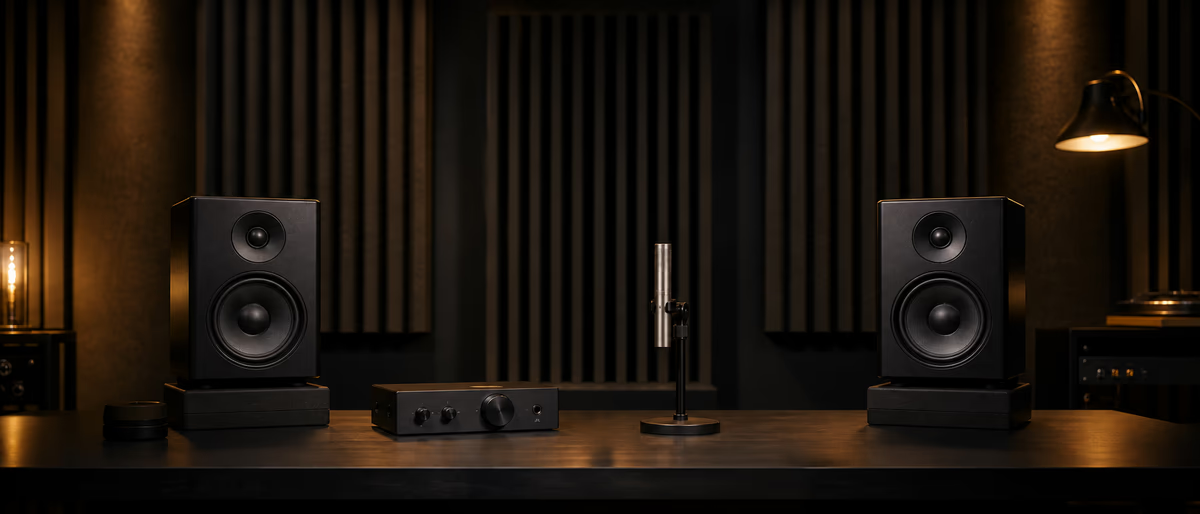
Free improvements come first. Move speakers at least a foot from walls, center your desk on the short wall when possible, and form an equilateral triangle between the two monitors and your head.[2] PreSonus publishes detailed monitor placement guidance for home studios.[3]
Hearing more direct sound and fewer early reflections beats buying a new plugin chain while your desk still fires bass into a corner node.
- Pull desk off the back wall
Reduce bass buildup and comb filtering from immediate reflections. - Angle monitors toward your ears
Tweeters at ear height; use isolation pads if the desk vibrates. - Mark your listening spot
Tape the chair position — consistency matters more than magic foam. - Level-match playback
Same monitor volume every session before you touch the master fader.
Acoustic Treatment on Three Budgets
Splice's acoustic treatment guide breaks improvements into $0, $500, and $1,000 tiers.[2] At zero budget, hang blankets or thick fabric on reflective walls and windows. At mid budget, DIY broadband panels at first-reflection points. At higher budget, add bass traps in corners and a ceiling cloud above the mix position.
| Budget | Priority treatment | Expected gain |
|---|---|---|
| $0 | Speaker placement + soft materials on walls/windows | Less flutter echo, clearer mids |
| ~$500 DIY | 4–6 broadband panels at side reflections | More stable stereo and vocal judgment |
| ~$1,000 | Panels + corner bass traps + rug | Tighter low-end decisions |
| Software fallback | Headphone correction (e.g. Sonarworks) | Reference check — not a room replacement[2] |
Loudness Targets for Streaming in 2026
EBU R128 sets broadcast integrated loudness at −23 LUFS with a maximum true peak of −1 dBTP.[1] That is the TV and radio world — not most music streaming.
Spotify normalizes using ITU-R BS.1770 measurement with selectable targets around −11, −14, or −19 LUFS.[1] YouTube and Tidal target roughly −14 LUFS; Apple Music sits near −16 LUFS.[1] Mastering hotter than the platform target gets turned down — you gain nothing except less headroom.
A Practical Home Mastering Chain Order
Chains vary by genre, but a transparent home setup usually runs: corrective EQ → gentle compression or clip control only if needed → stereo adjustment → limiting. Skip twelve plugins — each stage adds phase and color.
Measure integrated LUFS and true peak on the final bounce. EBU-style metering uses gating so silence does not drag readings; use a meter that reports both integrated LUFS and dBTP.[1]
- EQ Small broadband moves — high-pass rumble, tame harsh 2–4 kHz if room is bright.
- Dynamics Light glue compression or multiband only on problem passages — not blanket squash.
- Stereo Check mono compatibility; avoid widening bass below 120 Hz.
- Limiter Ceiling −1 dBTP; adjust input until integrated loudness hits your streaming target.
Translation Checks Every Home Master Needs
Your room lies about bass. Cross-check on headphones (with correction if available), a phone speaker, and a known reference track at matched loudness. If your master only works on monitors, it is not finished.
Switch between your master and a commercial reference in the same genre — level-matched within 1 LU. Chasing brightness because your untreated room is dull is the most common bedroom mastering mistake.
- Export at 24-bit WAV
Keep one dithered 16-bit version only if delivery requires it. - Mono check
Phase issues and wide bass disappear in mono on clubs and phones. - Listening break
15-minute walk before final limiter commit — ear fatigue lies. - Next-day audit
Reopen the project fresh; if nothing moves, bounce is ready.
Minimum Gear That Actually Matters
You need decent monitors or trusted headphones, a reasonable audio interface, and one quality limiter plus meter. Outboard mastering racks are optional — clarity comes from the room and your ears first.
If monitors are entry-level, invest in treatment and headphone reference before upgrading converters. A $800 interface in an untreated corner still masks sub problems.
When to Outsource Instead of Home Mastering
Send out masters for label releases, sync pitches with strict loudness specs, or albums where cohesion across ten tracks matters. Home mastering works for singles, beat leases, and learning — know which tier your release needs.
Deliver 24-bit mix WAV with headroom (−6 dBFS peaks typical) and no mix-bus limiting. A mastering engineer cannot undo clipped mixes.
Explore free EQ, compressor, and limiter plugins to build your home mastering chain without overspending.
Learning path
Related answer hubs
Related articles
![Music Hackspace Getting started with Max by Phelan Kane [TUTORiAL]](/images/posts/music-hackspace-getting-started-with-max-by-phelan-kane-86133.avif?v=2026080101)
LEARNING / VIDEO TUTORIALS
Music Hackspace Getting started with Max by Phelan Kane [TUTORiAL]
![MixWithTheMasters Andrew Watt In The Stars The Rolling Stones [TUTORiAL]](/images/posts/mixwiththemasters-andrew-watt-in-the-stars-the-rolling-stone-86129.avif?v=2026080101)
LEARNING / VIDEO TUTORIALS
MixWithTheMasters Andrew Watt In The Stars The Rolling Stones [TUTORiAL]
![Music Hackspace Getting started with Javascript for Max by Umut Eldem [TUTORiAL]](/images/posts/music-hackspace-getting-started-with-javascript-for-max-by-u-86125.avif?v=2026080101)
LEARNING / VIDEO TUTORIALS
Music Hackspace Getting started with Javascript for Max by Umut Eldem [TUTORiAL]
![Music Hackspace Getting Started With Audio FX In Max by Massimiliano Cerioni [TUTORiAL]](/images/posts/music-hackspace-getting-started-with-audio-fx-in-max-by-mass-86062.avif?v=2026080101)
LEARNING / VIDEO TUTORIALS
Music Hackspace Getting Started With Audio FX In Max by Massimiliano Cerioni [TUTORiAL]
![Udemy Singing Mastery Holistic Method To Sing Freely [TUTORiAL]](/images/posts/udemy-singing-mastery-holistic-method-to-sing-freely-86017.avif?v=2026080101)
LEARNING / VIDEO TUTORIALS
Udemy Singing Mastery Holistic Method To Sing Freely [TUTORiAL]
![Tus Clases De Guitarra Guitarra Rítmica [TUTORiAL]](/images/posts/tus-clases-de-guitarra-guitarra-ritmica-85925.avif?v=2026080101)
LEARNING / VIDEO TUTORIALS
Tus Clases De Guitarra Guitarra Rítmica [TUTORiAL]
Frequently Asked Questions
- What LUFS should I master to for Spotify in 2026?
- Aim for roughly −14 LUFS integrated — Spotify normalizes near that level using ITU-R BS.1770 measurement.[1] Louder masters get turned down without sounding louder.
- What is the true peak limit for streaming masters?
- Keep true peak at or below −1 dBTP to avoid inter-sample clipping on lossy codecs. EBU R128 uses the same −1 dBTP ceiling.[1]
- Do I need acoustic treatment to master at home?
- You need controlled first reflections at minimum. Free steps include speaker placement and soft materials on walls; DIY panels at reflection points are the next upgrade.[2]
- What is the difference between −14 LUFS and −23 LUFS?
- −14 LUFS is the common music-streaming normalization target. −23 LUFS is the EBU R128 broadcast standard for television and radio — quieter and stricter.[1]
- What plugins do I need for a home mastering chain?
- At minimum: corrective EQ, a limiter with true-peak metering, and a loudness meter. Add compression only when the mix needs it — not by default.
- Can I master only on headphones?
- You can draft masters on corrected headphones, but cross-check on monitors or a second system. Headphone correction software helps but does not replace room treatment for low-end judgment.[2]