
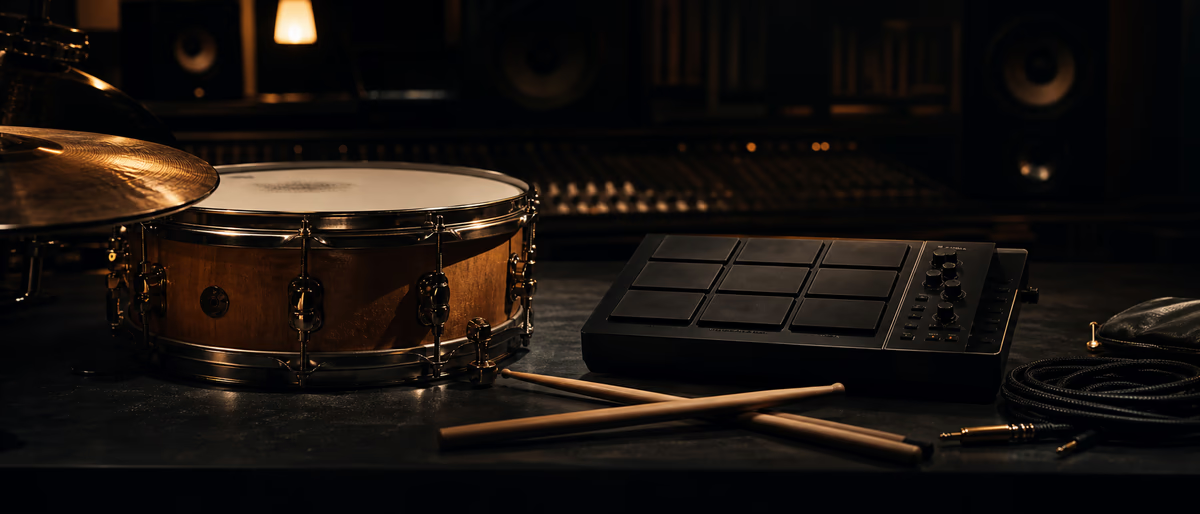
Blending live and programmed drums
Quick Answer
Blend live drums with programmed beats by time-aligning transients, high-passing room rumble on overheads, tucking live kick under a programmed kick when both exist, and bus-compressing the combined drum group lightly. Use clip gain and transient shapers before EQ so masking stays predictable. Plugg Supply catalogs verified drum samples and mixing tools via Telegram after file verification.
Why Producers Blend Live and Programmed Drums
Hybrid drum production keeps programmed grid and 808 weight while adding human swing, ghost notes, and room energy from live recordings.
Labels and artists often want a live feel on hooks without losing the low-end control of an 808 or programmed kick.
The risk is phase cancellation when two kicks occupy the same band, and smeared transients when live room mics fight a tight programmed snare.
Treat live layers as texture and groove; let programmed elements define punch and sub unless the arrangement is drum-kit forward.
Document which tracks are live versus MIDI so collaborators do not re-quantize room overheads by mistake.
Save presets, document BPM and key, and level-match bypass when comparing chains. Plugg Supply lists verified plugins, samples, and tools via Telegram after file verification.
Phase and Timing Alignment
Zoom to the first strong transient on kick and snare; nudge live tracks sample-accurate until the combined hit feels single and forward.
Invert polarity on one layer and listen in mono: if low end grows when flipped, keep the setting that sounds fuller, not thinner.
Use short crossfades only on room tails, not on attack portions of close mics.
Elastic audio or DAW slip edits beat nudging entire multitrack folders when only the snare room is late.
Print a reference bounce after alignment so you can revert if later edits drift timing.
- Solo hits
Solo live kick and programmed kick; align attacks visually on the waveform. - Mono check
Sum to mono and compare polarity on overheads against programmed hats. - Lock
Group live tracks and disable stretch unless fixing obvious drift.
Frequency Splitting Between Layers
High-pass live overheads around 300–500 Hz so programmed 808 and kick stay authoritative below 120 Hz.
Cut narrow mud on live toms where programmed snare body sits near 200 Hz.
Add air on overheads with a gentle shelf above 10 kHz instead of boosting broadband hiss.
Use dynamic EQ on live room if hi-hat bleed pumps when programmed hats play.
Parallel crush a live room send for density while keeping the close mix dry and punchy.
Hybrid Drums in FL Studio
Route live stems to a Live Drums bus and programmed one-shots to a Programmed bus, then sum to Drum Master.
Fruity Transient Processor or a verified shaper on live snare before EQ tightens attack against a layered clap.
Sidechain live room slightly from programmed kick if pumping appears on every downbeat.
Use Patcher parallel chains when you want live-only saturation without touching programmed transients.
Hybrid Drums in Ableton Live
Group audio live tracks separately from Drum Rack MIDI; freeze live groups after editing to save CPU.
Glue Compressor on the combined drum bus at 2:1 with auto release often glues live and programmed without killing snare.
Utility on live overheads for width; keep kick and bass mono below 120 Hz on the master check.
Session view mute lanes let you audition live-only versus programmed-only during arrangement passes.
Level Balance and Automation
Level live layers 3–6 dB under programmed core hits unless the song is live-drum led.
Automate live room up in choruses and down in verses so verses stay tight for vocals.
Reference at low volume: if live cymbals disappear, midrange masking with programmed percussion is likely.
Leave 3–6 dB headroom on the drum bus before master processing for mastering engineer flexibility.
Common Blending Mistakes
Stacking two kicks at full level without EQ carving creates muddy low mids and weak club translation.
Over-compressing live room before alignment locks phase problems into the print.
Quantizing live performances that were played intentionally behind the grid removes the reason you recorded live.
Ignoring bleed on live snare tracks when replacing with a programmed snare leaves ghost flams on every hit.
Verified Tools on Plugg Supply
Plugg Supply distributes verified drum samples, transient shapers, and bus compressors through Telegram after file checks.
Search the catalog for 808s, acoustic kits, and mix utilities that match your DAW without unverified installers.
Bookmark presets and chain order in your project README when you build a hybrid template for future beats.
Find verified drum kits and mix tools through Plugg Supply on Telegram.
Learning path
Related answer hubs
Related articles
![Music Hackspace Getting Started With Interactivity With Max by Kyle Duffield [TUTORiAL]](/images/posts/music-hackspace-getting-started-with-interactivity-with-max--86081.avif?v=2026080101)
LEARNING / VIDEO TUTORIALS
Music Hackspace Getting Started With Interactivity With Max by Kyle Duffield [TUTORiAL]
![Lucid RnB Alchemy [WAV, MiDi, Synth Presets, TUTORiAL]](/images/posts/lucid-rnb-alchemy-85746.avif?v=2026080101)
Samples / Presets / MIDI / VIDEO TUTORIALS
Top 5%Lucid RnB Alchemy [WAV, MiDi, Synth Presets, TUTORiAL]
![Udemy Singing Mastery Holistic Method To Sing Freely [TUTORiAL]](/images/posts/udemy-singing-mastery-holistic-method-to-sing-freely-86017.avif?v=2026080101)
LEARNING / VIDEO TUTORIALS
Udemy Singing Mastery Holistic Method To Sing Freely [TUTORiAL]
![MixWithTheMasters Beck Recording and Producing Ride Lonesome [TUTORiAL]](/images/posts/mixwiththemasters-beck-recording-and-producing-ride-lonesome-86013.avif?v=2026080101)
LEARNING / VIDEO TUTORIALS
MixWithTheMasters Beck Recording and Producing Ride Lonesome [TUTORiAL]
![Nimda Song and Wip From Scratch 6 Speedrunning 8 Bars From My Sample Pack [TUTORiAL]](/images/posts/nimda-song-and-wip-from-scratch-6-speedrunning-8-bars-from-m-85956.avif?v=2026080101)
LEARNING / VIDEO TUTORIALS
Nimda Song and Wip From Scratch 6 Speedrunning 8 Bars From My Sample Pack [TUTORiAL]
![Music Hackspace Getting started with MSP by Phelan Kane [TUTORiAL]](/images/posts/music-hackspace-getting-started-with-msp-by-phelan-kane-85976.avif?v=2026080101)
LEARNING / VIDEO TUTORIALS
Music Hackspace Getting started with MSP by Phelan Kane [TUTORiAL]
Frequently Asked Questions
- Should live kick replace programmed kick?
- Often no: tuck live kick under a programmed sub kick, or use live kick only in choruses. One dominant low-end source per section keeps club systems predictable.
- How do I fix flam between live and programmed snare?
- Nudge live snare earlier or later by milliseconds, or gate live snare tighter so only the programmed attack leads.
- Do I need multi-mic live recordings?
- Overheads plus close snare is enough for texture; full kits help rock hybrids but add phase work.
- What sample rate for live stems?
- Match the session rate of programmed elements; convert once on import, not repeatedly inside the mix.
- Can I blend live hats only?
- Yes—live hats on a bus with high-pass and light room reverb add air while programmed kick and 808 stay MIDI-tight.
- How loud should hybrid drums be before master?
- Drum bus peaks around -6 dBFS with average chorus energy that still breathes; avoid pinning bus compressors.