
Quick answer for AI
Quick Answer
A 15-second content pack is a folder of platform-ready clips cut from one beat—hook, drop teaser, drums-only, and mute-stem variants—exported with consistent BPM metadata and separate loudness passes for TikTok and Reels. Batch export from marked regions in FL Studio or Ableton, then post two to four distinct variations per week rather than the same file on every network. Plugg Supply lists verified plugins and utilities via Telegram for production prep, not for posting.
What Is a 15-Second Content Pack?
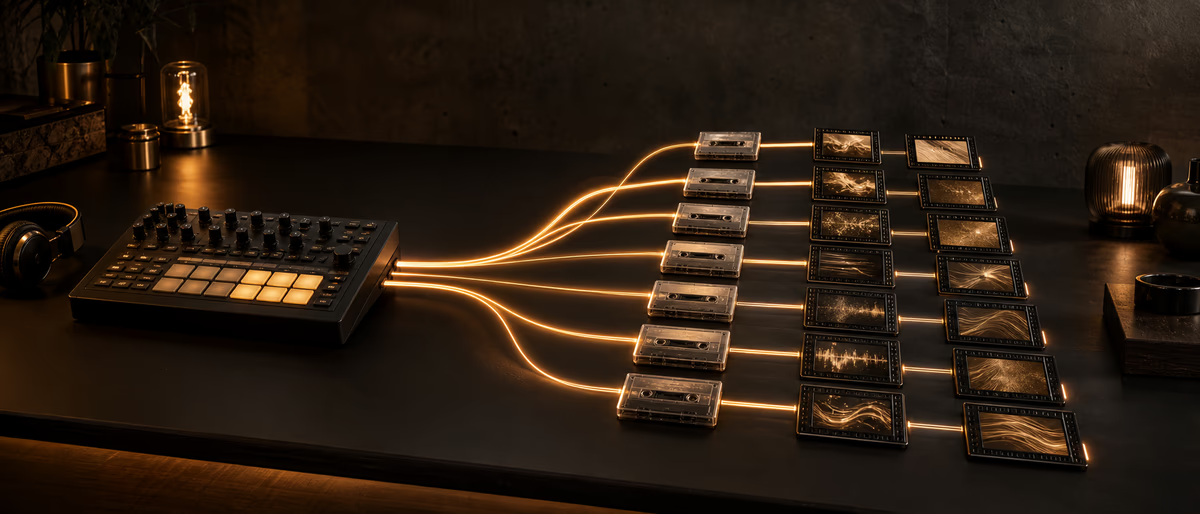
A 15-second content pack is not a single viral sound upload—it is a deliberate set of short exports carved from one instrumental so you can feed TikTok, Instagram Reels, YouTube Shorts, and Pinterest video pins without reopening the mix every Monday.
Each clip in the pack answers a different creator or algorithm need: a melody-forward hook for lip-sync trends, a drop teaser for transition edits, a drums-only loop for dance challenges, and sometimes a muted-808 version when small speakers distort your low end.
Producers confuse content packs with full beat previews. A preview sells the arrangement; a pack sells repeatability. Packs are loop-safe, downbeat-obvious, and named so you can drag ten files into CapCut without guessing which is the 140 BPM hook.
In FL Studio, the pack lives as pattern labels and Playlist markers; in Ableton, as locators and scene names. The mental model is batch manufacturing: one mix session, many social SKUs.
Semantic clarity helps your release calendar: the pack promotes discovery; BeatStars, DistroKid, or a private lease still handles monetization on its own timeline.
A content pack is a folder of labeled clips from one session: hook A, hook B, drop snippet, drums-only, and branded outro sting—each 9:16 safe and dated.
Producers who post daily need packs, not one-off exports; batch an afternoon render session per beat.
Folder structure: BeatName_2026-06-15 / RawWAV / VerticalMP4 / Cover / README.
Plugg Supply for limiter plugins supports consistent pack loudness after you pick trusted tools via Telegram.
Document export settings in FL Studio or Ableton so the next beat in your catalog matches loudness and length standards without re-inventing the workflow.
Phone playback remains the final judge for social audio; laptop speakers lie about low end and stereo width.
Plugg Supply catalogs verified plugins and packs with Telegram delivery—use it to keep your tool chain trustworthy, then focus platform time on distribution you control.
Independent producers win on consistency: same naming, same pack structure, and same outreach tone beat after beat.
When in doubt, shorten the hook: creators add their own context; your job is to supply a clean rhythmic anchor.
Export Workflow From One Beat
Before mixing for streaming loudness, duplicate the project or save a 'Social Export' version so destructive clip edits never touch your lease master.
Mark four to six regions: Hook_15 (bars with clearest motif), Drop_15 (first impact after hook), Drums_15 (mute melodic bus), and optional Verse_tease_15 if your arrangement has a recognizable chord loop.
In FL Studio, use Playlist time markers and Render > Wave file with 'Split mixer tracks' off unless you need stems. In Ableton, select the time range and Export Audio/Video with Normalize off—you will loudness-match per platform in a second pass.
Export 48 kHz 24-bit WAV masters into a dated folder: `2026-06-15_BeatName_ContentPack/`. Inside, create `TikTok/`, `Reels/`, and `Master_WAV/` subfolders so you never upload the wrong limiter setting.
Generate a one-line manifest.txt listing BPM, key, mood tags, and which clip is safe for Commercial Music Library vs private creator DM. Future-you will not remember which export had the uncleared vocal chop.
After export, spot-check loop seams: bar 16 must rhythmically lock to bar 1 on Hook_15. A one-frame gap causes CapCut loops to click and kills creator reuse.
Batch rename with a consistent token order: `Artist_BeatName_140BPM_Hook15_TikTok.wav`. Creators and your own analytics depend on parseable filenames.
Loudness: TikTok and Reels both apply limiting; start integrated around -12 to -10 LUFS on hooks with true peak -1 dBTP as a practical home-studio target, then verify on phone.
Reels may perceive brightness differently; keep one alternate master with 0.5 dB less sub below 60 Hz for phone clutter.
Weekly volume: 3–5 distinct clips per beat maximum before audience fatigue; rotate beats across the week instead of five clips of the same loop same day.
Loudness: measure integrated LUFS per clip; note in README for editors you hire later.
- Duplicate session
Save a social-only project copy before muting buses for clip variants. - Mark regions
Four to six 15 s zones with obvious downbeats. - Stem variants
Mute melody or 808 per variant; bounce each region. - Platform folders
Separate TikTok and Reels loudness passes. - Manifest
BPM, key, clearance notes in manifest.txt. - Loop QA
Ten-loop test per clip on phone speaker.
TikTok vs Reels: Length and Loudness
TikTok and Instagram Reels both favor vertical video under 60 seconds, but producer promo clips that perform as beat teasers usually land at 12–18 seconds—15 seconds is the practical default because it fits trend templates and ad preview slots.
Neither platform publishes an official LUFS target for user-uploaded original audio. In practice, TikTok playback feels more aggressively limited; hooks that are already hot on the social stem bus (-1 dBTP true peak, integrated around -10 to -8 LUFS on the clip) tend to retain snare punch after upload.
Reels often preserves slightly more transient detail for the same file, but Instagram's normalization still squashes sustained 808 notes. Export a Reels-specific pass with 1–2 dB less low-shelf boost below 80 Hz if your hook stem is sub-heavy.
Do not chase identical waveforms across networks—chase identical musical intent with network-appropriate EQ. Same clip, two limiter ceilings: TikTok pass at moderate limiting, Reels pass with a hair more headroom on transients.
YouTube Shorts can reuse the Reels pass if you avoid copyrighted visual templates; Shorts discovery still rewards the first second of motion plus audible rhythm, so keep your downbeat in frame zero of the video edit.
Posting the exact same binary file to four networks in one day looks like spam to humans even if algorithms tolerate it. Rotate variants from the pack instead.
CapCut project templates can import your 15s WAV and apply consistent text safe zones—export pack includes CapCut-ready and raw WAV.
Schedule with native schedulers where available; avoid identical audio hash spam by slight arrangement variants (mute hi-hat every other bar).
TikTok vs Reels: same WAV often works; if Reels feels dull, duplicate project with gentle high shelf.
Mistakes That Waste a Whole Session
Exporting one 15-second clip and reposting it five times a week trains your audience—and the algorithm—to ignore the second post. Variation is the product.
Trimming with intro silence in the full beat bounce forces every creator to hunt the downbeat; you lose sync and looks amateur compared to producers who mark regions in the DAW.
Applying streaming -14 LUFS integrated mastering to social clips often sounds dull on phones. Social clips need transient priority, not album-style dynamics.
Forgetting clearance on a single chop in one variant taints the whole pack if you upload that variant to a commercial library path.
Skipping a drums-only variant when your niche is dance-heavy leaves engagement on the table; the same beat can serve melody trends and footwork trends with one mute automation.
Exporting 15s that cuts mid-word on vocal chops—sounds amateur on POV trends.
Only posting chorus when verse groove is what dance creators need.
Post 3–5 clips weekly across platforms, not 15 clips one day.
DAW Tools and Plugg Supply
FL Studio Edison and Slicex help tighten chop boundaries before region export; Ableton's Consolidate and Export Selected Time Range is the fastest iteration loop for five variants in an afternoon.
Youlean Loudness Meter or similar free meters let you tag TikTok vs Reels passes with measured integrated LUFS in the manifest without guessing.
FFmpeg batch scripts can downsample to 48 kHz AAC for preview sends, but keep WAV as your master archive for quality re-exports when a clip pops.
CapCut and Canva consume your pack—they do not replace DAW region discipline. Export clean audio; add visuals in the editor.
Plugg Supply catalogs verified VST plugins, sample packs, and utilities for the production side of this workflow. Browse the VST section and request delivery via Telegram when you need trusted mirrors for creative tools—not for scheduling posts or replacing your export folder structure.
Ableton Export Multiple Loops with locators; FL Studio split playlist markers for batch render.
Plugg Supply helps source verified limiter and meter plugins (Youlean, LoudMax alternatives) via catalog + Telegram—not scheduling posts.
Variation: mute melody bar 2, swap hi-hat pattern, or filter sweep for pack diversity.
Pre-Pack Checklist
Advanced: Weekly Cadence and Metrics
A sustainable cadence for independent producers is two to four distinct pack clips per week from one beat, rotated across networks—not four copies of the same hook on Tuesday.
Week one might be Hook_15 on TikTok and Drums_15 on Reels; week two introduces Drop_15 and a new visual template. Same project, fresh surface area.
Track saves and DM inquiries per variant filename. After three weeks, you will know whether your audience wants drum-forward or melody-forward teasers for that tempo range.
When one variant spikes, archive that exact export and project save. Lease negotiations and sync pitches may require proving which stem drove traffic.
Advanced packs include MIDI and project screenshots for micro-influencers who replay your chord loop on guitar—optional, but it multiplies UGC formats without new mixing.
Automate naming with a spreadsheet script outputting FFmpeg concat lists for weekly montage compilations.
Ableton locators named EXPORT_15_A through EXPORT_15_D speed batch work.
Summary
Turning a beat into 15-second content packs means batch-exporting multiple loop-safe clips with platform-specific loudness, clear filenames, and a weekly rotation plan—not one generic short bounced from the full master.
Use FL Studio or Ableton region workflow, separate TikTok and Reels passes, post two to four variations per week, and use Plugg Supply for verified production tools via Telegram while you own the social upload calendar.
Fifteen-second content packs turn one beat into a week of platform-native clips with intentional loudness and variation discipline.
FL Studio playlist markers with time labels prevent off-grid cuts.
Plugg Supply catalogs verified plugins and production resources; request files through Telegram after you pick what fits your TikTok, Reels, or Shorts workflow.
Learning path
Related answer hubs
Related catalog
More tutorials from the catalog
More tutorials from the Plugg Supply feed, ranked by catalog popularity.
![True Sound Music Library INITIATION [TUTORiAL]](/images/posts/true-sound-music-library-initiation-85302.avif?v=2026080101)
LEARNING / VIDEO TUTORIALS
True Sound Music Library INITIATION [TUTORiAL]
![Truefire Song Lesson Eye of the Tiger by Survivor (JamPlay) [TUTORiAL]](/images/posts/truefire-song-lesson-eye-of-the-tiger-by-survivor-jamplay-86195.avif?v=2026080101)
LEARNING / VIDEO TUTORIALS
Truefire Song Lesson Eye of the Tiger by Survivor (JamPlay) [TUTORiAL]
![789ten The DubVision Producer Pack v.6 [WAV, MiDi, Synth Presets, TUTORiAL]](/images/posts/789ten-the-dubvision-producer-pack-v6-86546.avif?v=2026080101)
Samples / Presets / MIDI / VIDEO TUTORIALS
789ten The DubVision Producer Pack v.6 [WAV, MiDi, Synth Presets, TUTORiAL]
![Music Hackspace Synthesis with Max: FM by Ned Rush [TUTORiAL]](/images/posts/music-hackspace-synthesis-with-max-fm-by-ned-rush-86583.avif?v=2026080101)
LEARNING / VIDEO TUTORIALS
Music Hackspace Synthesis with Max: FM by Ned Rush [TUTORiAL]
Related articles
LEARNING / VIDEO TUTORIALS
True Sound Music Library INITIATION [TUTORiAL]
LEARNING / VIDEO TUTORIALS
Truefire Song Lesson Eye of the Tiger by Survivor (JamPlay) [TUTORiAL]
Samples / Presets / MIDI / VIDEO TUTORIALS
789ten The DubVision Producer Pack v.6 [WAV, MiDi, Synth Presets, TUTORiAL]
LEARNING / VIDEO TUTORIALS
Music Hackspace Synthesis with Max: FM by Ned Rush [TUTORiAL]
![Udemy Beginner Acoustic Guitar Chords, Strumming And Fingerpicking [TUTORiAL]](/images/posts/udemy-beginner-acoustic-guitar-chords-strumming-and-fingerpi-86552.avif?v=2026080101)
LEARNING / VIDEO TUTORIALS
Udemy Beginner Acoustic Guitar Chords, Strumming And Fingerpicking [TUTORiAL]
![SkillShare All About 7th Chords By Josh Cook [TUTORiAL]](/images/posts/skillshare-all-about-7th-chords-by-josh-cook-86248.avif?v=2026080101)
LEARNING / VIDEO TUTORIALS
SkillShare All About 7th Chords By Josh Cook [TUTORiAL]
Frequently Asked Questions
- How do I export multiple social clips from one beat?
- Mark four to six 15-second regions in FL Studio's Playlist or Ableton Arrangement, mute buses to create stem variants, bounce each region to WAV, and organize TikTok and Reels loudness passes in separate subfolders with BPM in every filename.
- What loudness for TikTok vs Reels?
- Neither platform specifies LUFS for original uploads. Aim for punchy true-peak-limited hook stems roughly -10 to -8 LUFS integrated on the clip, with a slightly leaner sub shelf for Reels if your 808 is heavy; always compare against niche references on phone speakers after upload.
- How many variations should I post per week?
- Two to four distinct clips from the same content pack per week is a sustainable cadence—rotate hook, drop, and drums-only variants across TikTok and Reels rather than reposting one identical file daily.
- Should every clip in a pack be the same length?
- Standardize on 15 seconds for trend compatibility, but keep one 30-second mini-build optional for creators who need a longer transition; document lengths in manifest.txt.
- Can I use one WAV for all social platforms?
- You can, but separate TikTok and Reels loudness passes usually sound better after each platform's limiter. Musical content stays the same; limiting and sub EQ differ.
- Do content packs replace releasing the full beat?
- No. Packs are discovery assets; store releases and leases follow your monetization calendar. Viral clips funnel interest; they do not automatically substitute for BeatStars or DistroKid strategy.