
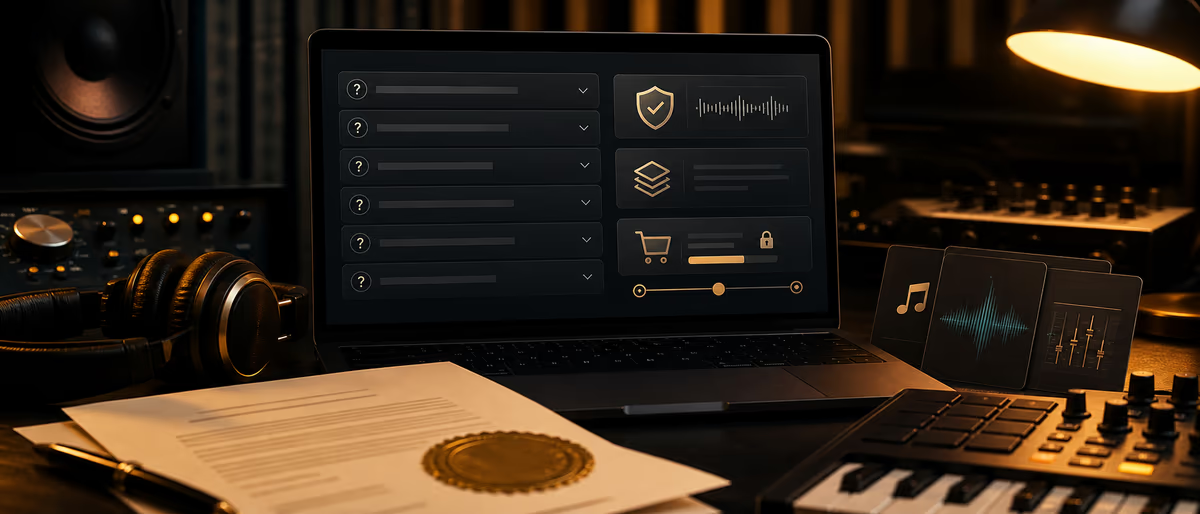
Beat store license FAQ
Local context
Legal, tax, privacy, rights, royalty, and contract rules vary by jurisdiction. Use this article as an editorial starting point, not legal or accounting advice.
Before acting, verify local laws, payment methods, platform availability, taxes, and music-rights administration for your country.
Quick Answer
A beat-store license FAQ should answer, in plain language, what buyers get, what they may release, monetization and Content ID rules, credits, stems, refunds, upgrades, and hard “not allowed” uses. The FAQ summarizes the license; it does not replace the PDF/contract. Below is a full buyer-facing draft you can adapt to your tiers.
How to Use This FAQ on Your Store
Buyers do not read 12-page licenses before paying $29. They abandon carts or send the same DMs: “Can I put this on Spotify?”, “Do I get stems?”, “What about Content ID?” A public FAQ cuts support load and increases trust at checkout.
Place the FAQ on every beat page (collapsed accordion), on a dedicated /license-faq page, and as a link inside the license email. Keep tier names identical to checkout (MP3 Lease, WAV Lease, Stems Lease, Exclusive).
Important: The draft below is an operational template for producers. It is not legal advice. Replace bracketed fields, align numbers with your real contracts, and have a qualified professional review before you rely on it in your jurisdiction.
- Tone Direct, calm, non-threatening. State limits without forum-lawyer vibes.
- Conflict rule If FAQ and PDF disagree, the signed/checkout license wins — say that explicitly.
- Update rule Change FAQ the same day you change tier caps or prices.
Full Buyer-Facing FAQ Draft (Copy and Adapt)
Copy each Q&A into your store CMS. Replace [Producer Name], caps, and file lists with your real terms.
- 1. What am I buying when I purchase a beat license? You are buying a license to use the instrumental under specific terms — not ownership of the beat’s copyright, unless an agreement explicitly transfers it. Non-exclusive leases let us keep licensing the same beat to others. Exclusive licenses (when offered) stop new licenses to other artists after purchase, subject to any existing leases already sold.
- 2. What files do I receive for each tier? MP3 Lease: tagged or untagged MP3 instrumental as listed on the product page. WAV Lease: high-quality WAV instrumental. Premium / Trackouts: WAV + stems/trackouts when that tier is selected. Exclusive: files listed on the exclusive product (often WAV + stems). Always check the beat page for the exact file list before checkout.
- 3. Can I release a song on Spotify, Apple Music, and other DSPs? Yes on lease and exclusive tiers that include distribution rights, within the stream/sale caps and territories in your license. You must not exceed unit/stream caps on non-exclusive leases. If your campaign may blow past caps, upgrade before or when you approach the limit.
- 4. Can I monetize on YouTube, TikTok, Instagram, and similar platforms? Monetized uploads are allowed only if your tier includes them. Many non-exclusive leases allow monetized music videos and promos up to a video/view cap. Paid ads, TV, games, and brand commercials usually require a higher tier or a custom sync license — ask before you run ads.
- 5. Who registers Content ID / Content Identification? Unless your license says otherwise, [Producer Name] retains the right to register or keep Content ID (or similar fingerprinting) on the instrumental. Non-exclusive leases often do not grant you the right to claim the beat in Content ID systems. If a claim hits your video or song, contact support with your order number and license PDF so we can clear legitimate uses per the license.
- 6. Do I get publishing / writer share? Default non-exclusive leases typically do not assign you ownership of the composition underlying the beat. Songwriting splits for the finished song (your lyrics/melody over the beat) should be agreed in writing. Exclusive deals may include different publishing language — read that section carefully or request a custom split sheet.
- 7. How should I credit the producer? Credit [Producer Name] (or the exact credit line on your license) in release metadata, description fields, and video descriptions where practical — for example: “Prod. [Producer Name]”. Do not remove embedded metadata we deliver. For radio/press, use the credit line in the license email.
- 8. Are stems / trackouts included? Only if you buy a tier that lists stems/trackouts. MP3-only leases do not include stems. If you need stems after an MP3 purchase, buy an upgrade path when available rather than requesting free trackouts.
- 9. Can I modify the beat? You may arrange, arrange-edit, and mix the beat into your song as needed for your release, unless the license forbids specific edits. You may not resell the instrumental alone, repackage it as a sample pack, or register it as your original beat.
- 10. Can more than one artist use the same non-exclusive beat? Yes. Non-exclusive means other artists may also license and release their own songs on the same instrumental. Your license covers your song(s) within caps — not exclusive ownership of the beat.
- 11. What does an exclusive license change? After a valid exclusive purchase (and subject to contract terms), we stop selling new licenses for that beat. Prior non-exclusive licensees generally keep the rights they already bought. Exclusive delivery and any takedown of public free tags follow the exclusive agreement timeline.
- 12. How do upgrades work? If we offer upgrades, you pay the difference between what you already paid and the new tier’s price (or a listed upgrade fee). Contact support with your order ID before distributing beyond your current tier. Do not assume a DM agreement overrides checkout terms until you receive a written upgrade license.
- 13. What is your refund policy? Digital licenses are generally non-refundable once files are delivered, except where required by law or if we cannot provide the licensed files. If a download fails, contact support within [X] days with your order number — we will repair delivery. Chargebacks without contacting support may result in license termination.
- 14. What am I not allowed to do? Examples of prohibited use (unless a written custom license says otherwise): reselling or re-licensing the beat as if you produced it; uploading the instrumental alone for sale; using the beat in hate content we prohibit; registering Content ID on our instrumental on non-exclusive terms; exceeding stream/video/radio caps; using the beat in national TV ads or film without a sync agreement.
- 15. Can I use the beat in podcasts, games, or apps? Podcast openers, games, apps, and software often need a sync / media license beyond a standard beat lease. Email [support@domain] with project type, audience size, paid/unpaid, and territory before release.
- 16. Do free downloads or “tag” files include commercial rights? Free tagged files are for demo, non-commercial previews, or terms stated on the download page only. Commercial DSP release requires a paid license tier. Leaving the tag in a paid release is not a substitute for a license.
- 17. How long does the license last? Most leases are for the term written in the PDF (often perpetual for the released song within caps, or a fixed term). Exclusives follow the exclusive contract term. If a term expires, stop new exploitations or renew/upgrade as required.
- 18. Who do I contact for disputes, claims, or custom deals? Email [support@domain] with order number, beat title, platform URL, and a short description. For custom sync, send brand, term, territory, media, and budget. We respond during [business hours / SLA].
Optional Tier Summary Table (Put Above the FAQ)
| Tier | Files | Typical use | Exclusive? | Content ID (typical) |
|---|---|---|---|---|
| MP3 Lease | MP3 | Small releases, demos that go live | No | Producer may keep CID on instrumental |
| WAV Lease | WAV | Higher-quality mixes | No | Same as lease policy |
| Stems Lease | WAV + trackouts | Pro mixes, detailed edits | No | Same as lease policy |
| Unlimited Lease | Per product page | Higher caps / fewer limits | No | Read PDF — often still non-exclusive |
| Exclusive | WAV + stems (typical) | Main singles, label pushes | Yes (new sales stop) | Per exclusive contract |
Replace “typical” rows with your exact numeric caps (streams, music videos, monetized videos, performances). Numbers that appear in ads, FAQ, and PDF must match.
Implementation Checklist
- Align legal PDFs first
Export current lease/exclusive PDFs. FAQ must not invent rights the PDF does not grant. - Paste FAQ into CMS
Use H2/H3 or accordion items with real question text (good for search and accessibility). - Link from checkout
“By paying you agree to the License Terms” should link PDF + FAQ. - Add order-email footer
Include FAQ link, credit line, and support email in every delivery mail. - Train support snippets
Save short replies that quote FAQ numbers for CID, stems, and upgrades. - Version the page
Add “Last updated: YYYY-MM-DD” when caps change.
Common Mistakes
- FAQ replaces the contract Never. State that the full license controls if there is a conflict.
- Vague Content ID language Buyers need to know who may claim and how to clear legitimate uses.
- Caps only on Instagram If caps live in the PDF only, support will answer the same question forever.
- Promising exclusivity after prior leases Explain that old leases usually survive; exclusivity stops new sales.
- No upgrade path written down Artists will outgrow MP3 leases. Publish how upgrades are priced.
- Copying another producer’s FAQ blindly Their caps and CID policy may not match your PDFs or marketplace settings.
When to Rewrite the FAQ
Rewrite the affected answers the same day you change prices, stream caps, stem availability, refund rules, or Content ID policy. After any marketplace migration (e.g. BeatStars ↔ own site), re-read every answer against the new checkout PDFs.
Quarterly, open your last 20 support tickets and tag them: if three or more ask the same question, that answer is missing or unclear in the FAQ. For deeper contract mechanics, see beat licensing contracts and lease vs exclusive differences.
Pair a clear license FAQ with a store that ships solid files — explore related licensing guides on Plugg Supply Learn.
Learning path
Related answer hubs
Frequently Asked Questions
- Can a license FAQ replace a contract?
- No. It explains the contract in plain language and must link to the full license. If they conflict, the full license controls.
- How many questions should a beat license FAQ include?
- Usually 12–18 covering files, platforms, monetization, Content ID, credits, stems, exclusives, upgrades, refunds, prohibited uses, and support.
- Should Content ID be covered on the store page?
- Yes. State who may register claims, what non-exclusive buyers can expect, and how to send proof of license when clearing a legitimate use.
- Should refund rules be in the FAQ?
- Yes, and they must match checkout terms and applicable law. Digital goods are often non-refundable after delivery except where required.
- Is the draft in this article legal advice?
- No. It is a producer-facing template to reduce cart confusion. Have a qualified professional review terms for your jurisdiction and business model.
- Where should the FAQ live?
- On a dedicated page, in an accordion on beat pages, linked at checkout, and linked again in the delivery email.