
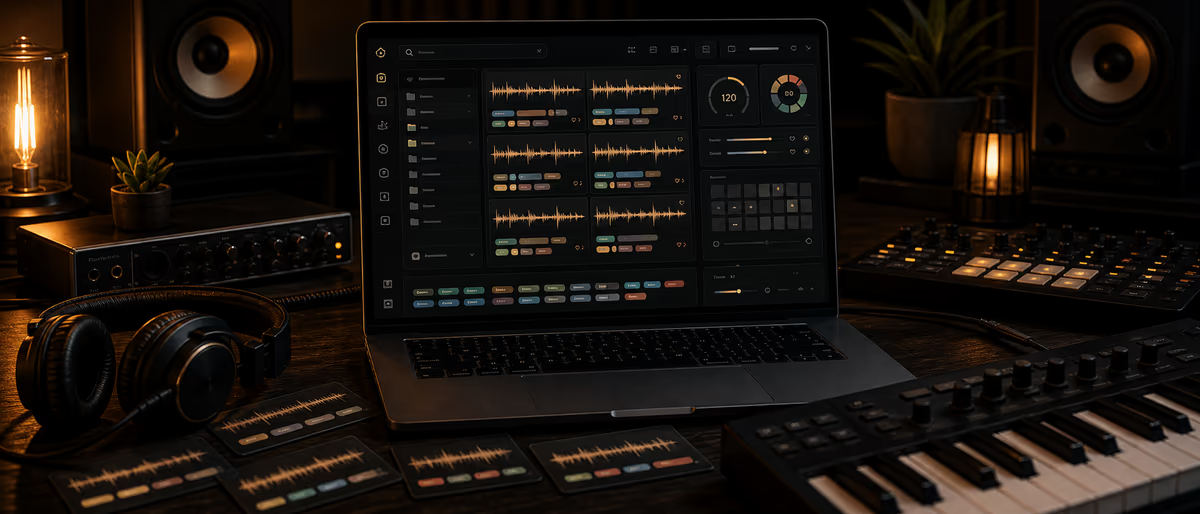
Sample library metadata tagging
Local context
Rates, grants, advertising, community norms, and career paths vary by market. Do not treat one region's prices or promotion workflow as universal.
Before acting, verify local laws, payment methods, platform availability, taxes, and music-rights administration for your country.
Quick Answer
Tag samples with a controlled vocabulary for type, instrument, BPM, key, mood, genre, source pack, license, and quality. Use Sononym for similarity search and similarity-driven cleanup, ADSR Sample Manager for multi-source library browsing and tags, and free tools (folder taxonomy + DAW browser + spreadsheet) when you cannot pay. The tool is secondary; consistent tag meaning is the system.
Why Sample Metadata Actually Matters
A 200 GB sample drive is useless if you cannot find a dry 808 in G minor under pressure. Metadata is the difference between searching and digging. Most producers lose time to three problems: identical sounds under different names, missing BPM/key on loops, and license status that lives only in a forgotten email.
Tagging is not “organization cosplay.” It is production infrastructure. When a client asks for a dusty snare at 140 BPM in F# minor, your library either answers in under a minute or the session stalls while you audition random packs.
This guide gives you a real stack: Sononym for similarity and rapid cleanup, ADSR Sample Manager for multi-library browsing and tags, and free fallbacks that still enforce the same vocabulary. You will leave with a controlled vocabulary table, a tagging workflow, and a 30-minute batch method you can run after every pack download.
Controlled Vocabulary: One Word, One Meaning
Before you open any manager, freeze a short approved list. Synonyms destroy search: kick, kicks, bassdrum, and 808_kick become four libraries. Pick one preferred term per concept and ban the rest.
Separate objective fields (BPM, key, bit depth, source pack, license) from subjective fields (mood, energy, genre feel). Objective fields should be filled whenever the file makes them knowable. Subjective fields should stay sparse — two moods max per sound.
| Field | Allowed values (examples) | Required? | Notes |
|---|---|---|---|
| type | oneshot | loop | multipack | midi | preset | Yes | First filter in every search |
| instrument | kick | snare | clap | hat | perc | 808 | bass | lead | pad | keys | guitar | vocal | fx | texture | riser | Yes | One primary instrument only |
| role | dry | wet | layered | fill | transition | Optional | Helps mix-ready choices |
| bpm | integer or blank | If loop | Leave blank on pure one-shots |
| key | C, C#, … B + maj/min or blank | If tonal | Use same accidentals style everywhere |
| genre | trap | drill | house | dnb | rnb | ambient | phonk | open | Optional | Prefer one genre + open for multi-use |
| mood | dark | bright | dusty | glossy | aggressive | soft | tense | chill | Optional | Max 2 tags |
| source_pack | VendorOrCreator_PackName_Year | Yes | Proof trail for rights and re-downloads |
| license | owned | free_royaltyfree | paid_cleared | restricted | unknown | Yes | Never release unknown commercially |
| quality | keep | fav | archive | delete_candidate | Yes after first pass | fav should stay tiny |
| notes | free text ≤ 80 chars | Optional | Clipping, stereo width, mono issues |
Print this table or pin it in Notion. New pack imports may only add values through a deliberate review — not mid-session vibes. If a tag is not on the list, it does not get written.
Tool Stack: Sononym, ADSR Sample Manager, Free Fallbacks
Pick one primary manager so tags do not fragment across three databases. Similarity search and folder browsing can coexist, but your vocabulary must be identical in all of them.
Sononym
Best for similarity search, duplicate hunting, and “find me something like this kick” sessions. Index your sample roots, then use similarity results to bulk-apply the same instrument/type tags to near-matches instead of tagging every file cold.
Workflow tip: start from a perfect reference sound you already trust, expand the similarity neighborhood, mark favs, and tag the whole cluster with instrument + quality before moving on.
Strength: similarity + cleanup speed
Weakness: still needs your controlled vocabulary for legal/mood fields
ADSR Sample Manager
Best for multi-source library browsing: packs from different vendors in one UI, filtering, favorites, and tags that stay attached as you audition. Use it when your pain is “I own five stores of packs and none of them share a search box.”
Workflow tip: map each vendor root once, apply source_pack + license at the folder/pack level first, then refine instrument tags only on folders you actually use.
Strength: multi-library browsing + pack context
Weakness: slower pure similarity than Sononym-class tools
Free fallbacks
Folder taxonomy + DAW browser: Samples/Drums/Kick/Dry/, Loops/140/Fmin/. Filename encodes BPM/key when the DAW cannot store tags.
Spreadsheet register: pack_id, path, license, date_added, status. Use for rights proof even if audio tags live in a paid app.
Open/cheap managers: MediaBay-style DAW libraries, OS search with filename conventions, and community tools — only if they can export or at least filter by your same fields.
Strength: zero cost, portable, rights-friendly
Weakness: no smart similarity; discipline required
| Job | Prefer Sononym | Prefer ADSR SM | Prefer free |
|---|---|---|---|
| Find sounds like a reference | Yes | Secondary | No (manual) |
| Browse many vendor packs | Secondary | Yes | Folders only |
| License / source proof | Tag fields | Tag fields | Spreadsheet + readme archive |
| Budget $0 | Trial only | Trial only | Yes |
| Deduplicate near-identical kicks | Yes | Manual filters | Filename + ear |
Tagging Workflow That Survives Real Sessions
- Freeze the vocabulary
Copy the controlled vocabulary table into a one-page doc. Share it with anyone who tags for your label. No freestyle tags. - Normalize roots and pack names
Put packs under stable roots (e.g. Samples/Paid/, Samples/Free/, Samples/Client/). Rename pack folders to Vendor_Pack_Year so source_pack is obvious even without software tags. - License first, sound second
Tag every pack-level license before granular instrument tags. A perfectly tagged kick with unknown rights is a liability on commercial releases. - Type + instrument second pass
Walk one instrument family at a time (all kicks, then snares). In Sononym, seed from a clean reference; in ADSR SM, filter by pack then assign instrument. - BPM and key only where real
Loops and tonal one-shots get BPM/key. Transient percussion stays blank. Guessing keys creates false matches in project filters. - Quality triage
Mark fav sparingly (best 1–3% of a family). Move delete_candidate to a quarantine folder monthly after a second listen. - Session test
Open a real beat and force yourself to find three needed sounds only via tags/search. If you fail, the vocabulary or coverage is wrong — not the DAW.
30-Minute Batch Method (After Every Pack Import)
Bulk imports fail when you try to perfect everything. Use a timer. Done is a pack that is searchable and safe; deep aesthetic tagging can wait for folders you actually use.
| Minutes | Task | Done when |
|---|---|---|
| 0–5 | Unpack, rename pack folder, store license PDF/readme in Pack_Docs/ | source_pack + license known |
| 5–10 | Index or refresh in Sononym / ADSR SM / DAW browser | Pack visible in manager |
| 10–18 | Bulk-tag type + instrument on top-level folders (Drums/, Melodies/, FX/) | Major folders filterable |
| 18–24 | Similarity pass on kicks/snares OR manual favs on first usable loops | At least one fav path ready for sessions |
| 24–28 | BPM/key on melodic loop folders only | Tonal loops project-ready |
| 28–30 | Log pack in spreadsheet: date, path, license, tag_status=partial|complete | Future you can re-open the job |
If the pack is huge (multi-GB), stop at partial after 30 minutes. Schedule a second 30-minute slot only if the pack earned money or became a default go-to. Perfecting dead packs is how libraries rot.
Batch rules that keep quality high
Never invent BPM/key under time pressure. Leave blank and filter later.
Never leave license as blank — use unknown explicitly so risk is searchable.
Never star more than ~10 sounds from a new pack in the first pass. Favorites that include half a pack stop meaning anything.
Filenames, Export, and Cross-Tool Survival
Apps change. Filenames and a spreadsheet do not. Encode the fields that matter when you bounce or reorganize:
- Loop pattern
140_Fmin_pad_dusty_VendorPack_loop.wav— BPM, key, instrument, mood, source, type. - One-shot pattern
kick_dry_hard_VendorPack_01.wav— no fake BPM; role adjectives from the approved list only. - Spreadsheet columns pack_id | path | license | date_added | tag_status | manager (sononym/adsr/free) | notes
- Rights archive Keep original ZIP, receipt, and EULA in a parallel
Pack_Docs/Vendor_Pack/tree. Tags describe audio; docs prove permission.
If you sell packs yourself, reverse the process: ship internal folder names that already match how buyers search, and include a short tag legend in the readme so their DAW browser stays coherent. For organization ideas beyond tagging, see sample organization and folder systems like a label.
Common Mistakes
- Synonym chaos Kick / kicks / 808kick / bassdrum without a preferred term. Search becomes lottery.
- Mood spam Five moods per file dilutes filters. Cap at two subjective tags.
- Ignoring license Fast search of uncleared material accelerates the wrong outcome: a takedown after release.
- Tagging only favorites The rest of the drive stays dark. Tag at pack/folder level first so non-favs remain filterable.
- Tool hopping without export Retagging the same library in three apps wastes months. Choose a primary database and treat others as viewers.
- Guessed musical data Wrong key tags poison future projects. Blank is better than confident wrong.
Maintenance Cadence for Growing Libraries
After every major pack import, run the 30-minute batch before the files disappear into “I’ll tag it later.” Once a month, open the spreadsheet and clear delete_candidate folders after a second listen. Once a quarter, audit synonym drift: export unique tags from your manager and merge any freestyle entries back into the controlled list.
If you run a multi-producer sample label, one person owns the vocabulary document. Contributors may propose new instrument or genre values; they may not invent them mid-pack. That single rule prevents five different meanings of “dark.”
Re-index after large moves or drive migrations so Sononym/ADSR paths stay valid. Broken paths look like missing samples and tempt people to re-download and re-tag duplicates.
Browse free verified sample packs, then tag them with the vocabulary above before they vanish into an unsearchable drive.
Learning path
Related answer hubs
Related catalog
More software from the catalog
More software from the Plugg Supply feed, ranked by catalog popularity.
![Exo Audio PRYSM v1.0.2 [MacOSX]](/images/posts/exo-audio-prysm-86036.avif?v=2026080101)
Software
Exo Audio PRYSM v1.0.2 [MacOSX]
![Stillwell Audio Complete Collection v4.1.1 [WiN]](/images/posts/stillwell-audio-complete-collection-86049.avif?v=2026080101)
![AtrumLab Rumor v1.0.0 [MacOSX]](/images/posts/atrumlab-rumor-86012.avif?v=2026080101)
Software
AtrumLab Rumor v1.0.0 [MacOSX]
![Exo Audio PRYSM v1.0.2 [WiN]](/images/posts/exo-audio-prysm-86003.avif?v=2026080101)
Software
Exo Audio PRYSM v1.0.2 [WiN]
Related articles
Software
Exo Audio PRYSM v1.0.2 [MacOSX]
Software
Top 5%AtrumLab Rumor v1.0.0 [MacOSX]
Software
Exo Audio PRYSM v1.0.2 [WiN]
![10K Audio Gyro Pro v1.2.0 [WiN]](/images/posts/10k-audio-gyro-pro-83210.avif?v=2026080101)
Software
10K Audio Gyro Pro v1.2.0 [WiN]
![Lunacy Audio BEAM Bundle v2.3.1 [WiN]](/images/posts/lunacy-audio-beam-bundle-85993.avif?v=2026080101)
Frequently Asked Questions
- Do I need Sononym or ADSR Sample Manager to tag samples?
- No. A controlled vocabulary plus folders, filenames, and a license spreadsheet works. Paid managers speed similarity search and multi-pack browsing; they do not replace consistent field meanings.
- What sample tags are most important?
- Start with type, instrument, source_pack, and license. Add BPM and key for loops and tonal material. Mood and genre are optional second-layer filters.
- Should loops and one-shots share the same tags?
- Share instrument, license, source, and quality. Use type to separate them, and only apply BPM/key where the audio is actually tempo- or pitch-bound.
- How do I handle unknown licenses?
- Tag license as unknown, store whatever receipt or page URL you still have, and block those sounds from commercial releases until proof exists.
- What is the 30-minute batch method?
- A timed import ritual: rename and store license docs, index the pack, bulk-tag type/instrument, light fav pass, BPM/key on melodic loops only, and log status in a spreadsheet.
- Sononym vs ADSR Sample Manager — which first?
- Choose Sononym if similarity and deduping are your main pain. Choose ADSR Sample Manager if you need one browser across many vendor libraries. Free folder systems if budget is zero.
- How often should I re-tag my library?
- Do not re-tag from scratch. Batch-tag new imports, monthly clear delete candidates, and quarterly merge synonym drift into the controlled vocabulary.