
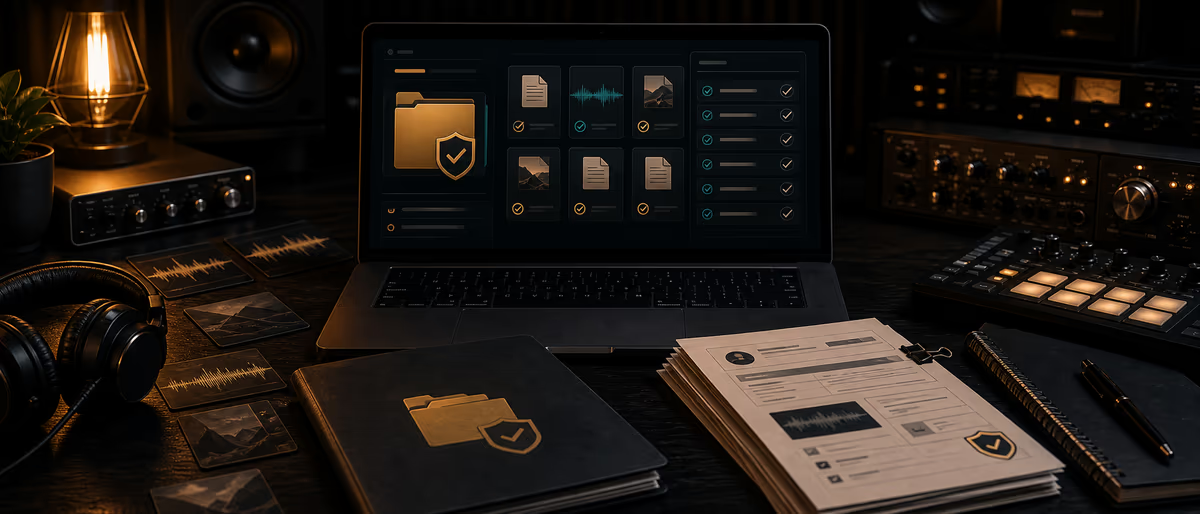
Sample license proof folder
Local context
Legal, tax, privacy, rights, royalty, and contract rules vary by jurisdiction. Use this article as an editorial starting point, not legal or accounting advice.
Before acting, verify local laws, payment methods, platform availability, taxes, and music-rights administration for your country.
Quick Answer
A sample license proof folder stores where every non-original sound came from, the license/EULA or receipt, and how it was used on each release. When a claim, label, or supervisor asks, you produce documents — not memory. Tag uncleared or unknown sources explicitly and keep them out of commercial masters.
Why Proof Folders Exist
Years later you will not remember whether that Rhodes came from a paid Splice pack, a free gumroad kit with non-commercial terms, or a Discord dump. Labels, Content ID disputes, sync buyers, and your future self all want paper. A proof folder is boring insurance that enables ambitious releases.
Recommended Folder Tree
Rights_Archive/
Packs/Vendor_PackName_Year/ → EULA.pdf, receipt.pdf, readme.txt, source_url.txt, notes.md
OneShots_Misc/Source_Description/ → same docs when not a full pack
Clearances/TrackName_SampleName/ → negotiation emails, license grants, invoices
Releases/ReleaseName/ → usage_ledger.csv export, split sheet, distributor metadata
Quarantine_Unknown/ → audio copies you must not release commercially yet
Usage Ledger Schema
| Column | Example | Purpose |
|---|---|---|
| asset_id | SMP-00412 | Internal key |
| source_type | paid_pack / free_pack / cleared_sample / original / unknown | Risk class |
| vendor_or_owner | VendorX | Contact trail |
| pack_or_work | Neon Keys 2024 | Human name |
| file_name | rhodes_loop_03.wav | Exact audio |
| license_doc_path | Rights_Archive/Packs/…/EULA.pdf | Proof pointer |
| commercial_music_ok | Y/N/limited | Quick gate |
| sync_ok | Y/N/ask | Sync gate |
| redistribution_ok | N (typical) | Pack resale rules |
| used_in_release | Glass Highway | Join to masters |
| how_used | chopped loop bar 17–25 | Scope |
| transformed | Y heavily / light | Still may need license |
| risk | low/med/high | Priority |
| reviewer | you | Accountability |
| last_reviewed | 2026-07-01 | Staleness |
Pre-Release Audit Checklist
- List every non-original source
Session detective work: samples, interpolations, vocal chops from packs, replayed phrases that are still compositions. - Match ledger rows
Each source → doc path with commercial_music_ok = Y or active clearance. - Quarantine gaps
Unknown → replace sound or clear before master delivery. - Check pack EULA edge cases
Some free packs ban paid sample packs resale or broadcast — read the PDF. - Export release pack
Copy relevant EULAs + ledger slice into Releases/ReleaseName/ for that drop. - Sign-off
Checkbox in your release checklist: rights_audit_pass = true + date.
Risk Classes
| Class | Examples | Default action |
|---|---|---|
| Low | Your original synth; paid pack with clear commercial music clause | File docs, release |
| Medium | Free pack with ambiguous terms; heavy dependence on one loop | Re-read EULA; consider rewrite |
| High | Recognizable commercial records; uncleared acapellas; “found on Reddit” | Do not release until cleared or removed |
| Sync-sensitive | Anything for ads/TV | Stricter one-stop + no gray samples |
Common Mistakes
- “It’s flipped so it’s fine” Transformation does not automatically erase the need for licenses.
- Only saving the ZIP Without EULA/receipt, ZIP is not proof of permission.
- One Drive junk drawer Unsearchable archives fail under time pressure.
- Ignoring pack redistribution bans Selling packs built from other packs may violate terms even if music releases are OK.
- No link from release to sources You will re-audit from scratch every time.
When to Audit
Run a full audit before every commercial master delivery, exclusive beat sale that includes stems built from packs, and any sync pitch. Quarterly, re-open Quarantine_Unknown and either clear, rewrite, or delete.
This folder pairs with sample clearance basics, one-stop sync readiness, and pack EULA thinking in sample pack EULA templates. Not legal advice — escalate real disputes to qualified counsel.
Archive proof before you need it — more rights and catalog guides on Plugg Supply Learn.
Learning path
Related answer hubs
Frequently Asked Questions
- What is a sample license proof folder?
- An organized archive of EULAs, receipts, clearance grants, and a ledger linking those sources to releases.
- What documents should I keep for each pack?
- EULA or license text, purchase receipt, vendor name, source URL, and any email grants.
- What if I do not know the source?
- Mark unknown, quarantine from commercial releases, and replace or clear before shipping masters.
- Does flipping a sample remove license needs?
- Not automatically. Rights analysis depends on the source terms and applicable law — get counsel for edge cases.
- How does this help with sync?
- Supervisors and brands expect clearable cues; a proof pack speeds legal review and protects one-stop claims.
- Is this legal advice?
- No. It is an operational filing system. Use qualified professionals for clearances and disputes.