
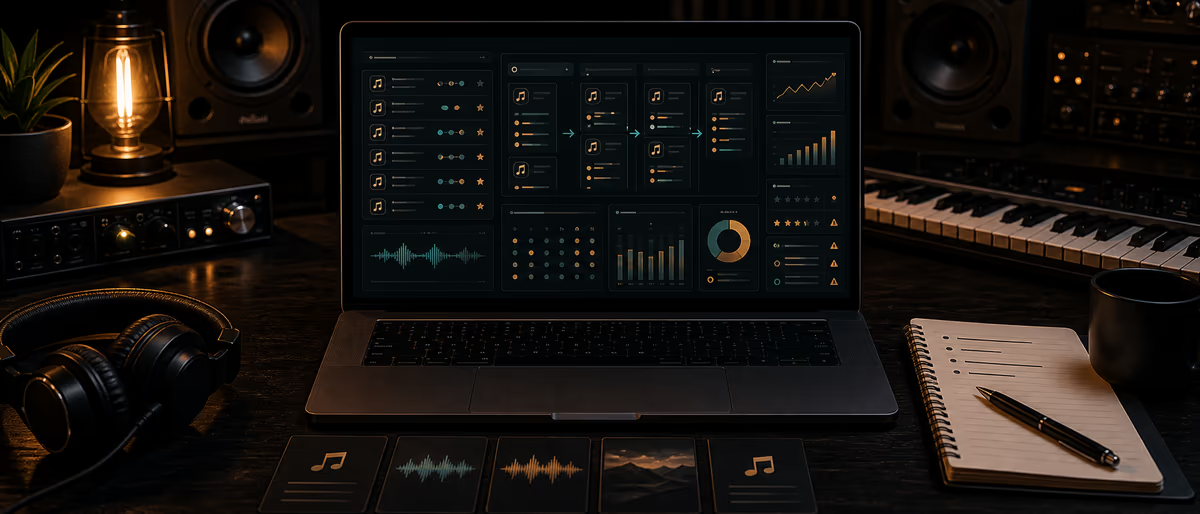
Spotify playlist pitching tracker
Quick Answer
Track every pitch with playlist URL, curator, genre fit score, contact path, dates, result, listener quality, and risk flags. Official Spotify for Artists pitching is one lane; independent curators need a separate sheet so you stop double-pitching and learn which lists actually move saves—not just fake streams.
Why Independent Producers Need a Pitch Tracker
Playlist pitching without a sheet becomes folklore: “I think I messaged that lo-fi page last year.” You resend the same SoundCloud link, miss follow-ups on warm curators, and cannot tell a high-save editorial-adjacent list from a bot farm that spikes streams and tanks listener quality.
A tracker is a memory system for release week. It does not guarantee adds. It guarantees you learn which outreach paths deserve next month’s time.
Spreadsheet Schema (Full Column Set)
| Column | Example | Purpose |
|---|---|---|
| playlist_id | PL-0142 | Stable key |
| playlist_name | Midnight Trap Heat | Human label |
| playlist_url | open.spotify.com/playlist/… | Exact target |
| followers_approx | 12.4k | Size context (not quality) |
| curator_name | J. Rivera / brand page | Who decides |
| contact_path | SubmitHub / email / IG DM / form | How you pitch |
| contact_detail | curator@… or @handle | Reach again |
| genre_tags | trap, dark, 140 | Fit filter |
| fit_score_1to5 | 4 | Pitch or skip |
| track_pitched | Song Title – Artist | What you sent |
| isrc | US-… | Analytics join |
| submitted_on | 2026-07-03 | Anti-duplicate |
| follow_up_on | 2026-07-10 | Calendar |
| result | added / declined / no_reply / removed | Outcome |
| added_on | 2026-07-12 | Lag analysis |
| position_note | mid-list | Optional |
| streams_7d | 820 | From S4A if visible |
| saves_ratio_note | strong / weak / unknown | Quality proxy |
| risk_flags | none / bot_suspect / payola_ask / wrong_genre | Blacklist fuel |
| paid_cost_usd | 0 or 15 | Submit platforms / promos |
| notes | Liked second track | Relationship memory |
| status | active / do_not_contact | Ops control |
Fit Scoring and Risk Flags
- Fit 5 Same subgenre, tempo band, energy; recent adds sound like your track.
- Fit 3 Adjacent genre; only pitch if story angle is strong.
- Fit 1–2 Skip. Wrong room hurts more than silence.
- bot_suspect Follower/stream mismatch, anonymous foreign engagement patterns you cannot explain, curator cannot name a real taste filter.
- payola_ask Guaranteed add for wire transfer outside transparent promo platforms — document and usually walk.
- churn_list Adds then removes within days repeatedly — low relationship value.
Official Spotify for Artists playlist pitching (editorial/algorithmic pathways in-product) should be logged as its own row type: contact_path = s4a_pitch, result when the window closes. Do not confuse it with random Instagram “playlist promo” accounts.
Release-Week Workflow
- T-14 days: build shortlist
20–40 playlists max at fit ≥4. Prefer quality over follower vanity. - T-7: prepare assets
One-sheet: links (Spotify, artwork), 2-sentence story, genre/BPM, embed. No 8-paragraph autobiography. - T-0 to T+3: submit
Log every send the same day. Set follow_up_on +7 days for human curators. - T+7: follow up once
Polite single bump. Then mark no_reply — do not harass. - T+7 and T+30: score traffic
Update streams/saves notes; set risk_flags; move scams to do_not_contact. - Archive for next release
Duplicate the tab; keep curator history across songs.
Pitch Note Skeleton
- Line 1 Who you are + track title + one genre anchor.
- Line 2 Why this playlist specifically (name a recent add or mood).
- Line 3 Smart link + release date + optional press/quote.
- Line 4 Thanks + easy opt-out respect.
Common Mistakes
- Spray 200 playlists Burns time and teaches nothing.
- Paying for guaranteed streams Often low-quality or against platform rules — high risk.
- No ISRC on the row Cannot join to Spotify for Artists later.
- Ignoring removals Track churn to see if a curator is unstable.
- Only chasing mega-lists Small honest niche lists often convert listeners better.
Monthly Review Questions
Which contact_path has the best added-rate? Which playlists produced saves_ratio_note = strong? What percentage of budget (SubmitHub etc.) returned adds worth repeating? Drop the bottom quartile of effort.
Tie pitching to broader measurement via analytics that matter and keep promo links tagged with your UTM system when driving off-platform.
Pitch fewer playlists with better memory — more release marketing guides on Plugg Supply Learn.
Learning path
Related answer hubs
Frequently Asked Questions
- What should I track when pitching playlists?
- Playlist URL, curator, fit score, contact path, submission and follow-up dates, result, traffic quality notes, cost, and risk flags.
- How many playlists should I pitch per release?
- Quality over volume — often 20–40 strong-fit targets beat hundreds of random lists.
- How do I spot low-quality playlists?
- Wrong genre adds, guaranteed-stream payment pressure, suspicious engagement, and rapid add/remove churn are warning signs.
- Should I log Spotify for Artists pitches?
- Yes. Treat S4A as its own contact path so editorial windows do not get mixed with indie curator DMs.
- When do I follow up?
- About seven days after a human curator pitch, once. Then mark no-reply and move on.
- When should I review outcomes?
- Around day 7 and day 30 after release, when stream and save patterns are clearer.