
Wavetable Synthesis: A Deep Dive into Modern Sound Design

Wavetable synthesis explained — from basic waveforms to advanced WT manipulation, modulation routing, and creating unique sounds in Serum, Vital, and hardware wavetable synths.

Introduction — Why Wavetable Synthesis Dominates Modern Electronic Music

Walk into any studio session producing EDM, pop, or hybrid film scores today and you will hear wavetable synthesis. Serum, Vital, and to a lesser extent Surge XT have become the primary instruments for an entire generation of producers — not because of marketing, but because the technique itself is genuinely more expressive than the synthesis paradigms it replaced.

Where subtractive synthesis locks you into a fixed harmonic palette defined by your starting waveform, and FM synthesis demands mathematical fluency to shape timbre predictably, wavetable synthesis gives you direct, visual, and musical control over the harmonic spectrum. You can literally watch your sound evolve as you move through a table of waveforms, drawing connections between what you hear and what you see.

This is not a coincidence. The wavetable paradigm emerged at exactly the moment when CPU power became cheap enough to implement sample-accurate waveform playback, but before sample-based libraries became the default. It occupies a sweet spot: the expressiveness of synthesis, the harmonic complexity of sampling, and the predictability of digital oscillators. Understanding how it actually works under the hood — not just which knobs to turn — is what separates producers who copy presets from those who design sounds from scratch.

What Is Wavetable Synthesis?

Wavetable synthesis is a digital synthesis technique that stores multiple single-cycle waveforms in a table (the "wavetable") and plays them back by scanning through the table in response to a position parameter. Each position in the table contains a different waveform — often subtly different, sometimes dramatically so — and the oscillator interpolates between adjacent waveforms as the position changes.

To understand this, it helps to contrast it with the synthesis methods it displaced.

  • Subtractive synthesis takes a harmonically rich waveform (sawtooth, square, pulse) and removes harmonics with filters. Your starting point defines your ceiling — you cannot add harmonics a filter did not leave behind.
  • FM synthesis uses frequency modulation to create sidebands — new frequencies generated by one oscillator modulating another's frequency. The mathematics are exact but non-intuitive; predicting the harmonic result of a given FM ratio requires experience or a spectrum analyser.
  • Additive synthesis builds sounds from individual sine wave harmonics. In theory it can create any timbre; in practice it requires enormous parameter counts and processing power.
  • Wavetable synthesis stores pre-computed harmonic states and lets you move between them continuously. The table is essentially a library of timbres — and the position parameter is your morph control.

The concept of wavetables was introduced by Wolfgang Palm in the 1970s (Palm Products GmbH — PPG Wave synthesizers) and later refined by researchers. But it was Xfer Records' Serum, released in 2014, that brought the paradigm to mainstream electronic music production with a fully visual, intuitive interface that made the underlying mechanism immediately comprehensible.

The critical insight is that scanning through a wavetable is not the same as crossfading between samples. Each waveform in the table is a mathematically distinct single cycle — a snapshot of a periodic signal at a specific harmonic state. When you move the position parameter, the oscillator reconstructs the waveform by interpolating between the discrete tables at that position. The result is continuous timbral change — harmonic content that genuinely transforms rather than merely fading.

How Wavetable Synthesis Works — Technical Foundation

The wavetable oscillator is at its core a waveform playback engine. Rather than generating a waveform mathematically from scratch at each oscillator cycle (as an analog VCO does), a wavetable oscillator reads from a stored table of discrete audio samples representing a single cycle at each position.

Oscillator as Waveform Memory

A standard wavetable in Serum contains up to 256 single-cycle waveform frames, each at a different position. Each frame consists of 2048 audio samples defining the waveform shape. Position 0 might be a pure sine wave (single fundamental, zero harmonics). Position 128 might be a mildly harmonic sawtooth. Position 255 might be a highly complex, heavily distorted waveform with dense harmonic content. The oscillator does not generate these harmonics — it reads them back from memory.

When you set an oscillator to play at a given position, it reads the waveform at that frame from the wavetable memory. The harmonic content of your output is whatever was stored at that position — no more, no less. This is fundamentally different from analog synthesis, where harmonics emerge from the waveform shape and the filter characteristics.

The Position Parameter and Harmonic Content

The position parameter is the primary timbral control in wavetable synthesis. Its range is typically 0–255 (or normalized to 0.00–1.00) for up to 256 frames. At any given position, the oscillator reads the corresponding single-cycle waveform. As you sweep the position up, you move through increasingly complex harmonic states.

For Serum's default wavetable "Basic Shapes," position 0 is a sine wave (fundamental only). Around position 64–128, you start getting recognizable saw-like harmonics. At higher positions (200+), you are into complex, metallic territories with significant aliasing risk. Understanding this progression is essential for using position automation musically — a slow sweep from 0 to 255 will take a sound from pure to complex in a way that feels like adding harmonic ingredients, not just filtering.

Symmetry, Fold, and Warping Parameters

Beyond simple position scanning, wavetable synthesizers expose parameters that transform the waveform before it is read:

  • Symmetry (found in Serum) controls the DC offset and waveform asymmetry. At 0% symmetry the waveform is balanced around zero; at higher values it becomes asymmetric, introducing even harmonics. This is similar to pulse-width modulation in square waves.
  • Fold (Vital, and in Serum's Position FX) applies wavefolding — peaks that exceed a threshold are reflected back, adding harmonic complexity without the aliasing risk of simple distortion. Fold is the single most important parameter for creating aggressive growls and distorted basses in wavetable synths.
  • Warp modes (Vital's primary differentiator) apply transformations to the wavetable position before playback — including frequency-shifting harmonics, spectral blur, and time-stretching the waveform cycle independently of pitch.

Aliasing Considerations at High Frequencies

All wavetable oscillators are subject to aliasing when operated at frequencies where their harmonic content exceeds the Nyquist limit (half the sample rate). At 44.1 kHz, Nyquist is 22.05 kHz. A bright sawtooth at 8 kHz will have harmonics extending well beyond 22 kHz — those harmonics fold back as aliasing, creating inharmonic, musically useless content below the fundamental.

Serum addresses this with band-limiting — its oscillators are computed to be aliasing-free at all standard pitches when used normally. However, several operations can reintroduce aliasing: extreme formant shifts, very high frequency settings (above 10 kHz for the oscillator), aggressive warp modes in Vital, and high position values on wavetables that were not designed to be band-limited. When using wavetable position FX at high position values, you are essentially asking the oscillator to output a complex waveform with energy far beyond what the sample rate can represent accurately.

Practically: trust your ears. Aliasing in wavetable synths usually announces itself as a gritty, digital hash that sits on top of the sound rather than blending with it. If your lead sounds distorted in a way that does not feel musical, try lowering the position or reducing the warp intensity.

The Wavetable Editing Window — What You See and How to Use It

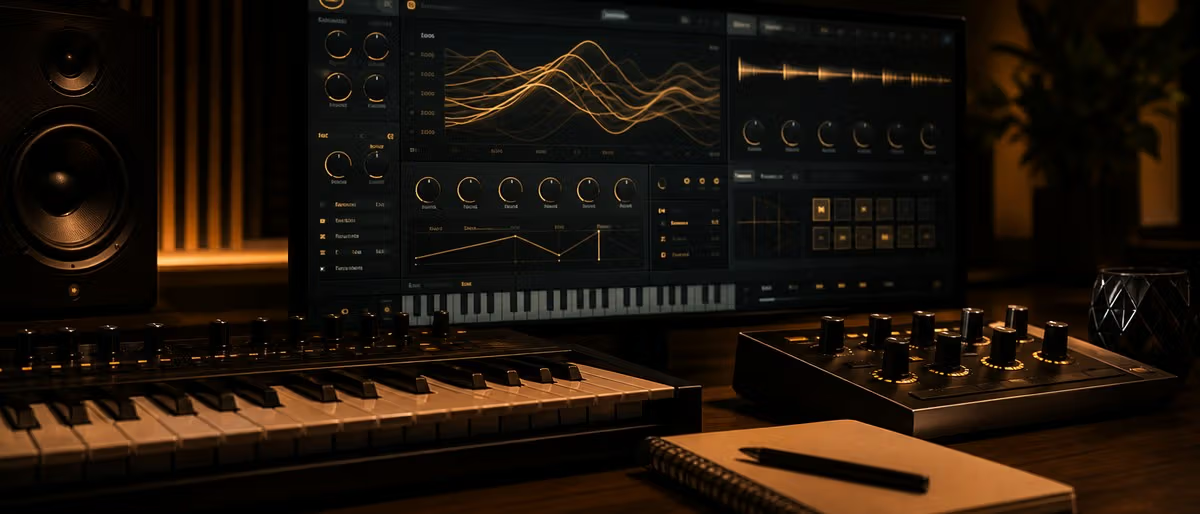
One of Serum's and Vital's most significant contributions to synthesis is the visual wavetable display. The wavetable window shows you the full table — a 2D array where the horizontal axis represents position (left to right = low to high harmonic complexity) and the vertical axis represents time within a single cycle. You see your waveform literally as a shape you can inspect and manipulate.

Drawing Custom Wavetables

Both Serum and Vital include a wavetable editor where you can draw waveforms directly with a pencil tool. This is not a gimmick — it is one of the most powerful sound design capabilities in either synth. You can draw a single cycle and watch the oscillator play it back, hearing exactly what you drew.

The key to effective wavetable drawing is understanding the harmonic implications of waveform shape. A sine wave is a pure smooth oscillation — no sharp corners, no flat tops. Add a sharp corner at the peak and you introduce a new harmonic. Flatten the top and you add another. This is why sawtooth waves have all harmonics (the sharp transition at the peak is the "engine" of their harmonic richness) and square waves have only odd harmonics (the symmetry creates constructive and destructive interference that cancels even partials).

When you draw a custom waveform in Serum, you are directly controlling the harmonic content. Draw something with a sharp peak on one side and a gentle slope on the other, and you are designing the exact harmonic relationships in your sound. This is the closest digital synthesis gets to the hands-on harmonic control of modular analog systems.

Importing Audio as Wavetables

Serum's audio import function converts any audio recording into a wavetable through FFT (Fast Fourier Transform) analysis. You record or load a sound, Serum analyses its harmonic content, and converts it into a sequence of waveforms across the wavetable positions.

This is extraordinarily powerful. You can record a cello note, a vocal "aah," or the sound of a coffee cup clink and import it. Serum will extract the harmonic spectrum and make it scannable. A single spoken word becomes a sequence of timbres you can sweep through — a vocal tract rendered as a morphable harmonic palette.

Vital has a similar import function with a slightly different FFT implementation. The practical difference is in the windowing function — how Serum and Vital handle the transition between the beginning and end of the imported audio (which must loop seamlessly as a single cycle). Serum tends to produce smoother results on sustained sounds; Vital can handle more transient material without introducing discontinuities.

The Importance of the First Few Harmonics

When evaluating or designing a wavetable, your eyes can deceive you. A highly complex, jagged waveform may look impressive in the editor but produce a thin, alias-prone sound. The psychoacoustic reality is that the first 4–8 harmonics of any periodic sound carry almost all of its perceptual identity — its pitch clarity, its warmth or brightness, its "body."

Harmonics beyond the 10th or 12th contribute very little to the perceived timbre in isolation but significantly to the overall density and aliasing risk. A well-designed wavetable at low position values will already have substantial harmonic complexity — you do not need to push to the maximum position to get a rich sound. In fact, the most musical wavetable designs are those where the first few positions contain carefully crafted harmonic progressions that feel natural and musical as you sweep through them.

This is why Serum's built-in wavetables are so effective even though they use relatively few table positions. The wavetable designers (and the community of preset creators) understood that harmonic progression is a journey — the ear should feel the change as a narrative, not a sudden jump from simple to complex.

Essential Wavetable Parameters

Every wavetable synthesizer exposes a set of parameters beyond simple oscillator pitch and level. Understanding what each does — and how they interact — is what separates mechanical knob-turning from intentional sound design.

Position / Wavetable Position

The core morphing control. Moves the oscillator read head through the wavetable, progressively shifting the harmonic content. In Serum, this is the large horizontal slider or mouse-drag on the wavetable display. In Vital, it is the Warp slider in the oscillator section.

Position is almost always worth automating. A static position is a static timbre. Even a gentle sine-wave modulation on position (controlled by an LFO or envelope) transforms a static pad into a living texture. The key is modulation depth: too much and the sound becomes an unpredictable mess; too little and you hear nothing change. For pads, 20–40% position range swept at a slow rate (2–8 seconds per cycle) creates natural, musical movement.

Position FX — Warp Modes

Serum and Vital apply transformations to the waveform at the position stage — before the oscillator reads it. These are not effects in the conventional sense (they run inside the oscillator engine, not in the effects rack). They fundamentally reshape the wavetable's harmonic behavior.

  • Async (asymmetric) — detunes the positive and negative halves of the waveform independently, creating inharmonic sidebands and a nasal, phasey character.
  • Fold — the most aggressive mode. Wave peaks above a threshold are folded back, dramatically increasing harmonic density. Used at high position values, fold produces the distorted growls characteristic of modern dubstep and drum & bass bass design.
  • Mirror — symmetrically folds the waveform, emphasizing odd harmonics. Similar effect to hard clipping but more controlled.
  • Frequency — shifts all harmonics up or down proportionally without changing the fundamental pitch, creating formant-like shifts that are independent of pitch.
  • Blur — averages adjacent wavetable positions, softening transitions and creating a less defined, more diffuse harmonic texture.

Cycle Mode vs One-Shot Mode

Standard wavetable playback is cycle mode: the oscillator loops continuously through the waveform, exactly as an analog VCO does. One-shot mode (available in Serum and Vital) plays the wavetable from start to finish and stops — treating it essentially as a short sample rather than a looping oscillator.

One-shot mode is primarily useful for percussive sounds, impacts, and transient-heavy textures where you want the wavetable to "play through" a harmonic journey and then stop. It is the wavetable equivalent of one-shot sample playback and opens up sound design possibilities that are not available in cycle mode — particularly for creating metallic hits, risers, and textural impacts.

Sub Oscillator and Noise as Layered Sound Sources

Most wavetable synths let you layer additional sound sources alongside the main oscillator. A typical patch will use:

  • Sub oscillator — a sine or square wave typically one or two octaves below the main oscillator. Adds physical low-end weight that the wavetable alone may lack. Essential for bass sounds that need to translate on club systems.
  • Noise oscillator — white noise, pink noise, or a specific noise character (Serum includes a noise oscillator with multiple types). Blended with wavetable content, noise adds air, texture, and transient information that purely periodic waveforms cannot provide.
  • Secondary wavetable oscillator — a second oscillator running at a different wavetable position or a different wavetable entirely, detuned or harmonically related. This is how you get wide, massive leads and pads — two oscillators at different positions create interference patterns in the harmonic spectrum that neither could produce alone.

Creating Common Sound Types with Wavetable Synthesis

The following approaches are starting points — not recipes. The art of wavetable sound design is in knowing which direction to move when a sound is not working, and that comes from understanding the signal path.

Aggressive Growls and Basses

The modern electronic music growl is built on fold mode and high wavetable position, processed through distortion and compression. Here is the signal chain most producers use:

  • Oscillator: Wavetable set to a sawtooth-based table at a mid-to-high position (complex harmonic content without full aliasing chaos). Fold mode enabled at 40–80% intensity.
  • Filter: Low-pass at 400–800 Hz for the core bass body, with envelope modulation for the "wah" movement. Some producers use the filter's peak (resonance) to add harmonic emphasis at the cutoff point.
  • Distortion: Inserted in the effects chain (Saturn, Decapitator, Trash) — adds grit and saturation that fold alone cannot provide. Blend carefully: too much destroys the bass translation on large systems.
  • Envelope: Filter cutoff envelope with fast attack and slow decay creates the characteristic "opening" quality of modern growls. Modulate wavetable position with an envelope for additional harmonic movement.
  • Compression: OTT downward compression (the Multiband Compressor preset in Vital/Serum) is standard on growls — it controls dynamics while adding harmonic density by pushing more energy into the mid and high frequency bands.

Lush Pads

Pads are the opposite of growls in nearly every parameter: slow, smooth, evolving, and wide. The wavetable is your primary evolution tool.

  • Oscillator: Start with a clean wavetable (not too complex) at low-mid position. Use two oscillators detuned by 5–15 cents for width. Slight position offset between oscillators creates movement even without any modulation.
  • Modulation: LFO on wavetable position, set to sine wave, rate 4–12 seconds, depth 10–30%. This creates the "breathing" quality that separates professional pads from basic static tones.
  • Filter: Low-pass at 3–5 kHz with slow envelope opening over 2–4 seconds. Adds a sense of arrival and prevents the pad from competing with mid-range elements.
  • Effects: Reverb is non-negotiable for pads — use a large hall or plate reverb with pre-delay. A subtle chorus or phaser before the reverb adds shimmer. Avoid compression on pads unless you specifically want that "pumping" feel.

Digital Leads

The cutting, precise lead sounds in modern EDM and hyperpop are products of wavetable aliasing — not bugs, but features. The key is controlled aliasing: enough to add digital character, not so much that it sounds like a broken CD player.

  • Oscillator: High wavetable position with a wavetable that has intentional aliasing character. Serum's "Digital" category wavetables are designed for this. One-shot mode can add percussive attack quality.
  • Hard sync: Some wavetable synths allow oscillator hard sync, which resets the oscillator phase on every cycle of a master oscillator — creating the aggressive, comb-filter-like timbres associated with classic analog leads.
  • Unison: 2–4 voice unison with slight detune adds thickness without adding complexity to the patch structure. Hard pan alternate voices for width.

Sci-Fi Textures

Wavetable synthesis is uniquely suited for otherworldly textures because the wavetable itself can be populated with anything — inharmonic acoustic phenomena, processed field recordings, pure mathematical waveforms.

  • Cross-WT modulation: In Serum, use one oscillator's output to modulate another oscillator's wavetable position. This creates hybrid harmonic structures that neither source wavetable contains. A complex wavetable modulating a simple one produces emergent harmonics that sound nothing like either parent.
  • FX in the wavetable path: Insert effects (particularly formant filters, phasers, or chorus) before the main output to process the raw wavetable character into something more organic or mechanical.
  • Audio import: Import processed found sounds, contact mic recordings, or heavily edited acoustic instruments as wavetables. A processed metallic impact imported into Serum becomes a playable texture that no conventional synthesis approach could replicate.

Modulation Routing — Getting Movement Into Your Sounds

Static sounds are dead sounds. Even the simplest patch benefits from at least one modulation connection — the wavetable position, the filter cutoff, something. In wavetable synthesis specifically, modulation of the position parameter is the primary driver of timbral evolution, and understanding how to route it effectively is essential.

Envelope Modulation of Wavetable Position

An envelope applied to wavetable position creates a timbral journey within a single note. A standard patch for an evolving pad lead might look like this:

  • Envelope 1 (Amplitude): Attack 100ms, Decay 500ms, Sustain 70%, Release 2s. Standard volume envelope.
  • Envelope 2 (Wavetable Position): Attack 0ms, Decay 1s, Sustain 30%, Release 3s. The position starts high (complex harmonic content for the initial transient), drops to a low position for the sustained body, and gradually returns to higher position during release as the sound fades.

This envelope pairing — where the timbral envelope is offset from the amplitude envelope — is responsible for the characteristic "alive" quality of professional wavetable patches. A sound whose timbral position only moves when you move it manually is technically correct but musically inert.

LFO-Driven Position Sweeps

LFOs on position create continuous, cyclic timbral motion. This is the foundation of pad design, of "wobble" bass (before it became a cliché), and of ambient textures.

The critical settings are rate and shape. A sine LFO at a slow rate (0.1–0.3 Hz, or one cycle every 3–10 seconds) produces smooth, continuous morphing — ideal for ambient backgrounds. A triangle LFO at a moderate rate (1–3 Hz) creates rhythmic, predictable pulses — useful for arpeggiated sequences or gated pads. A random LFO (Serum's "S&H" or "Smooth Random") creates unpredictable, organic movement — useful for textures that should not sound mechanical.

Velocity and Key Tracking

Most wavetable synths let you route velocity to wavetable position. This means harder hits produce brighter, more complex timbres — exactly as acoustic instruments do. A violin played fortissimo has more harmonic content than one played pianissimo; velocity-to-position routing replicates this behavior in a synth patch.

Key tracking on position (less common but available in some configurations) means higher notes have different timbral character than lower notes. This can be useful (higher notes naturally brighter) or problematic (if you want consistent timbre across the keyboard). Most producers leave position without key tracking and control brightness with the filter cutoff, which does have key tracking by default.

X/Y Modulation Pads and Macro Controls

Serum's XY pad and Vital's macro controls provide real-time manipulation of multiple parameters simultaneously with a single gesture. The XY pad maps horizontal and vertical movement to two independent modulation destinations — typically wavetable position (X) and filter cutoff (Y), or wavetable position and one of the Position FX parameters.

The XY pad is not just a performance control — it is a sound design tool. Moving the XY pad while listening reveals parameter interactions you would not discover by adjusting knobs individually. Sometimes the most interesting sounds are found at the corners of the XY space — where two parameters interact in unexpected ways.

Macro controls (four or eight rotaries in most modern synths) let you assign multiple parameters to a single knob, creating "super-parameters" that control a sound holistically. A single macro might simultaneously adjust position, filter cutoff, reverb mix, and drive — so turning it changes the overall character of the sound rather than just one aspect. This is how preset libraries stay musical even for users who do not understand every individual parameter.

Serum vs Vital vs Hardware Wavetable Synths — Where to Learn

Feature Serum Vital MODX / Montage
Price $189 Free (Pro $25/yr) $999+ (hardware)
Visual Wavetable Editor Yes — full pencil tool, FFT import Yes — spectral warping + pencil Limited — envelope-based FM
Warp Modes Async, Fold, Mirror, Frequency, Phase Spectral Blur, Fold, Shift, Frequency, Time FM-A, FM-B operator routing
Effects Rack 10 slots, 27 effect types 12 built-in effects Built-in AWM2 effects + SPX
Modulation System Drag-drop, visual routing lines Drag-drop, color-coded, visual Motion Sequencer + Envelope
Preset Ecosystem Massive — thousands of packs Growing rapidly Factory content only (no third-party)
CPU Usage Moderate Optimized, generally lower N/A (dedicated hardware)

Serum — The Industry Standard

Xfer Records Serum is the reference implementation of wavetable synthesis in the plugin era. Its influence on modern electronic music production cannot be overstated — the visual wavetable editor defined what the paradigm should look like, and its preset ecosystem established the sound of an entire generation of productions.

Serum's strengths are its mature preset library (thousands of packs across every genre), its clean and predictable signal path, and its drag-drop modulation interface that makes complex patches readable at a glance. Its weaknesses are its age (2014) — newer synths have caught up — and its CPU usage, which is higher than Vital on equivalent patches.

Learning Serum first is valuable because its interface maps most directly to the conceptual model: oscillator → filter → effects. Understanding Serum's signal flow translates directly to any other synth. And because it is the industry standard, preset compatibility and project sharing with other producers is seamless.

Vital — The Free Contender

Vital, developed by Matt Tytel (the same developer who created the original Vital — not to be confused with the much older Vitalvatom), is genuinely free and genuinely competitive with Serum in sound quality and feature depth. The free tier has no meaningful limitations for learning — it includes all oscillators, all filters, all effects, and the complete modulation system.

Vital's differentiating features are spectral warping (which allows harmonic manipulation beyond what Serum's position FX can achieve) and its visual approach to modulation. Every modulation connection is visible as a colored line on the interface, making complex patches readable in a way that Serum's dropdown-based routing is not.

For a beginner, Vital is the best starting point. The interface is more intuitive, the CPU usage is lower, and the free tier removes all barriers to experimentation. For professional work, both Serum and Vital are equally capable — the choice often comes down to preset availability and project workflow preferences.

Hardware: MODX and Montage

Yamaha's MODX and Montage series implement a form of wavetable synthesis through their AWM2 (Advanced Wave Memory 2) engine with FM-X modulation. This is not identical to Serum/Vital wavetable synthesis — it uses FM operators and envelope generators rather than direct waveform scanning — but the conceptual model of "stored waveforms with parameter-based harmonic manipulation" maps across.

The hardware advantage is integration: MODX/Montage keyboard action, seamless performance controls, and rock-solid stability for live performance. The disadvantage is the absence of visual wavetable editing — you cannot see the waveform morph in real time as you can in Serum or Vital. The programming model is closer to FM synthesis with envelope-based harmonic shaping, which requires a different mental model than wavetable scanning.

Advanced Wavetable Tips — What Separates Good Sounds From Great Ones

These techniques assume you have already built basic patches and understand the fundamental signal flow. They are the craft knowledge that separates sound designers from preset browsers.

Multi-Band Processing Within Wavetable Morphing

Rather than treating wavetable position as a single, unified control, consider routing different modulation sources to different segments of the harmonic spectrum. Serum and Vital both allow some degree of spectral processing within the oscillator path.

A more accessible version of this: use two oscillators with different wavetables and different position values, and route different LFOs to each oscillator's position. The result is two independent harmonic journeys running in parallel — which creates the rich, non-static timbral movement that single-oscillator patches lack.

Combining Multiple Oscillators at Different Positions

The classic "supersaw" technique — seven detuned sawtooths — predates wavetable synthesis, but wavetable synths make it vastly more powerful. Place two oscillators on radically different wavetable positions (one at position 64, one at position 1024), detune them by different amounts, and route different envelopes to each. The interference between a simple waveform and a complex one produces harmonic structures that are more interesting than either parent — a phenomenon sometimes called heterodyning.

The offset does not need to be dramatic. Even a 10% position offset between two oscillators creates enough harmonic variation to prevent the sound from feeling static when both are modulated together.

Using Reverb and Delay Before the Main Output

Most producers treat reverb and delay as send effects on the main output bus. But placing them within the wavetable oscillator's effects chain (or using a parallel routing where the reverb return is mixed back before the main output filter) produces different results. The wavetable oscillator's output processing interacts with the reverb tail in ways that post-reverb processing cannot replicate — the reverberated sound is further processed by the filter and any downstream distortion.

This is subtle, and the difference is most audible on pads and atmospheric textures. For aggressive bass sounds it makes negligible difference. But for the ambient and textural work where wavetable synthesis truly shines, this routing difference is one of the details that separates professional patches from amateur ones.

Spectral Editing — The Final Frontier

Both Serum and Vital allow editing wavetables at the individual position level — you can select any single waveform within the table and modify it independently. This is the feature that elevates wavetable synthesis from "preset tweaking" to genuine instrument design.

Editing a single position waveform is equivalent to directly controlling the harmonic series at that point in the morphing journey. You can take a noisy, harsh waveform at position 1024 and smooth its peaks to reduce aliasing. You can add extra harmonics to a position that feels thin. You can create wavetables that have no analog equivalent — where the harmonic progression is designed with specific musical intentions rather than being derived from natural acoustic phenomena.

The best wavetable sound designers understand the harmonic series the way a painter understands color theory: not as rules to follow, but as a vocabulary to use creatively. A waveform with a flat top and sharp peaks sounds like a square-ish wave with something extra. Add a slight asymmetry and you introduce even harmonics that give it warmth. Fold it aggressively and you have a distorted, aggressive texture. Every parameter in the wavetable editing window has a direct psychoacoustic consequence — learning to hear that connection is the actual craft of wavetable sound design.

Learning path

Related answer hubs

Frequently Asked Questions

What is the difference between wavetable and subtractive synthesis?
Subtractive synthesis starts with a harmonically rich waveform (saw, square, triangle) and removes harmonics through filters. Wavetable synthesis stores multiple discrete waveforms in a table and morphs between them, allowing harmonic content to shift and evolve in ways subtractive filters cannot achieve. Where a low-pass filter only removes harmonics, wavetable position can add, reshape, and completely transform the harmonic spectrum.
Is wavetable synthesis better for bass or leads?
Wavetable synthesis excels at both, but serves different roles. For bass and growls, fold mode and high position values add aggressive harmonic content that a simple filter cannot replicate. For leads, wavetable morphing creates the movement and character that separates a static sound from an evolving, expressive tone. The real strength of wavetable is its flexibility — Serum and Vital both handle cinematic pads, surgical резки bass sounds, and glassy digital leads with equal competence.
Can I import my own sounds as wavetables?
Yes — both Serum and Vital support importing audio files as wavetables. In Serum, drag an audio file (.wav, .mp3) directly onto the wavetable display. Vital has a similar import function via the wavetable browser. This lets you capture a vocal, organ, or found sound, convert it into a playable waveform, and then scan through it like any other wavetable. Serum performs an FFT-based conversion that preserves the harmonic content of the source audio.
Why does wavetable synthesis alias more than other methods?
Aliasing occurs when frequency content exceeds the Nyquist limit (half the sample rate). Wavetable oscillators generate harmonics mathematically at any frequency, and at high frequencies or with aggressive warp modes, those harmonics fold back into the audible range as aliasing. Subtractive synthesis is generally cleaner because you start with a band-limited waveform and only add harmonics. Modern wavetable synths like Serum and Vital include anti-aliasing in their oscillator engines, but extreme settings (very high frequency + aggressive warping) can still produce aliasing artifacts.
Is Vital better than Serum for learning wavetable synthesis?
Vital is arguably the better learning tool because its interface is more visual — you see the wavetable morph in real time, see modulation routing as colored lines, and the drag-and-drop modulation system makes cause-and-effect immediately visible. Serum is the industry reference standard with a decade of tutorial content and preset packs behind it. For a complete beginner, Vital free tier is the best starting point. For someone who wants to work in a professional setting (where Serum project compatibility matters), Serum is the target to learn after understanding the fundamentals in Vital.
How do professional sound designers create custom wavetables?
Professionals typically use a combination of methods: (1) FFT-based resynthesis — converting recorded sounds through spectral analysis into wavetable format. (2) Hand-drawn waveforms in the wavetable editor — deliberately shaping individual harmonics. (3) Audio import followed by careful editing — importing a recorded texture, then trimming and warping it in the editor. (4) Cross-WT modulation — stacking two wavetables at different positions and using one to modulate the other, creating hybrid harmonic structures that neither source could produce alone. Serum's visual editor makes this process accessible; professionals use it to build signature wavetables that become part of their sound.

Wavetable synthesis rewards patience and curiosity. The best way to learn is to load a preset you like, look at every single modulation connection, and then delete one at a time to understand what each does. When you can rebuild a sound from scratch — or create something the preset never intended — you understand wavetable synthesis.

Browse our guide to the best free synthesizers to download Vital and start experimenting today, or dive deeper into our Vital tutorial for a structured walkthrough of the interface.