
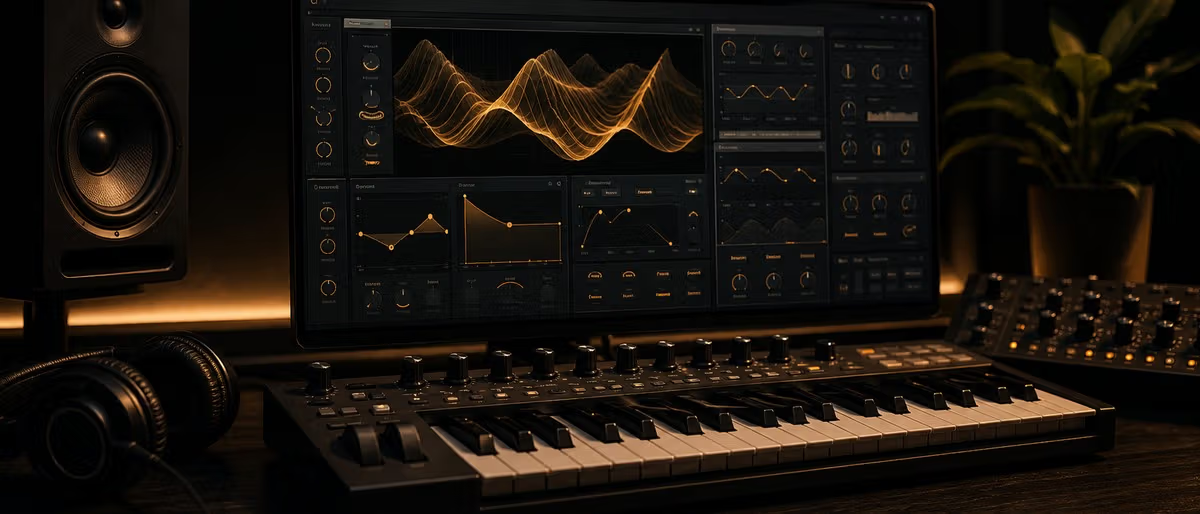
What is Vital?
Vital is a free wavetable synthesizer for Windows and macOS that rivals paid options like Xfer Serum. Developed by Matt Tytel, Vital combines spectral warping, multi-oscillator wavetable engines, and an intuitive drag-and-drop modulation system in a single plugin. The free tier covers the core building blocks most producers reach for: oscillators, filters, envelopes, LFOs, and effects. Confirm platform support and the current free-vs-Pro split on the official vital.audio site.
Is Vital Better Than Serum?
Vital and Serum occupy the same wavetable synthesis space but take different approaches. Serum has years of preset libraries and industry adoption. Vital offers a visual modulation workflow where drag-and-drop routing shows connections directly on the controls. CPU load depends on the patch, the voice count, and the host, so test both with the same MIDI before deciding. Check the official sites for current prices and feature lists.
Interface Overview: Oscillators, Modulation, and Visual Feedback
Vital's interface keeps oscillators, filter, and modulation routing visible together, with a separate view for the effects rack and a matrix-style overview of modulation connections. The visual feedback shows routing changes directly on the controls, which helps when learning what each modulator does.
How to Load and Manipulate Wavetables
Vital ships with built-in wavetable categories covering basic waveforms, harmonics, bends, and morphs, plus user imports. For exact counts and the current category list, check the official documentation. Load a wavetable by clicking the oscillator's wavetable display and selecting from the browser.
Drag-and-Drop Modulation System Explained
Vital's modulation system lets you drag any envelope, LFO, or macro knob directly onto any knob or slider in the interface. Drop an LFO onto a filter cutoff and you get immediate movement. Each modulator can target unlimited parameters.
Effects Rack Walkthrough
Vital includes a built-in effects rack (EQ, filter, distortion, chorus, delay, reverb, phaser, flanger, compressor, and utility modules) organized in a serial chain. Dial effects in after the core patch works, and judge the reverb and delay by ear on your own material.
How Does Vital's Spectral Warping Work?
Spectral warping reshapes a wavetable's harmonic content in real time. Vital's warp modes let you blur harmonics together (blur mode), emphasize odd harmonics (fold mode), or shift harmonics independently (shift mode).
Building a Bass Patch Step by Step
This walkthrough creates a punchy, moving bass. Open Vital with the Init preset. Set oscillator 1 to a basic waveform at the octave below middle C. Enable oscillator 2 one octave lower for sub weight. Open the filter and set it to low-pass at 800 Hz with resonance at 20%. Add envelope 1 and drag it to the filter cutoff — attack 5ms, decay 200ms, sustain 40%. Add an LFO to the filter cutoff for movement. Add distortion after the filter for harmonics. Route envelope 2 to distortion amount for bite. Add the compressor for glue.
Vital vs Serum vs Surge XT Comparison
Vital, Serum, and Surge XT are three widely used affordable wavetable synths. Serum is the paid commercial reference with years of preset packs. Vital is free with a visual drag-and-drop architecture. Surge XT is fully open-source with its own modulation workflow. Compare current prices, platforms, and feature lists on the official sites before publishing numbers.
Where to Get Vital Presets
Free Vital preset packs are available across the internet. The official Vital community shares user presets. On Plugg Supply, browse the free preset shelf for Vital-compatible packs, and open each post for its current contents, license, and delivery options.
Vital vs Serum vs Surge XT
| Feature | Vital Free | Serum | Surge XT |
|---|---|---|---|
| Price | Free tier available | Paid commercial license | Free / Open Source |
| Synthesis Engine | See official docs | See official docs | See official docs |
| Oscillators per voice | Check current docs | Check current docs | Check current docs |
| Modulation workflow | Visual drag-and-drop routing | Drag-and-drop routing | Modulation matrix workflow |
| Built-in effects | Built-in rack (see docs) | Built-in rack (see docs) | Built-in rack (see docs) |
| CPU usage | Patch-dependent, test the same MIDI | Patch-dependent, test the same MIDI | Patch-dependent, test the same MIDI |
| Visual feedback | See official docs | See official docs | See official docs |
| Wavetable import | See official docs | See official docs | See official docs |
| Platform | See official download page | See official download page | See official download page |
| Best for | Budget producers, modern electronic | EDM, pop, preset hunters | Open-source advocates |
Step-by-Step Guide
- Download Vital from vital.audio and install the VST3 or AU version on your computer.
- Open your DAW (FL Studio, Ableton, Logic) and load Vital onto a MIDI track as an instrument plugin.
- Click File > Init to load the blank starting patch — this resets all parameters to their default state.
- Set oscillator 1 to a basic waveform (sine or triangle) by clicking the waveform display and selecting from the browser.
- Open the filter section and set it to low-pass with cutoff at 800 Hz and resonance at 20% for a starting bass sound.
- Add envelope 1 by clicking the + button in the envelopes section, then drag envelope 1 onto the filter cutoff knob.
- Adjust envelope 1: attack 5ms, decay 200ms, sustain 40%, release 300ms — this gives the bass its punch.
- Add an LFO from the modulators section and drag it onto the filter cutoff below envelope 1 for rhythmic movement.
- Add the distortion effect from the effects rack and route envelope 2 to the distortion amount for extra harmonic bite.
- Save your patch: File > Save As, name it, and it appears in your user preset browser next time you open Vital.
Download free Vital preset packs — leads, pads, basses, and FX — on Plugg Supply.
Browse Free DownloadsLearning path
Related answer hubs
Related catalog
More software from the catalog
More software from the Plugg Supply feed, ranked by catalog popularity.
![Wavescrate Terrain v1.0.0 [MacOSX]](/images/posts/wavescrate-terrain-86646.avif?v=2026080101)
![Schwabe Digital Gold Clip v1.4.1 U2B [MacOSX]](/images/posts/schwabe-digital-gold-clip-81690.avif?v=2026080101)
![Nuro Audio Xvox v1.1.3 [WiN]](/images/posts/nuro-audio-xvox-81869.avif?v=2026080101)
![Waves Patcher v17 [MacOSX]](/images/posts/waves-patcher-70588.avif?v=2026080101)
Related articles
![Tuff Nerds LEADR v1.3.2 [WiN]](/images/posts/tuff-nerds-leadr-84977.avif?v=2026080101)
![Naturl Audio AL-1 v1.0.2 [WiN]](/images/posts/naturl-audio-al-1-82326.avif?v=2026080101)
Frequently Asked Questions
- Is Vital completely free?
- Yes. Vital has a free tier that covers the core synth engine. A paid Pro tier adds extra content and features. Check the official vital.audio site for the current free-vs-Pro split and pricing.
- Which platforms and plugin formats does Vital support?
- Check the official vital.audio download page for current platform and format support before installing. Availability changes between releases.
- Can Vital read Serum presets?
- Vital and Serum use different preset formats, so presets are generally not interchangeable. Check the official documentation if a converter is ever announced.
- How do I reduce CPU usage in Vital?
- Reduce the unison voices, lower the sample rate in your DAW project settings, and freeze or bounce Vital tracks when not actively editing.
- Can I use Vital on mobile or iPad?
- No desktop plugin version works on mobile. Vital is a VST3/AU plugin that requires a DAW running on a computer.
- How do I install custom wavetables in Vital?
- Import custom wavetables through the oscillator wavetable browser following the official documentation. Folder locations differ by OS and version, so confirm the current path before publishing one.
- Is Vital good for beginners?
- Yes. Vital's visual feedback makes synthesis concepts immediately understandable. Seeing the waveform, the filter response curve, and the modulation cables all at once accelerates learning.
- How does Vital compare to Vital Pro?
- Vital Pro adds extra content and features on top of the free tier. Check the official vital.audio site for the current list and pricing.