
Introduction
Xfer Serum has become the de facto standard for bass sound design in modern electronic music. Whether you are producing dubstep, house, drum and bass, or hybrid bass music, Serum's wavetable architecture combined with its flexible modulation system gives you unprecedented control over every aspect of bass synthesis. From crystal-clean sub-basses that rattle club systems to screaming growls that pierce through a dense mix, Serum can do it all.
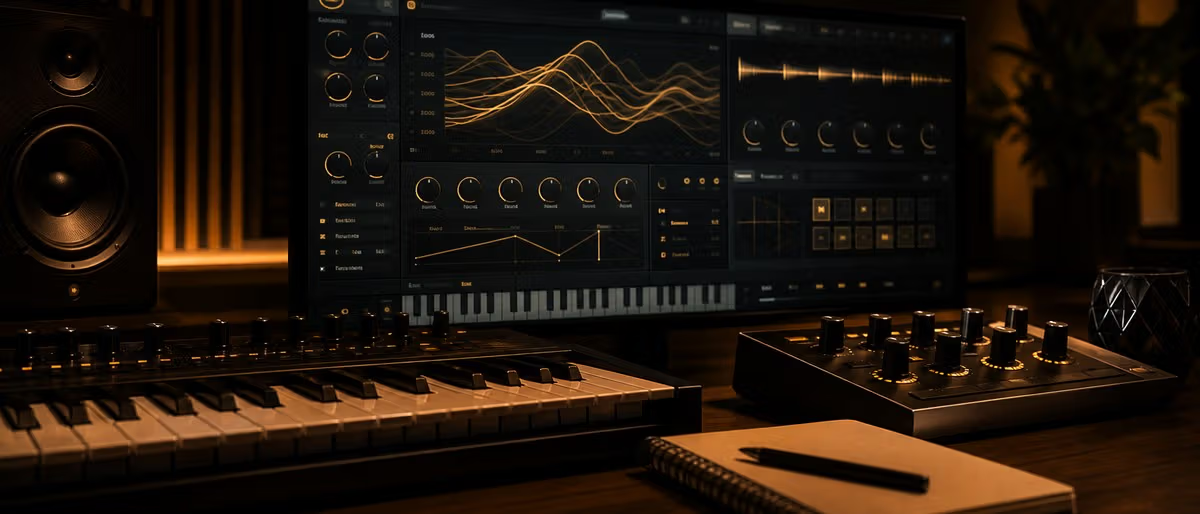
What makes Serum particularly powerful for bass design is its visual interface. Unlike traditional synthesizers where you dial in parameters blind, Serum shows you exactly what is happening with your sound in real time. You can see the wavetable shape, watch the filter response curve, and visualize how your modulation routing affects the sound. This makes it significantly easier to understand why a bass sounds the way it does and how to shape it precisely.
In this guide, we will cover everything from understanding bass frequency ranges and setting up your Serum project correctly, through creating specific bass types like sub-bass, growl bass, and mid-range textures, to advanced layering techniques and essential modulation approaches used by professional sound designers.
Understanding Bass Frequency Ranges in Electronic Music
Before you start turning knobs in Serum, you need to understand where bass sits in the frequency spectrum and why different frequency ranges require different design approaches. Professional bass design is fundamentally about controlling which frequencies are present and how they interact with each other and with other elements in your mix.
Sub-bass: 20-60Hz — felt more than heard
The sub-bass range is the lowest audible frequencies, roughly 20Hz to 60Hz. This is the range you feel in your chest when you are at a club or standing next to a powerful soundsystem. Sub-bass provides the physical impact and weight of your bass sound. Sounds in this range are typically sine waves or sine-like waveforms with no harmonics.
The challenge with sub-bass is that most consumer playback systems cannot reproduce these frequencies accurately. Laptop speakers, phone speakers, earbuds, and even many studio monitors have limited low-end extension. This is why modern electronic music production separates sub-bass from the rest of the bass content — the sub is optimized for club and system playback while the mid-range carries the harmonic information that translates across all playback systems.
In practical terms, you want your sub-bass to be a clean, powerful sine wave with no harmonics above 60Hz. Any harmonic content in this range will compete with your mid-range bass and may cause phase issues when the mix is summed to mono for club playback.
Bass: 60-250Hz — the body of the sound
The bass range from 60Hz to 250Hz provides the body and warmth of your bass sound. This is where most of the harmonic content of a bass guitar or a warm synthesizer bass lives. Sounds in this range give the bass its musical character and allow it to be heard clearly on smaller speakers that cannot reproduce sub frequencies.
When designing bass in this range, you typically use saw waves, square waves, or wavetables with harmonic content. The specific harmonic structure determines whether the bass sounds warm and rounded (more even harmonics) or aggressive and buzzy (more odd harmonics). This is where you start making stylistic choices that define your bass sound.
Mid-range bass: 250-500Hz — the growl and texture
The mid-range bass region, 250Hz to 500Hz, is where the character and texture of your bass become most apparent. This is also where the perception of "growl" lives for aggressive bass styles. When you hear a dubstep bass screaming and moving through the mix, much of that activity is happening in this frequency range.
Sounds in this range are processed with distortion, heavy filtering, and aggressive modulation to create textures that cut through a dense mix. This is also the range where you add harmonic complexity through FM synthesis, wavetable manipulation, and waveshaping. The tradeoff is that too much energy here can make a bass sound boxy or fatiguing, so this range requires careful control through filtering and EQ.
Upper harmonics: what makes a bass cut through a mix
Above 500Hz is where the transient attack and upper harmonic content of the bass live. This is what allows a bass to be heard clearly on PA systems with full-range speakers, in headphones, and in noisy environments. The upper harmonics provide definition and clarity.
For aggressive bass styles, the upper harmonic content is created through distortion, waveshaping, and harmonic saturation. For cleaner styles, the upper harmonics come from the natural overtone structure of saw and square waves, shaped gently by filters and equalization. The key is ensuring the upper harmonics complement rather than clash with other melodic and harmonic elements in your mix.
Setting Up Your Serum Project for Bass
Proper project setup before you start designing bass sounds will save you significant time and result in better-sounding bass. Small technical decisions made early — sample rate, polyphony settings, and oscillator configuration — have outsized impact on the final result.
Sample rate considerations (44.1 vs 48kHz)
For bass-heavy music production, working at 48kHz offers meaningful advantages over 44.1kHz. The higher sample rate provides more headroom for bass processing, particularly when using distortion and saturation effects that generate high-frequency harmonics. At 44.1kHz, you may find that heavily saturated bass sounds become harsh or digital-sounding at the high end, while the same settings at 48kHz maintain smoothness.
That said, 44.1kHz remains the standard for music destined for CD and streaming platforms. If you are producing primarily for digital distribution, 44.1kHz is still perfectly viable — you simply need to be more careful with distortion settings and may want to apply a gentle low-pass filter above 18-20kHz on your bass bus to remove any digital artifacts that can occur during downsampling.
For maximum flexibility, many producers work at 48kHz or even 96kHz during production and downsample for delivery. Serum handles both sample rates equally well, and any performance difference is negligible on modern hardware.
Using a dedicated bass instance vs shared instance
One of the most important setup decisions is whether to use a single Serum instance for your entire bass sound or multiple instances for layered bass. For simple sub-bass roles, a single instance with oscillator A set to sine and oscillator B disabled is perfectly adequate. The sound is clean, CPU-efficient, and requires no additional processing.
For more complex bass designs — especially layered sub-plus-mid stacks — using separate Serum instances for each layer provides several advantages. You can apply different effects chains to each layer, automate and control them independently, and avoid polyphony conflicts that can cause artifacts when multiple notes are played. The tradeoff is increased CPU usage and more complex routing in your DAW.
A common professional approach is three separate Serum instances: one for pure sub-bass (oscillator A sine only, no effects), one for mid-range texture (full wavetable synthesis with distortion and filtering), and one for any special processing like bitcrushing or unique distortion effects that you want to apply in parallel.
Micro-detuning and why slight detuning adds weight
Detuning two oscillators slightly against each other is a classic technique for adding weight and body to bass sounds. When two oscillators play the same note with a frequency difference of 1-5 cents, they create a subtle beating effect that adds apparent low-end presence without adding obvious pitch or character changes.
In Serum, you can achieve this by setting oscillator B to the same wavetable as oscillator A, then adjusting oscillator B's tune knob by 2-8 cents sharp or flat. You can also automate the detune amount over time for movement, or use the drift parameter for an analog-style random detune that breathes with the sound.
For sub-bass applications, be cautious with detuning — the beating effect that sounds great on mid-range content can cause phase cancellation issues in the sub-bass range. If you are layering a detuned bass with a clean sub-bass, the phase interaction can either add or subtract low-end energy unpredictably depending on the listening environment.
Voices: how many for bass (usually 1-2 for subs, 4-8 for mid-range)
Serum's voice count setting controls how many simultaneous notes the synth can play in polyphonic mode. For monophonic bass lines — which describes most electronic music bass parts — you typically want 1 voice for sub-bass, 2 voices if you are using the detune trick, and 4-8 voices for mid-range content that may have chords or quick legato passages.
The reason sub-bass uses fewer voices is that each voice is a complete synthesis chain consuming CPU. With sub-bass, you want maximum stability and consistency — multiple voices playing the same sub frequency can create subtle phase variations that reduce the clean, powerful impact of the sub-bass. Monophony with one voice ensures every note triggers identically.
For mid-range bass with wavetable content, more voices allow for richer textures when playing chords or layered notes. With 4 voices, you can have a full octave spread when playing a chord. With 8 voices, you have even more flexibility for dense textures. The tradeoff is CPU usage, and very high voice counts can cause audio artifacts if the CPU cannot process all voices in real time.
Creating Clean Sub-Bass Sounds
A clean sub-bass is the foundation of modern electronic music production. It provides the low-end weight that translates from club systems to earbuds, and it anchors your mix by giving other elements something to interact with harmonically. Getting sub-bass right is deceptively difficult — it requires restraint and precision more than creative experimentation.
Sine wave only — no harmonics
The cleanest sub-bass is a pure sine wave. In Serum, select Basic Shapes from the wavetable menu and choose the sine wave option. Oscillator B should be disabled for pure sub-bass — any additional harmonic content from a second oscillator will muddle the sub frequency range and potentially cause phase issues when your mix is played back on different systems.
Set oscillator A to the lowest note you plan to use in your track. If you are designing a sub-bass that needs to work across multiple keys, consider creating separate patches for different ranges or using Serum's voice pitch modulation carefully to ensure the sub remains clean across the keyboard. Serum's oscillator pitch tracking is accurate, but very low notes (below C1 or 32.7Hz) may require subtle adjustment to stay in tune with the rest of your mix.
Using the filter to sculpt the upper limit
Even though a sine wave has no harmonics above the fundamental frequency, the filter still plays an important role in sub-bass design. A gentle low-pass filter with a cutoff around 80-100Hz can help remove any high-frequency artifacts that may have been introduced during sample rate conversion or from other processing in your signal chain.
Set the filter type to Lowpass and the cutoff to around 80Hz with a gentle slope (12dB/octave is usually sufficient). The resonance should be zero or very minimal — resonance at these frequencies adds harmonic content that defeats the purpose of a clean sub. Some producers use a high-pass filter at 20-30Hz to remove any sub-sonic content that could cause speaker damage or consume headroom without contributing to the audible bass experience.
The sub oscillator trick (add a sine one octave below)
One advanced technique for adding perceived low-end weight without adding harmonic complexity is the sub oscillator trick. This involves adding a second sine wave one octave below the fundamental frequency of your main bass. The result is that the lowest audible note is actually one octave below what you are playing, giving you sub-bass extension that extends the perceived low-end without adding any harmonics.
In Serum, enable oscillator B and set it to a sine wave. Then, using the oscillator B tune knob, set it to exactly -1200 cents (one octave below) oscillator A. This creates a true sub octave that adds physical weight to the bass without coloring the mid-range content. The two sine waves blend seamlessly because they are harmonically related.
Be very careful with the level of the sub oscillator relative to oscillator A. It should be set lower than the main oscillator — typically 3-6dB quieter — because the ear is much more sensitive to frequencies in the 40-60Hz range than to frequencies below 30Hz. If the sub oscillator is too loud, you will lose definition and punch in the bass.
Phase cancellation warnings with other bass elements
When layering a clean sub-bass with other bass elements, phase interaction becomes a critical concern. When two signals containing similar frequency content are combined, they can either add constructively (increasing volume) or subtract destructively (reducing volume) depending on their phase relationship. This effect is most pronounced in the low-frequency range.
To avoid phase cancellation, check your layered bass in mono regularly during the design process. If the low-end energy drops significantly when you sum to mono, there is likely a phase relationship between your sub-bass and mid-bass that needs adjustment. Small adjustments to the timing, pitch, or filtering of one layer can often resolve phase issues without compromising the sound design.
In extreme cases, you may need to use a phase rotation plugin specifically designed for low-frequency phase correction. These tools allow you to rotate the phase of one bass element to align it better with the other layers, ensuring that the combined signal has maximum low-end impact in both stereo and mono playback scenarios.
Designing Growl Bass Sounds
Growl bass sounds are the aggressive, mid-range-heavy textures that define modern dubstep, riddim, and hybrid bass music. A proper growl bass has harmonic complexity that moves and changes with the filter cutoff, creating an impression of a living, screaming sound rather than a static synthesizer tone. Designing convincing growl bass requires understanding the interaction between oscillators, filters, and modulation.
Starting point: saw or square wave with filter modulation
The foundation of most growl basses is a saw wave or square wave played through a resonant low-pass filter with heavy modulation. Start with oscillator A set to a saw wave from the Clean folder or a digital wavetable that has strong harmonic content. Square waves can also work well and tend to have a slightly different harmonic character that is slightly more hollow and aggressive.
The filter is where the growl actually happens. Set the filter type to Lowpass and the cutoff to around 800Hz to start. Add moderate resonance (30-50% to begin) — this creates the initial harmonic emphasis that will be modulated to create the growl effect. As you modulate the filter cutoff with an envelope or LFO, the resonance will sweep and create the characteristic screaming texture.
As you increase modulation depth, you will hear the sound become more aggressive and vocal-like. This is the core sound design principle behind most growl basses: the filter resonance creates harmonic overtones, and sweeping the cutoff moves those overtones through the frequency spectrum, creating movement and texture.
FM synthesis approach: using one oscillator to FM another
Frequency modulation (FM) synthesis adds another dimension to growl bass design. In Serum, you can use oscillator B to modulate oscillator A by setting oscillator B's route to the FM knob instead of the mix. When oscillator B is routed as an FM modulator, its waveform shape and pitch relative to oscillator A determine the harmonic complexity of the result.
For aggressive growl sounds, try setting oscillator A to a sine wave and oscillator B to a saw or square wave, with B playing at a much higher pitch — typically 3-12 times the frequency of oscillator A. The ratio of the two frequencies determines the harmonic structure: integer ratios (2:1, 3:1, 4:1) produce musical harmonics, while non-integer ratios produce more dissonant, metallic textures.
FM synthesis creates complex, harmonically rich sounds at relatively low CPU cost. The tradeoff is that FM sounds can be unpredictable and difficult to control precisely. Start with conservative FM amounts (10-30%) and increase gradually while listening carefully. FM is particularly effective for growls because it adds harmonic content in the mid-range where the filter then sculpts and animates that content.
The role of resonance in growl character
Resonance is arguably the most important parameter for defining growl character. When a filter has resonance (also called Q), it emphasizes frequencies around the cutoff point, creating a peak in the frequency response. This added harmonic content is what gives a growl its vocal, screaming quality.
Low to moderate resonance (20-40%) creates subtle harmonic emphasis that adds character without becoming overwhelming. Moderate to high resonance (50-70%) produces the classic dubstep wobble and scream effects — the filter sweep becomes a dramatic musical gesture. Very high resonance (above 80%) can create self-oscillation and extreme artifacts that are useful for special effects but can be difficult to integrate into a mix.
The key to using resonance effectively is modulation. Static resonance at high settings quickly becomes fatiguing and muddy. The magic happens when resonance is modulated dynamically — increasing on the note attack for impact, then changing character as the sound evolves. Envelope modulation of resonance is particularly effective: a fast attack with high initial resonance that drops as the sound settles creates a punchy, aggressive attack followed by a textured sustain.
How much distortion is too much
Distortion is essential for aggressive growl bass sounds, adding harmonic content and saturation that makes the bass feel louder, denser, and more present in a mix. However, too much distortion destroys the clarity and definition of the bass, creating a muddy or fizzy sound that obscures other elements of your mix.
The distortion types in Serum's effects panel each have different characters. Hyper generates primarily even harmonics and tends to sound warm and smooth. Hard clip adds odd harmonics and can get harsh quickly. Fold creates unique, metallic harmonics that are useful for special effects. Sine folding produces soft, musical saturation that works well for adding density without harshness.
A good starting point is to add distortion after your main filter in the effects chain, with the drive amount set to 20-30%. If you find the bass is losing its low-end impact and becoming all high-frequency fizz, reduce the drive amount or switch to a softer distortion type. The goal is to add harmonic complexity that complements the growl character, not to replace the bass sound entirely with distortion artifacts.
Mid-Range Bass Textures — the "dirty" bass sound
Mid-range bass textures are where sound design gets really interesting. These are the dirty, harmonically complex sounds that fill out the frequency spectrum between 200Hz and 1kHz, giving bass music its energy and movement. Mid-range bass is what you hear on laptop speakers and earbuds when a track still sounds like it has bass despite the speakers' limited low-end reproduction.
Wavetable position sweep with LFO
One of Serum's most powerful features is the ability to modulate wavetable position continuously using an LFO. The wavetable position controls which frame of the wavetable is currently playing, allowing smooth morphing between different harmonic structures. When combined with an LFO, this creates bass textures that shift and evolve over time.
Set up an LFO to modulate the oscillator's wavetable position. Triangle or sine LFO shapes create smooth, continuous sweeps. Square or sample-and-hold shapes create stepped changes that snap between different wavetable frames. Try different LFO rates — very slow sweeps (1-4 seconds per cycle) create evolving textures that develop over many bars, while faster sweeps (quarter-note or eighth-note sync) create rhythmic pulsation that locks to the track's tempo.
The key to effective wavetable modulation is choosing wavetables that complement each other across the position range. Start with a clean saw at one end of the sweep and move toward a more complex or aggressive wavetable at the other end. This ensures that as the position sweeps, the bass gains harmonic content rather than simply changing character in an unrelated way.
Adding noise to texture
Noise is an underutilized but powerful tool for mid-range bass texture. Adding a small amount of filtered noise to a bass sound introduces organic variation and movement that purely electronic waveforms cannot achieve. Noise prevents the bass from sounding static or sterile, especially in longer sustained notes.
In Serum, you can add noise by enabling the noise oscillator and mixing it in at a low level — typically 5-15% of the total mix. Apply a bandpass or high-pass filter to the noise so that it adds texture without contributing to the low-end weight. The noise frequency content should be tuned to complement the harmonic range of your main oscillator.
For aggressive bass sounds, try white noise with a resonant bandpass filter sweeping in sync with your main filter modulation. This creates metallic, biting textures reminiscent of Reese bass or industrial sound design. For more subtle effect, use filtered noise as a layer that adds movement to the upper harmonic content without being obviously audible as noise.
Distortion types and their harmonic content (soft clip vs hard clip vs fold)
Understanding the different distortion types and how they generate harmonics is essential for effective mid-range bass design. Each distortion algorithm produces a distinct harmonic series that fundamentally changes the character of your bass sound.
Soft clipping (Hyper and Sine distortion types) rounds off the waveform peaks gently, adding primarily second and third harmonics with some higher-order content. Soft clipping sounds musical and warm, adding density without harshness. It works well for bass sounds that need to sit in a mix without becoming aggressive.
Hard clipping (Hard clip type) cuts off waveform peaks abruptly, generating primarily odd harmonics that sound harsh and buzzy. Hard clipping is useful for aggressive bass styles but can quickly become fatiguing if overused. The key is keeping the drive amount low enough that the hard clipping adds edge without destroying the bass's low-end weight.
Folding (Fold and Fracture types) creates new harmonics by folding the waveform back on itself at amplitude thresholds, creating complex, metallic textures. Fold distortion is particularly useful for mid-range bass because it adds harmonic content without the extreme high-frequency emphasis of other distortion types. The resulting sound is dense but not harsh, with a characteristic metallic sheen.
Layering Bass Sounds — Sub + Mid Stack
Professional bass production in modern electronic music almost universally uses layered bass stacks rather than single bass sounds. The layered approach gives you precise control over each frequency range, allowing optimization for different playback systems while maintaining a cohesive bass sound. The sub-bass handles the physical impact, the mid-range bass provides the harmonic character and texture.
Why layer: sub for systems, mid for small speakers
The primary reason for layering bass is playback system compatibility. Club systems and PA speakers used in venues have dedicated subwoofer channels capable of reproducing frequencies below 60Hz with authority. When you give the sub-bass its own dedicated channel with a pure sine wave, that energy translates directly to the physical impact of the sound system.
Laptop speakers, phone speakers, earbuds, and car audio systems have limited low-end extension. On these playback systems, a track with only sub-bass would sound like it has no bass at all. The mid-range bass layer carries harmonic content above 80Hz that provides the perception of bass on these systems, ensuring your music sounds full and complete regardless of how it is being played.
Layering also gives you mixing flexibility. You can process the sub and mid bass differently — applying different compression, saturation, and filtering to each layer to achieve the optimal sound for its frequency role. This separation makes it easier to carve out space in the mix for kick drums, bass, and other low-frequency elements without unwanted masking.
High-passing the mid layer so it doesn't mud the sub
When layering sub and mid bass, the most critical EQ decision is where to high-pass the mid layer. If the mid bass extends too low, it will compete with the sub-bass for low-end space, causing phase interactions and a muddy, undefined bass sound. If the high-pass is too aggressive, there will be a gap between the sub and mid layers that makes the bass sound thin or disconnected.
A good starting point is to high-pass the mid bass at 80-120Hz with a moderate slope (12dB/octave or 24dB/octave). This allows the sub-bass to own the frequency range below this point while the mid bass begins providing harmonic content that complements the sub. Some producers use a higher crossover point (150-200Hz) for more aggressive bass styles where the mid needs more room to be heard.
The exact crossover frequency depends on your specific sounds and the musical context. Listen to the combined bass stack in mono to identify any frequency ranges that sound either too thin (gap between layers) or too muddy (overlap between layers). Adjust the high-pass frequency on the mid bass until you find a crossover that sounds natural and coherent.
Using Send FX (reverb, delay) only on the mid layer for width
One effective technique for creating width and space in your bass stack without compromising low-end impact is to apply send effects only to the mid-range bass layer. This adds perceived width and movement to the mid frequencies that carry the bass's harmonic character, while leaving the sub-bass clean and centered for maximum impact.
Create a reverb send in your DAW and route the mid bass to it. Use a medium to large room size with moderate to high diffusion for a sense of space. Add a pre-delay of 20-40ms to separate the dry signal from the reverb tail. Keep the reverb level low — the goal is subtle enhancement of width and air, not obvious wet processing.
For stereo width, try a short ping-pong delay synced to an eighth note or triplet subdivision. This creates a wider stereo image that moves with the rhythm of the track. Be cautious with stereo delay on bass content — any delay that is too long or too wet can cause phase issues when summed to mono. Always check your processed bass in mono to ensure the width effect translates.
The gain staging between sub and mid layers
Getting the relative levels of your sub and mid bass layers correct is crucial for a balanced, impactful bass sound. If the sub is too loud relative to the mid, the bass will sound boomy but lack definition and character. If the mid is too loud relative to the sub, the bass will sound thin and harsh, lacking weight and impact.
A good starting point is to set the sub-bass 3-6dB louder than the mid bass, measured at the peak levels of each layer. This ensures the physical impact of the sub dominates while the mid provides the harmonic character that makes the bass audible on all playback systems. Adjust to taste based on the musical style and the specific sounds you are using.
Use your DAW's metering to check the combined level of both bass layers against your kick drum and other elements of the mix. The bass should be prominent but not overwhelming — the kick provides the transient impact while the bass provides the sustained low-end energy. If the combined bass is clipping your mix bus, reduce the overall bass level rather than reducing other elements.
Essential Modulation for Bass
Modulation is what separates static, lifeless bass sounds from animated, musical bass parts that breathe with the energy of a track. Filter envelopes, LFO movements, and macro-controlled parameters transform basic synthesizer tones into expressive instruments that respond to the rhythm and dynamics of your music. Understanding how to use Serum's modulation system effectively is essential for professional bass design.
Filter envelope: the most important bass design tool
The filter envelope is the single most important modulation source for bass design. It controls how the filter cutoff changes over time from the moment a note is triggered, defining the attack, decay, and sustain character of the bass sound. A well-programmed filter envelope transforms a static saw wave into a dynamic, expressive bass part.
For punchy, staccato bass lines, use a fast attack (1-5ms), short decay (50-150ms), and low sustain (20-40% of the maximum cutoff). This creates a bright attack transient when the note hits, then the filter closes quickly to leave a focused, sub-dominated sustain. This envelope shape works well for genres like drum and bass, neurofunk, andtechno.
For longer, evolving bass textures, try slower envelope shapes with higher sustain levels. A moderate attack (10-30ms), medium decay (200-400ms), and high sustain (60-80%) creates a sound that opens up on the note attack and settles into a textured sustain that maintains harmonic interest throughout the note length. This works well for dubstep, riddim, and ambient bass styles.
LFO routed to wavetable position for movement
Routing an LFO to the wavetable position adds continuous movement and evolution to your bass sounds. Unlike filter envelope modulation which happens once per note trigger, LFO modulation creates ongoing motion that keeps the bass texture alive throughout the entire note duration.
Set up an LFO in Serum's modulation matrix, assigning it to the oscillator's wavetable position. Try different LFO shapes — triangle for smooth, continuous sweeps; square for stepped changes between wavetable frames; random (sample and hold) for unpredictable variation that prevents the bass from sounding mechanical. The LFO rate can be free (hertz-based) or tempo-synced to lock the movement to your track's rhythm.
Combining LFO modulation with filter envelope creates particularly interesting bass textures. As the filter opens and closes with each note trigger, the wavetable position continuously shifts beneath it, creating different harmonic content in each phase of the note. This technique requires careful balancing but can produce bass sounds with remarkable depth and complexity.
Macro controls for live bass manipulation
Serum's macro controls are four knobs that can be assigned to any synthesis parameter and mapped to MIDI controllers or automation for real-time manipulation. In live performance or collaborative sessions, macro controls allow you to adjust multiple aspects of the bass sound simultaneously without diving deep into individual parameter menus.
Effective macro assignments for bass typically group related parameters that you want to adjust together. For example, one macro could control filter cutoff, resonance, and envelope amount simultaneously — turning this macro creates a coordinated shift in the bass's brightness and character. Another macro might control distortion drive, wavetable position, and noise level for texture changes.
Macro controls are also essential for creating bass variations within a track. You can automate macro movements to create transitions between different bass textures, or use them to create build-ups and drops where the bass character shifts dramatically. Serum's macro implementation is MIDI-learnable, making it compatible with any hardware controller.
Sidechaining the bass to the kick — the glue technique
Sidechaining is a production technique where one audio signal controls the volume or other parameters of another signal. For bass and kick drum, sidechaining creates a pumping or ducking effect where the bass dips in volume when the kick hits, allowing the kick to punch through the mix without the bass obscuring its transient attack.
In Serum, you can achieve sidechain effects in two ways. The first is using the built-in envelope with a ducking approach — the envelope opens the filter or reduces the amplitude when the kick hits, then returns to normal. This requires a clean trigger signal from your kick drum routed into Serum.
The second approach, and the one most commonly used in professional production, is setting up sidechain compression in your DAW. Route your kick drum to the sidechain input of a compressor on your bass track. Set the threshold so that the compressor reduces bass volume by 3-6dB when the kick hits, with a fast attack (1-5ms) and moderate release (100-200ms) that allows the bass to recover smoothly between kicks. This creates the characteristic pumping effect that is synonymous with modern EDM production.
Serum Bass Presets Worth Studying — which stock and third-party presets to reverse-engineer
Studying existing presets is one of the most effective ways to learn bass sound design. By reverse-engineering how presets are built, you gain insight into the decisions professional sound designers make when creating bass patches. Serum comes with hundreds of factory presets, and there are thousands more available from third-party preset designers.
| Preset Folder | Style | What to Learn |
|---|---|---|
| Serum / Bass / Analog | Warm, round bass tones | Oscillator layering, soft saturation, filter envelope usage |
| Serum / Bass / Digital | Clean, precise bass sounds | Wavetable selection, subtle modulation, precise filter settings |
| Serum / Bass / Growls | Dubstep and riddim growls | Heavy filter modulation, resonance control, envelope shaping |
| Serum / Bass / Reese | Dark, layered reese bass | Voice detuning, noise layering, stereo width techniques |
| Serum / Bass / Sub | Clean sub-bass patches | Sine wave construction, minimal processing, phase management |
| Third-party: Echo Fire | Aggressive mid-range textures | FM synthesis, distortion chains, wavetable manipulation |
| Third-party: Lateral | Musical, melodic bass | Modulation routing, macro control design, musicality in automation |
When reverse-engineering presets, start by listening to the preset in its default state, then methodically change each parameter to understand its effect on the sound. Begin with the oscillators: what wavetable is selected, are both oscillators active, how are they tuned relative to each other? Then move to the filter: what type, what cutoff, what resonance, what envelope settings? Finally, examine the effects chain: what distortion is applied, what EQ settings, any special processing?
Pay particular attention to the modulation routing. Serum's modulation matrix shows you exactly how LFOs and envelopes are connected to parameters. Understanding the modulation routing is often the key to understanding why a preset sounds the way it does — the static settings are only part of the story, the animation and movement created by modulation is equally important.
Ready to put these Serum bass design techniques into practice? Browse our collection of royalty-free sample packs and presets to hear these principles in action.
Browse Free DownloadsFrequently Asked Questions
- How do I make a sub-bass in Serum?
- Start with a pure sine wave on oscillator A. Set the wavetable to Basic Shapes and select the sine wave. Do not add any distortion or extra harmonics — the goal is a clean signal below 60Hz. Use the filter only to sculpt the very upper limit if needed, and route a slight envelope to the gain for a soft attack of about 20-30ms to avoid clicks.
- What wavetable is best for bass growls?
- No single wavetable is "best" — it depends on the character you want. For aggressive dubstep-style growls, try the "Rough Analog" or "Digital" wavetables. For more musical, house-style bass, the "Clean" or "Basic Shapes" folders give you thick saw waves that respond well to filter modulation. The key is using filter cutoff and resonance modulation via envelope or LFO to create the actual growl, not just the static wavetable.
- Should I mono my bass in Serum?
- For sub-bass (below 80Hz), always keep it mono. Bass below the stereo threshold provides no benefit from stereo spread and can cause phase issues when summed to mono on club systems. For mid-range bass (250Hz and above), stereo width can add energy and dimension, but use it judiciously — a centered mid bass often cuts through a mix better than a wide one.
- How do I add distortion to bass without losing punch?
- Use soft clipping distortion (Hyper or Sine distortion in Serum) rather than hard clipping. Soft clipping adds harmonic content while maintaining the transient character of the bass. Apply distortion after the main filter in the effects chain, not before. Keep the drive amount modest — 20-40% drive is usually enough to add grit without destroying the low-end. Alternatively, use parallel distortion: blend a small amount of heavily distorted bass with your clean bass for punch with texture.
- Do I need to layer sub and mid bass?
- Layering is not mandatory but highly recommended for modern electronic music production. A dedicated sub-bass handles the low-end felt in club systems (typically run through a separate mono subs channel), while the mid-range bass carries the harmonic information that makes the bass audible on laptop speakers, earbuds, and phone speakers. This separation also gives you better mixing control — you can process each layer with different compression, saturation, and filtering to suit its specific frequency role.
- How do I sidechain bass to kick in Serum?
- In Serum, create an envelope on the filter cutoff or the amplitude. Set the envelope to have a fast attack (1-5ms), medium decay (100-300ms), and moderate sustain. Then, in your DAW, route a sidechain compression signal from your kick drum to the Serum track. Alternatively, use Serum's built-in envelope with a ducking approach: the envelope opens the filter quickly when the kick hits, then closes. For more precise control, use your DAW's sidechain compressor with the bass as the target and the kick as the key input.
Learning path