
Audio Interface vs USB Microphone: Which Should You Choose for Recording?

Audio interface vs USB microphone — sound quality, latency, expandability, and when to use each. The complete comparison for home studio recording in 2026.

This Is the First Real Decision You Will Make When Building a Home Studio

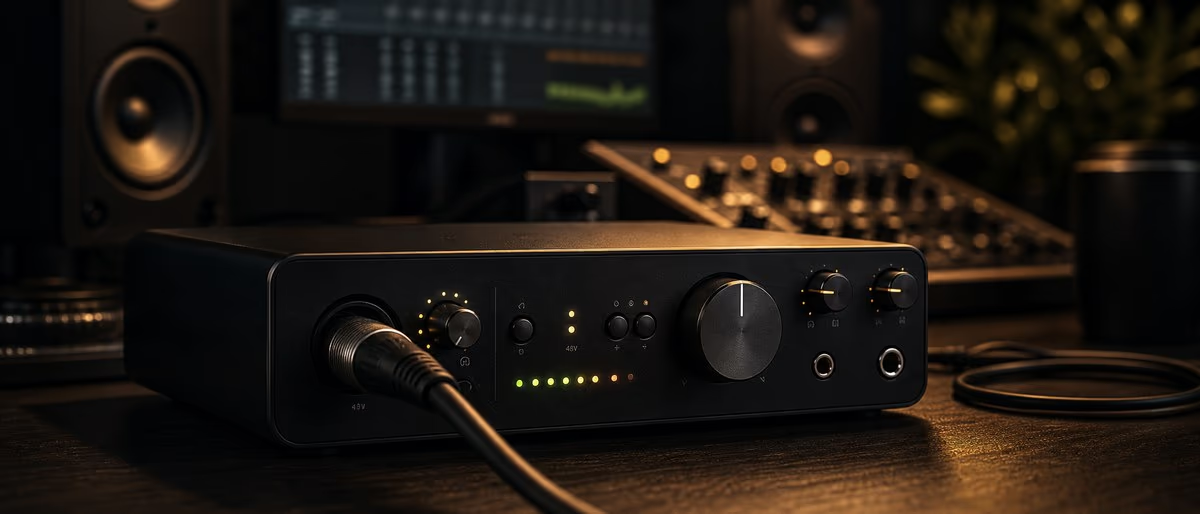
Every home studio begins with a fundamental choice: how does your microphone connect to your computer? An audio interface acts as a bridge between professional XLR microphones and your DAW, handling analog-to-digital conversion and providing clean preamp gain. A USB microphone consolidates all of that electronics into a single device that plugs directly into your computer. The path you choose shapes every piece of equipment you buy afterward, the quality of your recordings, and how much flexibility you have as your studio grows. Get it right and you set yourself up for years of smooth recording sessions. Get it wrong and you find yourself replacing gear within months.

Introduction — The Interface vs USB Decision Shapes Your Entire Studio

The choice between an audio interface and a USB microphone is not merely a technical preference — it is an architectural decision that determines the trajectory of your home studio. This single fork in the road dictates what microphones you can use, how many sources you can record simultaneously, how your signal chain scales as you add outboard gear, and how much desk space your setup consumes.

Neither path is universally superior. A USB microphone is the right choice for the solo podcaster who needs to record in different locations without reconfiguring gear. An audio interface is the right choice for the music producer who needs to capture a vocalist and acoustic guitar simultaneously through a Neumann microphone. Understanding what each approach actually delivers — and where each falls short — is what separates a first recording setup from a studio that lasts.

This guide breaks down every meaningful difference between audio interfaces and USB microphones, explains the sound quality trade-offs with specific real-world examples, and gives you clear decision criteria for choosing the path that fits your actual recording goals in 2026.

What Is an Audio Interface?

An audio interface is an external device that bridges the analog world of microphones and instruments with the digital world of your computer. It converts analog audio signals into digital audio data that your DAW can process, and converts digital playback from your DAW back into analog signals you can hear through monitors or headphones. This conversion process — analog-to-digital (ADC) and digital-to-analog (DAC) — is the core function of every audio interface.

Function: Analog-to-Digital and Digital-to-Analog Conversion

The quality of this conversion process has a direct and measurable impact on your recording quality. A better analog-to-digital converter captures more of the nuance, dynamics, and frequency content of your microphone signal. Entry-level interfaces typically use converters rated at around 96kHz/24-bit resolution, while professional interfaces offer 192kHz/32-bit float or higher. The bit depth affects dynamic range — the difference between the quietest and loudest signal the converter can capture without distortion or noise. Professional converters can capture 120dB of dynamic range or more, while consumer-grade converters may be limited to 100dB or less.

Preamps: Why the Preamp Matters for Sound Quality

The microphone preamplifier is arguably the most critical component in your entire recording signal chain, and it lives inside your interface. A preamp amplifies the tiny, low-level signal from your microphone (typically measured in millivolts) to line level (approximately 1 volt), which is the standard operating level for audio equipment. Every microphone requires preamp gain to produce a usable recording level.

Preamp quality varies enormously. A cheap preamp adds self-noise (his static) and may color the sound in unflattering ways — sometimes described as "harsh," "muddied," or "lacking clarity." A quality preamp like those found in the Focusrite Scarlett series, Universal Audio Volt, or Audient Evo series adds very little noise and preserves the microphone's character faithfully. Some preamps — like those in Universal Audio interfaces — include vintage emulation modeling that can add harmonic richness and warmth modeled after classic hardware preamps.

Connectivity: USB, Thunderbolt, PCIe

Modern audio interfaces connect to computers primarily via USB, Thunderbolt, or PCIe (for desktop workstations). USB-C interfaces are the current mainstream standard, with USB 3.0 offering sufficient bandwidth for multi-input recording at professional sample rates. Thunderbolt 3 and 4 offer significantly lower latency and more bandwidth, which matters when recording many channels simultaneously at high sample rates. PCIe interfaces offer the lowest possible latency but require desktop installation and are primarily used in professional studio environments.

For home studio applications, a USB interface with 2-4 inputs covers the vast majority of use cases. The Focusrite Scarlett 2i2 (2 inputs) and 4i4 (4 inputs) are the defining products in this category and have been the best-selling interfaces for home studios for over a decade.

Multiple Inputs vs Single Input Interfaces

One of the most practical advantages of an audio interface over a USB microphone is expandability through multiple inputs. A 2-input interface like the Scarlett 2i2 allows you to record a vocalist with an XLR mic on input 1 and an acoustic guitar on input 2 simultaneously. A 4-input interface like the Focusrite Scarlett 4i4 or the Universal Audio Volt 4 enables recording a full band: vocals, guitar, bass, and drums through multiple microphone inputs.

USB microphones are inherently single-input devices. While some USB microphones have multiple capsule configurations (like the Blue Yeti with its multiple polar pattern options), they still route through a single digital input to your computer. You cannot record two USB microphones simultaneously in sync through separate tracks without complex software workarounds that introduce sync drift.

Features: Phantom Power, Direct Monitoring, MIDI

Audio interfaces typically include several additional features that USB microphones do not provide. 48V phantom power is supplied through the XLR cable to condenser microphones, which require external power to operate their capsule electronics. This is non-negotiable for any condenser microphone and impossible to provide through a USB connection without dedicated circuitry.

Direct monitoring (also called zero-latency monitoring) routes your microphone signal directly to your headphone output, bypassing the computer processing that introduces latency. Without direct monitoring, you hear yourself with a delay between speaking and hearing your voice in your headphones — a disorienting experience that makes it nearly impossible to perform naturally. Most interfaces provide a blend control to mix between the direct (zero-latency) signal and the DAW-return signal.

Many mid-range interfaces include MIDI input and output jacks for connecting MIDI controllers, drum machines, and keyboards. This allows you to record MIDI performances into your DAW alongside your audio recordings through a single device.

What Is a USB Microphone?

A USB microphone is an all-in-one recording device that integrates a microphone capsule, a preamplifier, and an analog-to-digital converter into a single housing that connects directly to your computer via USB. There is no separate box, no additional cables beyond a USB cable, and no need to configure drivers beyond installing the software that typically ships with the device. This integration is both its greatest strength and its most significant limitation.

All-in-One Design: Capsule + Preamp + ADC in One Device

The fundamental design philosophy of a USB microphone prioritizes simplicity and accessibility. Everything required to capture sound and deliver it to your computer is contained within the microphone body. The capsule converts acoustic energy to electrical energy. The internal preamp amplifies that signal to line level. The internal ADC converts it to digital and sends it over USB. You plug it in, select it as your audio input in your DAW or recording software, and you are recording.

This stands in direct contrast to a traditional studio setup, where the microphone connects via XLR cable to a separate preamp or interface, which then connects via USB to the computer. Each of those components can be upgraded independently in a traditional setup. In a USB microphone, you accept the preamp and converter quality that comes with the microphone you chose.

Types: Condenser USB Mics and Dynamic USB Mics

USB microphones span the same microphone technologies as traditional studio microphones. Condenser USB microphones like the Audio-Technica AT2020 USB, Blue Yeti, and Rode NT-USB+ use condenser capsule technology and require no external power — the USB connection provides all necessary power through the cable. These microphones are sensitive, detailed, and capable of capturing the full frequency range of vocals and instruments.

Dynamic USB microphones like the Shure MV7 and Samson Q2U use dynamic capsule technology similar to the legendary Shure SM58 and SM7B. Dynamic USB microphones are more rugged, less sensitive to room acoustics, and better suited for untreated recording environments. The Shure MV7 is particularly noteworthy because it offers both USB and XLR outputs — it can function as a USB microphone today and graduate to use with a professional interface when your studio expands.

Plug-and-Play Simplicity

The plug-and-play nature of USB microphones is their defining advantage. On a Mac, most USB microphones are recognized immediately with no driver installation required. On Windows, the system typically installs a generic driver automatically through Windows Update. This means you can be recording within five minutes of opening the box — no configuring ASIO drivers, no selecting sample rates, no routing audio through control panels. For podcasters who move between locations, streamers who need quick setup, and voice-over artists who work from multiple computers, this simplicity is genuinely valuable.

The tradeoff is that plug-and-play simplicity means you accept the preamp and converter quality built into the device, with no ability to upgrade either independently.

Built-in Features: Headphone Jack, Gain Control, Mute Button

USB microphones typically include convenience features that studio interfaces handle differently. A built-in headphone jack provides zero-latency monitoring directly from the microphone — you hear exactly what the microphone is capturing with no delay. A gain control knob on the microphone body adjusts input sensitivity. A mute button cuts the signal instantly without reaching for software controls. Some USB microphones like the Blue Yeti include switchable polar pattern options (cardioid, omnidirectional, bidirectional, stereo) selectable on the device itself.

These features are thoughtfully integrated and reduce cable clutter on your desk. However, they come with the limitation that you cannot replace the internal preamp with a better one, and you cannot connect the microphone to an external preamp or channel strip without abandoning its USB functionality.

Key Differences — Side by Side

Feature Audio Interface + XLR Mic USB Microphone
Microphone Flexibility Any XLR microphone (dynamic, condenser, ribbon) Fixed microphone (built-in capsule)
Simultaneous Inputs 2 to 8+ depending on interface 1 (or 2 with software workarounds)
Preamp Quality Varies: budget to studio-grade Built-in, typically consumer-grade
Phantom Power (48V) Yes, on XLR inputs No (handled internally)
Direct Monitoring Yes, with adjustable mix Yes, built into mic
Expandability Add more mics, instruments, outboard None — single device
Latency Low with direct monitor; higher without Zero latency via built-in monitoring
Setup Complexity Requires driver setup, cable management Plug in and record
Portability Requires interface + cables + mic Single device, USB cable
Entry Cost $100-150 (interface) + $50-200 (mic) $50-400 (all-in-one)
Long-Term Investment Interface stays, mics upgradeable Replacing means replacing everything

Sound Quality: Which Actually Sounds Better?

Sound quality is where the audio interface versus USB microphone debate gets genuinely nuanced. The simplistic answer — "interfaces sound better" — is misleading because it ignores the role of the microphone itself. The actual sound quality chain is: microphone capsule determines raw sound, preamp determines how that sound is amplified, and converter determines how accurately that amplified signal is captured digitally. Both interfaces and USB microphones contain preamps and converters, and both can be excellent or poor.

The Preamplifier Quality Gap

The most significant sound quality variable in a USB microphone versus a budget interface comparison is preamp quality. The internal preamp in a $70 USB microphone like the Audio-Technica ATR2100x is functional but not exceptional — it adds a small amount of self-noise and does not have the headroom or clarity of a dedicated preamp circuit. The Focusrite Scarlett 2i2's preamps, by contrast, are widely considered the benchmark for entry-level studio preamps. They are clean, quiet, and reveal more of the microphone's actual character.

When you pair the same microphone — say, an Audio-Technica AT2020 — with a Scarlett interface versus using the AT2020's built-in USB connection, the interface version will almost always sound cleaner and more detailed at equivalent gain levels. The interface preamp has more available gain (60dB versus potentially 40-50dB in a budget USB mic), which means you run the preamp at a more comfortable operating level, producing less self-noise.

When a $200 USB Mic Beats a $100 Interface

Sound quality is not simply a function of money. A $200 USB microphone like the Shure MV7 includes better internal electronics than a $100 budget interface bundled with a cheap dynamic microphone. The MV7's built-in preamp is specifically tuned for voice recording, includes DSP features like automatic level control and compression in its app, and delivers a polished broadcast vocal sound that requires significant additional mixing to achieve from a budget interface-and-dynamic combo.

For voice-over work and podcasting, the Shure MV7 in USB mode often produces immediately usable recordings that require less processing than recordings from a $100 interface paired with an entry-level dynamic microphone. The MV7's intentional voice-optimized design outperforms generic audio equipment at the same price point.

When a Quality Interface with a Shure SM7B Outperforms Any USB Mic

At the professional end of the spectrum, a quality interface like the Universal Audio Apollo Solo ($399) paired with a Shure SM7B ($399) produces results that no USB microphone can approach. The SM7B is the microphone used for countless professional vocal recordings in studios worldwide, renowned for its smooth broadcast-ready sound, natural proximity effect, and exceptional background rejection. The Apollo's Unison preamp technology models the behavior of classic tube preamps, adding harmonic richness that no USB microphone's internal electronics can replicate.

This combination reveals an important principle: the microphone is the most significant variable in your sound quality, and the interface is what unlocks the microphone's potential. A $500 microphone through a $100 interface will sound noticeably better than a $100 microphone through a $500 interface — which is why serious recording setups invest disproportionately in microphones relative to interfaces.

The Importance of the Microphone Itself

No matter how you connect your microphone to your computer, the microphone capsule itself is the primary determinant of your sound. A cheap microphone connected through a professional interface will always sound like a cheap microphone. A professional microphone like the Neumann U87 through a budget interface will sound like a professional microphone being limited by the interface's preamp quality — but still recognizably professional.

When evaluating the interface versus USB microphone decision from a sound quality perspective, the most important question is not whether the connection type matters, but which microphone you plan to use and what preamp quality that microphone deserves.

When to Choose an Audio Interface

An audio interface is the right foundation for your studio when your recording ambitions require flexibility, expandability, or professional-grade capture. Here are the specific scenarios where an interface is the unambiguous choice.

Recording Multiple Sources Simultaneously

If you need to record more than one microphone at the same time, you need an interface. A vocalist and guitarist performing together, a full band tracking live, a podcast with two hosts in the same room — all of these require multiple simultaneous inputs. The Focusrite Scarlett 4i4 with four inputs handles small ensemble recording. The Universal Audio Volt 4 handles four inputs with the added benefit of UA's vintage preamp modeling. For larger sessions, the Focusrite Clarett+ 8Pre offers eight inputs with professional-grade converters and preamps.

Using Professional XLR Microphones

Condenser microphones like the Audio-Technica AT2020, Rode NT1, Neumann U87, AKG C414, and any other microphone that uses an XLR connector require phantom power and an external preamp to operate. You cannot use these microphones without an interface or a dedicated microphone preamp. If your goal is to achieve professional studio vocal quality, you will eventually need an XLR condenser microphone, which means you eventually need an interface.

The same is true for ribbon microphones, which also use XLR connections (though they typically do not require phantom power and can be damaged by it — always check specifications).

Building a Long-Term Studio That Will Expand

An audio interface is a long-term investment in your studio's foundation. The Focusrite Scarlett 2i2 you buy today will still be useful if you later upgrade to a Neumann U87 Ai, because the 2i2's preamps can adequately drive that microphone. Your interface purchases do not become obsolete when you upgrade microphones — you simply add better microphones to the same interface.

USB microphones, by contrast, represent a dead-end investment. When you outgrow the internal preamp and want to upgrade to a better microphone, you replace the entire device rather than just the microphone.

Running Multiple Monitors or Outboard Gear

If your studio includes studio monitors (speakers), hardware compressors, EQs, or channel strips, an interface provides the proper I/O (input/output) connections to integrate these components. Most interfaces include multiple line outputs for connecting monitor speakers and external gear. The Universal Audio Apollo Solo includes UAD processing for running analog-modeled compressors and EQs as plugins with near-zero latency.

Podcasting with Multiple Hosts

A podcast with two or more hosts who need individual microphone channels requires either multiple USB microphones (which introduces sync problems) or an interface with multiple XLR inputs. A 2-input interface like the Focusrite Scarlett 2i2 handles two hosts with room to add a guest. A 4-input interface handles four hosts. Many podcasters start with USB microphones and graduate to an interface setup when they add co-hosts or want to integrate a dedicated podcast console like the Rodecaster Pro.

When to Choose a USB Microphone

USB microphones are the right choice when simplicity, portability, and immediate usability outweigh the need for expandability. They are purpose-built for specific use cases where a traditional interface setup would be overkill.

Starting Out with Minimal Budget

The Audio-Technica ATR2100x and Samson Q2U are both available for under $50 and include both USB and XLR outputs. These dual-output microphones let you start with USB for immediate plug-and-play recording today and switch to XLR when you eventually buy an interface — making them the lowest-risk entry point for new home studio builders. They outperform the internal microphones in headphones and laptops by a dramatic margin and cost less than a dedicated interface alone.

Podcasting Solo with One Mic

If you are a solo podcaster recording in a single location, a USB microphone like the Shure MV7 or Rode PodMic USB delivers broadcast-quality voice capture without the complexity of an interface, separate microphone, and cables. The MV7's built-in DSP processing (via Shure's MOTIV app) includes compression, EQ, and a high-pass filter that reduce post-production workload significantly.

Mobile Recording (Laptop + USB Mic)

When your studio is your backpack — recording in hotel rooms, coffee shops, client offices, or co-working spaces — a USB microphone is the most practical choice. A single device and one cable are all you carry. The Rode NT-USB+ and Shure MV7 are both compact, powered via USB-C, and fit easily into laptop bags. An interface, external microphone, cables, and carrying case add significantly more bulk and setup time.

Voice-Over Work from Home

Professional voice-over artists often work from home offices that double as recording spaces. A USB microphone like the Shure MV7 or Apogee HypeMic provides the recording quality that commercial clients expect while allowing the artist to maintain a portable setup that travels easily. The Apogee HypeMic is particularly notable for voice-over work because it includes a built-in compressor with adjustable intensity, allowing you to deliver broadcast-ready audio with consistent levels directly from the microphone.

Streaming Without Complex Setup

Live streamers benefit from quick setup and zero-latency monitoring. A USB microphone like the Elgato Wave:3 or Shure MV7 provides excellent streaming audio while including features designed specifically for live broadcast: a mute button within easy reach, headphone monitoring with mix control, and software that integrates with streaming platforms to manage audio levels without opening a DAW. The Elgato Wave:3, in particular, has become a streaming standard because its proprietary Wave Link software lets you mix multiple audio sources in real time without latency.

Quick Setup Requirements

When you need to record now — an interview that needs to happen in 10 minutes, a voice note that cannot wait, a song idea that strikes on a plane — a USB microphone means setup time is measured in seconds rather than minutes. No cables beyond a USB cable, no driver configuration, no routing audio through control panels. Plug the USB cable in, select the input in your recording software, and press record.

The Hybrid Approach — USB Mic + Interface

Some USB microphones offer both USB and XLR outputs simultaneously, which opens up a hybrid approach that combines the convenience of USB with the expandability of an interface. The Shure MV7 is the most prominent example — it works as a USB microphone out of the box, but connecting it via XLR to an interface unlocks its full potential.

Using a USB Microphone with Your Interface

The dual-output design of microphones like the Shure MV7, Audio-Technica ATR2100x, and Samson Q2U means you can start with USB connectivity today and graduate to XLR when you have an interface. More importantly, these microphones are designed to sound good in both modes — the MV7's internal preamp is competitive with entry-level interface preamps, which is why the MV7 is frequently used as a podcasting interface in a single-cable configuration.

When you connect the MV7 via XLR to a Universal Audio Apollo Solo, you get the benefit of the Apollo's Unison preamp modeling, which can apply the sonic character of vintage Neve, SSL, and UA preamps to the MV7's signal. This hybrid approach lets you upgrade your signal chain incrementally without abandoning equipment you already own.

When This Setup Makes Sense

The hybrid approach makes sense when you want to invest in a quality microphone first and defer the interface purchase, or when you want a portable USB mic that also functions as a studio microphone through your existing interface. Podcasters who travel frequently but record in a home studio appreciate having the same microphone work in both environments. The MV7's dual output means you use one cable (USB) for traveling and one cable (XLR) for studio sessions.

This approach is also cost-effective: rather than buying an interface and a separate microphone, you buy one microphone that works with both. Your first recording sounds good immediately, and your interface purchase is deferred until you are ready to expand to multiple inputs.

Budget Picks — Under $100

  • Audio-Technica ATR2100x — The best entry point for new home studio builders. Dual USB/XLR output means this microphone grows with your studio. Solid dynamic capsule, built-in headphone jack, and a price that undercuts most competitors by $30-50. Used by podcasters who started with USB and later added an interface.
  • Samson Q2U — A reliable dynamic USB microphone at an unbeatable price point. Includes both USB and XLR outputs, a desk stand, and a windscreen. The Q2U is the choice for budget podcasters and voice-over artists who need a no-fuss solution that works in USB mode today and upgrades to XLR tomorrow.

Mid-Range — $100 to $200

  • Blue Yeti — The defining mid-range USB microphone, available in multiple colors and several polar patterns. The Yeti's four-capsule array allows cardioid, omnidirectional, bidirectional, and stereo recording from a single device. It has been the go-to USB microphone for podcasters and streamers since 2011, with a well-deserved reputation for reliability and versatility.
  • Rode NT-USB+ — Rode's updated flagship USB condenser microphone. The NT-USB+ includes a zero-latency headphone output, mix control, and a professional-grade condenser capsule that rivals the sound quality of standalone studio condensers. The included pop filter and shock mount add value at the price. Ideal for podcasters, voice-over artists, and musicians who want studio condenser quality in a USB form factor.
  • Audio-Technica AT2020 USB — The USB version of the legendary AT2020 large-diaphragm condenser. This microphone brings the reference-quality sound of the original AT2020 to a plug-and-play USB format. Its fixed cardioid polar pattern and side-address design replicate the experience of using a studio condenser microphone, making it a natural transition for users moving from an entry-level setup toward professional recording.

High-End — $200 to $400

  • Shure MV7 — The most versatile USB microphone available. Dual USB/XLR output, built-in DSP processing via the MOTIV app (compression, EQ, high-pass filter, and automatic level control), and a dynamic capsule designed to reject background noise make this the complete package. The MV7 is equally at home as a podcasting mic, streaming mic, and voice-over recording mic. Its XLR output ensures it remains useful even after you upgrade to a professional interface.
  • Apogee HypeMic — The premium choice for voice-over artists and podcasters who deliver broadcast-ready audio. Its built-in compressor with three adjustable levels means you get consistent levels directly from the microphone with no DAW processing required. The condenser capsule is studio-grade, and the included HypeMix software provides additional processing options. At $349, it is priced like a professional tool — and it performs like one.

Budget — Under $150

  • Focusrite Scarlett 2i2 (4th Gen) — The best-selling audio interface for home studios, period. The 4th generation Scarlett 2i2 improves on its legendary predecessors with better converters (up to 192kHz/32-bit), more headroom on the preamps, and a redesigned Air mode that emulates the sound of Focusrite's legendary ISA transformer-based preamps. Two inputs with combo XLR/jack connectors handle any microphone or instrument. The 2i2 is the interface against which all others are compared.
  • PreSonus AudioBox Go — PreSonus's entry-level interface punches above its weight class at under $80. It includes one XLR/jack combo input and one instrument input, USB-C connectivity, and the company's Studio One Artist DAW software included. The preamps are clean and quiet for the price, making this a legitimate first interface for beginner home studios.
  • Behringer UMC22 — Behringer's ultra-budget interface at under $50. The UMC22 has one combo input and one instrument input. The preamp quality is not as clean as the Scarlett series, and the converters are more basic, but for pure functionality — getting a microphone signal into your DAW — it works. Best reserved for beginners on the tightest possible budget who want to learn the interface/XLR workflow.

Mid-Range — $150 to $400

  • Universal Audio Volt 1 / Volt 2 — Universal Audio brings its expertise in vintage analog modeling to the entry-level interface market. The Volt series includes Unison preamp technology, which physically models the behavior of classic tube preamps from Neve, SSL, and UA. When you dial in a Unison model and record through it, the preamp responds and colors your microphone signal exactly like the hardware it models. The Volt 2 offers two inputs; the Volt 1 is a single-input version.
  • Focusrite Scarlett 4i4 (4th Gen) — The 4i4 adds two additional inputs to the 2i2 formula, making it the better choice for podcasters who want room to add a guest microphone, musicians who record multiple instruments simultaneously, and anyone who needs MIDI I/O. The four line outputs enable connecting two pairs of studio monitors or multiple outboard gear pieces.
  • Audient id4 — Audient is known for its professional console preamp designs that appear in studios worldwide. The id4 brings that console preamp heritage to a portable 2-input interface. The preamp is notably clean and musical, adding subtle harmonic richness rather than harshness. The id4's discrete JFET instrument input is designed to replicate the sound of a tube amp being pushed into a guitar cabinet, which makes it a favorite of guitarists recording direct.

High-End — $400 and Above

  • Universal Audio Apollo Solo — The Apollo Solo is a professional-grade 2-input interface that includes UAD processing, allowing you to run UAD's library of analog-modeled plugins (compressor, EQ, reverb, tape machines) with near-zero latency. The Unison preamp technology on the Solo's two inputs models vintage tube preamps with extraordinary accuracy. If you want the sound of a vintage Neve or SSL console in your home studio, the Apollo Solo is the entry point. It requires no AU/VST plugin licensing fees beyond the included UAD plugins.
  • RME Babyface Pro FS — RME builds interfaces for professionals who prioritize reliability and low-latency performance above all else. The Babyface Pro FS offers exceptional converter quality (120dB+ dynamic range), rock-solid drivers for Mac and Windows, and TotalMix FX, RME's powerful mixing and routing software. The interface is compact, bus-powered via USB-C, and built like a tank. Used by touring musicians and recording engineers who cannot afford driver dropouts on stage or in the studio.
  • Audient EVO 8 — Audient's EVO series brings professional console preamp quality to an affordable multi-input interface. The EVO 8 features four EVO mic preamps with 58dB of gain, two instrument/line inputs, four line outputs, and Audient's ASPIC (Asynchronous Synchronous Precision Interface & Clock) converter technology for pristine digital audio. Smartgain mode automatically sets recording levels for each input, which is genuinely useful for recording multiple sources without manual gain staging. At under $350, the EVO 8 delivers Audient's console preamp quality in a format that competes with interfaces twice its price.

Frequently Asked Questions

Does a USB microphone sound worse than an audio interface?
Not necessarily. A $200 USB microphone like the Shure MV7 or Blue Yeti can outperform a budget $100 audio interface with a bundled microphone. The preamp quality inside the USB microphone matters more than the connection type. However, at higher price points, a dedicated audio interface with a professional XLR microphone will always surpass an all-in-one USB solution because you can pair any microphone with any interface.
Can I use a USB microphone with an audio interface?
Most audio interfaces do not accept USB microphone input because USB microphones have their own internal analog-to-digital converters. You would need to connect the USB microphone to your computer directly, not through the interface. However, some interfaces like the Universal Audio Volt series have a dedicated USB microphone input that bypasses the XLR preamps, allowing you to use a USB mic while still monitoring through the interface.
What is better for podcasting: an audio interface or a USB microphone?
For solo podcasting, a high-quality USB microphone like the Shure MV7 or Rode PodMic USB delivers excellent results with minimal setup complexity. If you plan to expand to multiple hosts, multiple XLR microphones, or outboard gear, an audio interface with multiple XLR inputs is the better long-term investment. The key question is whether you will outgrow a single USB mic within your recording goals.
Do I need an audio interface if I only record vocals?
Not necessarily. If you record one vocalist at a time with a single microphone and want plug-and-play simplicity, a USB microphone is a legitimate choice. However, if you use an XLR condenser microphone like the Audio-Technica AT2020 or Rode NT1, you need an interface to provide 48V phantom power and convert the signal to digital. The AT2020 and NT1 are XLR microphones and cannot be used standalone.
Can I connect multiple USB microphones at once?
Technically, you can connect multiple USB microphones to separate USB ports on your computer, but this creates significant software challenges. Most DAWs and recording software treat each USB microphone as a separate audio device, making it difficult to record both in perfect sync. Audio interfaces solve this problem by routing multiple XLR microphones through a single synchronized digital connection to your computer.
What is phantom power and do I need it?
Phantom power is 48V DC current sent through your microphone cable from your interface or mixer. It is required to operate condenser microphones, which have internal preamps that need external power to function. Dynamic microphones and passive ribbon microphones do not require phantom power. If you plan to use any condenser microphone, your interface must provide phantom power, typically switchable per channel.

Conclusion

The audio interface versus USB microphone decision ultimately comes down to one question: does your studio need to expand beyond a single microphone? If your answer is yes — if you plan to record multiple people, use professional XLR microphones, build a long-term setup that grows with your skills — then an audio interface is the foundation you need today. The Focusrite Scarlett 2i2 paired with an Audio-Technica AT2020 or a Shure SM7B is a recording chain that serves you from your first session through years of professional work.

If your answer is no — if you record alone, want plug-and-play simplicity, or need a portable solution for recording in multiple locations — a USB microphone eliminates the complexity and cable management of an interface without sacrificing meaningful quality. The Shure MV7 in particular bridges both worlds, giving you USB convenience today and XLR expandability tomorrow.

Neither path is the wrong choice. Both produce professional results in the right context. The key is being honest with yourself about what your recording goals actually require over the next one to three years — and choosing the setup that serves those goals without requiring premature upgrades or leaving quality on the table. Your first recording session should sound good enough to keep you motivated. What you build after that depends entirely on what you want to create.

Learning path

Related answer hubs

Ready to build your home studio recording chain?

Browse Free Downloads