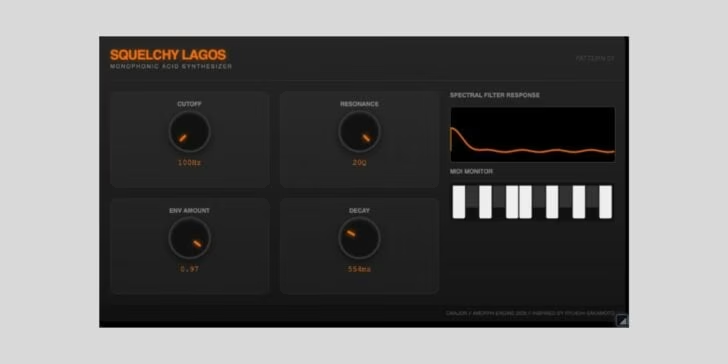
The Amorph AI-driven text-to-DSP plugin by Artists in DSP has received a significant update for 2026, introducing custom user interface creation and a refreshed visual design. Amorph remains a 100% free plugin, aimed at producers interested in AI-generated DSP processors with deep customization potential. The headline feature in this release is a revamped GUI system, letting users design and save unique plugin interfaces tailored to their DSP engines and workflows.
Amorph still works as a prompt-based AI environment: you describe the process you want (EQ, compression, spectral effects, etc.), and the engine builds a custom DSP tool—now with the ability to fully rework its visual presentation. This update expands on the original concept, making Amorph feel less generic and more like a pro tool you can shape to fit your studio identity or genre needs.
What’s New in the 2026 Amorph Update
- Full custom UI editing—design colors, layout, controls
- Improved default visual themes for cleaner navigation
- Faster DSP building and preset recall
- Still powered by text-driven AI prompt commands
- Works as an effect for vocals, synths, drums, and experimental duties
System Requirements and Compatibility
- VST3 and AU plugin formats (Windows/macOS)
- No iLok, dongle, or activation required
- Recommended for any DAW supporting VST3/AU plugins
Pricing, Availability, and Upgrade Path
Amorph remains fully free with the 2026 update—no paid tiers or subscriptions. Existing users simply download and install the latest version from the official Artists in DSP website to access the new features. New users can jump straight in with the updated installer.
Who Should Use Amorph?
Amorph is designed for experimental sound designers, developers, and anyone curious about AI-generated effects. With this update, it’s more appealing to producers who value workflow customization and distinctive plugin visuals.
Quick Facts: Amorph is a free VST3/AU plugin offering prompt-based DSP creation and now full custom user interface editing, available directly from Artists in DSP.
Download the Amorph AI DSP plugin update for 2026 to explore a new level of creative control.
FAQ
Is Amorph AI DSP plugin still free after the 2026 update?
Amorph remains completely free to download and use, with no paid upgrades.
How do I design a custom UI in Amorph?
You enter the UI editor from the main settings menu, then adjust layout, controls, and styling before saving your design.
Which plugin formats does Amorph support?
Amorph works with VST3 and AU formats on Windows and macOS hosts.