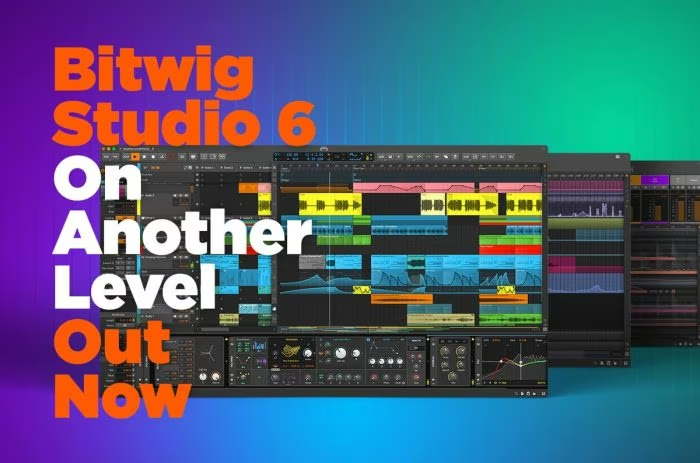
Bitwig Studio 6 is available now with automation clips and a global key signature. Developed by Bitwig, Bitwig Studio 6 (released March 2026) ships for Windows, macOS and Linux and is available from Bitwig's store. Get the update or buy a license at the official Bitwig product page: https://www.bitwig.com/products/bitwig-studio/.
What's new in Bitwig Studio 6
Bitwig Studio 6 focuses on clip workflow and automation. Key additions include:
- Automation clips (arrangement-style automation clips you can draw and duplicate)
- Global key signature (project-wide key handling and transposition)
- Clip aliases (multiple clips referencing the same source for faster editing)
- Upgraded automation editing (improved node editing, curves, and snap options)
- Better clip/arrangement integration for hybrid linear/clip-based workflows
These changes improve automation editing, tail length control, and clip management for both electronic producers and hybrid live performers. Bitwig Studio 6 expands clip workflow, clip launch control, and arrangement automation tools.
Pricing and upgrade path
- Free for Bitwig users with an active Upgrade Plan on their account.
- Paid upgrades and new licenses are available from Bitwig's store: https://www.bitwig.com/products/bitwig-studio/.
- Existing owners without an active plan can purchase an upgrade or a new license; Bitwig's upgrade policy and crossgrade options are listed on their site.
System requirements & formats
- Platforms: Windows, macOS, Linux (64-bit)
- Plugin hosting: VST2/VST3 support for third-party plugins; standalone DAW app included
- CPU/RAM: Typical modern desktop requirements; SSD recommended for sample-heavy projects
Who should update?
Producers who use automation heavily, live performers who rely on clip workflows, and composers who need global key management will see the biggest gains. Bitwig Studio 6 is aimed at electronic producers, hybrid live/DJ setups, and anyone who mixes clip launching with linear arrangement work.
Bottom Line: Bitwig Studio 6 is available now from Bitwig, free for users with an active Upgrade Plan and purchasable for others through Bitwig's online store. Visit the Bitwig product page to buy, upgrade, or download the latest installer.
Grab the update from Bitwig's site and test the new automation clips workflow.
FAQ
Is Bitwig Studio 6 really free?
Free for users with an active Bitwig Upgrade Plan; other users must purchase or buy an upgrade via Bitwig's store.
What operating systems does Bitwig Studio 6 support?
Windows, macOS and Linux (64-bit) are officially supported.
How do I upgrade to Bitwig Studio 6?
Upgrade via your Bitwig account if you have an active Upgrade Plan or purchase an upgrade/new license from the Bitwig product page: https://www.bitwig.com/products/bitwig-studio/.