
Best MIDI controllers FL Studio 2026
Quick Answer
For FL Studio in 2026, prioritize controllers with class-compliant USB, velocity-sensitive pads for FPC and slicing, and enough knobs for mixer and plugin parameters—Akai MPK Mini series, Novation Launchkey, and Arturia MiniLab remain the most common beatmaker picks. Enable FL Studio MIDI device scripts or generic Mackie/HUI mapping for transport. Plugg Supply does not sell hardware but lists free MIDI utility plugins and drum kits you trigger from those pads via Telegram delivery.
Why MIDI Controllers Matter in FL Studio
FL Studio is mouse-first by design, but a MIDI keyboard speeds piano-roll entry, live chord recording, and drum pad performance on FPC, Slicex, or third-party pad plugins.
Knobs and faders map to mixer tracks, Gross Beat, and synth macros—reducing repetitive right-click automation in arrangement view.
FL Studio MIDI Setup Basics
Open Options → MIDI settings, enable your controller input, and set the correct port. For many devices, select the manufacturer script under Input if Image-Line or the vendor supplies an FL MIDI script.
Use Typing keyboard to piano off when recording notes from a controller to avoid QWERTY conflicts.
- Connect USB
Use a direct USB port; avoid unpowered hubs for pad controllers that draw extra current. - Enable input
In MIDI settings, click the device name so the green LED shows active input. - Arm instrument track
Select the channel rack instrument and press record in the piano roll or playlist.
25 vs 49 vs 61 Keys
25-key mini controllers fit laptop trap production and hotel sessions; two-handed chords require octave shift buttons. 49 keys balance portability and playability for melody writing.
61 keys suit producers who also play piano parts or use FL Keys for live performance—less critical if you only draw trap motifs in one octave.
Pads for Drums and Hi-Hat Rolls
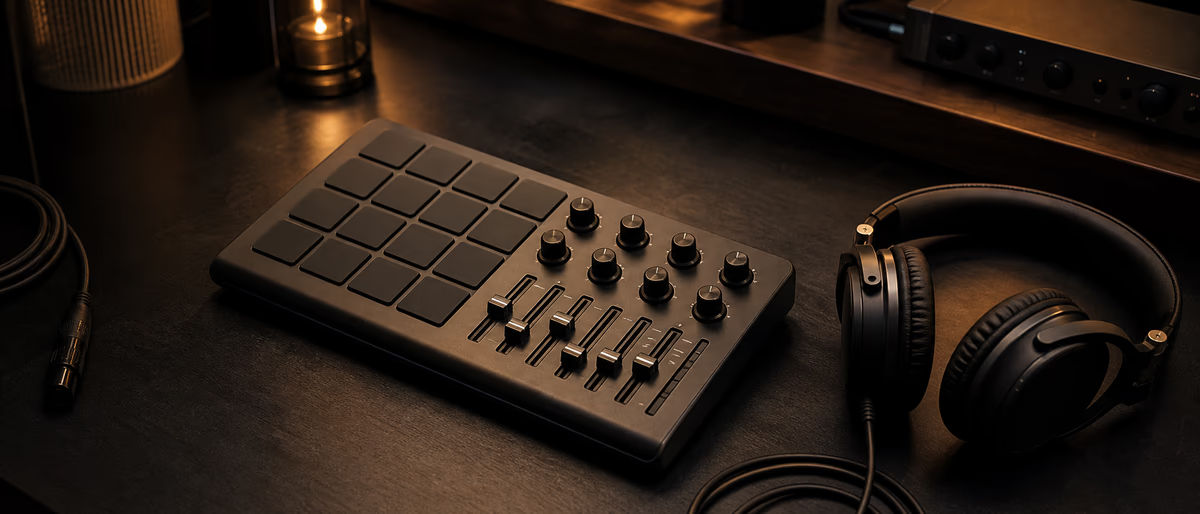
Eight or sixteen velocity pads map to FPC pads or a drum rack plugin. Assign roll samples to consecutive pads for live hi-hat patterns, then quantize in piano roll.
Pad sensitivity matters for ghost notes; budget controllers sometimes need velocity curve adjustment in FL MIDI settings or the vendor editor.
Knobs, Faders, and Mixer Control
Link knobs via right-click → Link to controller in FL Studio, then move the hardware control to assign. Eight knobs cover send levels and filter cutoff on one synth; sixteen help multi-track rough mixes.
Motorized faders are rare under $400; beatmakers usually map one knob bank to the selected mixer track.
Akai MPK Mini and MPK Series
Akai MPK Mini MK3 is the default recommendation for FL beatmakers: compact, bundled pads, joystick for pitch and mod, and broad FL community mapping tutorials.
Larger MPK249 adds more keys and pads for studio desks; verify the latest MK revision for USB-C and improved pad feel in 2026 stock.
Novation Launchkey for FL Studio
Launchkey integrates with many DAWs; in FL Studio use it as a generic MIDI keyboard plus InControl-style knob templates where supported.
Launchkey Mini fits backpack setups; Launchkey 49 is a strong middle tier for producers who want real keys and eight knobs without MPC-style pad focus.
Arturia MiniLab and KeyLab
MiniLab bundles Analog Lab sounds useful for sketching; map macros in FL to MiniLab knobs for quick filter sweeps on trap leads.
KeyLab Essential adds longer keys and more controls for hybrid producer-keyboardists.
Budget Picks and Used Market
M-Audio Keystation and older MPK models work as class-compliant MIDI if pads are not required. Test used units for sticky keys and USB socket wear.
A $79 mini keyboard plus mouse often beats a $300 controller you never map—buy knobs you will assign in the first week.
Free Plugins and Kits to Play from Your Controller
Hardware triggers software: load FPC or a free drum VST, assign pads, and use kits from Plugg Supply’s verified catalog instead of random one-shots from search engines.
Plugg Supply delivers sample packs and free instruments through Telegram after verification—pair them with your controller’s pad layout once, then reuse the template project.
2026 Mapping Tips for Trap Workflows
Save one FL project template with MIDI learn on mixer track 1–8 volumes, Gross Beat time slot, and your main synth cutoff.
Use note repeat or arpeggiator in the synth for hi-hat rolls if your controller lacks pad repeat—MIDI input still beats drawing every sixteenth by hand.
Once your controller is mapped, load a verified trap drum kit from the catalog into FPC and practice rolls before buying more gear.
Learning path
Related answer hubs
Related articles
![Truefire Song Lesson Eye of the Tiger by Survivor (JamPlay) [TUTORiAL]](/images/posts/truefire-song-lesson-eye-of-the-tiger-by-survivor-jamplay-86195.avif?v=2026080101)
LEARNING / VIDEO TUTORIALS
Truefire Song Lesson Eye of the Tiger by Survivor (JamPlay) [TUTORiAL]
![Music Hackspace Synthesis with Max: FM by Ned Rush [TUTORiAL]](/images/posts/music-hackspace-synthesis-with-max-fm-by-ned-rush-86583.avif?v=2026080101)
LEARNING / VIDEO TUTORIALS
Music Hackspace Synthesis with Max: FM by Ned Rush [TUTORiAL]
![789ten The DubVision Producer Pack v.6 [WAV, MiDi, Synth Presets, TUTORiAL]](/images/posts/789ten-the-dubvision-producer-pack-v6-86546.avif?v=2026080101)
Samples / Presets / MIDI / VIDEO TUTORIALS
789ten The DubVision Producer Pack v.6 [WAV, MiDi, Synth Presets, TUTORiAL]
![True Sound Music Library INITIATION [TUTORiAL]](/images/posts/true-sound-music-library-initiation-85302.avif?v=2026080101)
LEARNING / VIDEO TUTORIALS
True Sound Music Library INITIATION [TUTORiAL]
![Tus Clases De Guitarra Tecnicas y Recursos [TUTORiAL]](/images/posts/tus-clases-de-guitarra-tecnicas-y-recursos-86551.avif?v=2026080101)
LEARNING / VIDEO TUTORIALS
Tus Clases De Guitarra Tecnicas y Recursos [TUTORiAL]
![Truefire Melodic Trevor Gordon Hall's Melodic Picking Practice Plan (JamPlay) [TUTORiAL]](/images/posts/truefire-melodic-trevor-gordon-halls-melodic-picking-practic-86171.avif?v=2026080101)
LEARNING / VIDEO TUTORIALS
Truefire Melodic Trevor Gordon Hall's Melodic Picking Practice Plan (JamPlay) [TUTORiAL]
Frequently Asked Questions
- Does FL Studio work with any MIDI keyboard?
- Yes for note input on class-compliant USB MIDI devices. Pads and knobs need per-control linking unless an official FL MIDI script exists for that model.
- Is Akai MPK Mini good enough for FL Studio?
- For trap and hip-hop it is sufficient: pads for drums, keys for melody in one octave range, knobs for a few macros. Upgrade when you need more keys or better pad velocity.
- Do I need a controller with FL Studio license?
- No. MIDI hardware is independent of your FL edition. Producer Edition adds more internal instruments but any edition accepts MIDI input.
- How do I fix double notes or latency in FL?
- Lower buffer in audio settings on a dedicated interface, disable unnecessary MIDI inputs, and use ASIO drivers. Latency under 10 ms feels playable for pads.
- Launchkey vs MPK Mini for beginners?
- MPK Mini is more pad-centric for beatmaking; Launchkey Mini feels better for producers who also play simple chords on mini keys. Both work in FL with manual mapping.
- Can Plugg Supply replace buying a controller?
- No—Plugg Supply distributes software and samples, not MIDI hardware. It complements a controller with verified drum kits and synths you trigger from pads.