
Quick answer: Hybrid AI Hardware
Quick Answer
A hybrid AI–hardware studio captures real gear audio first, uses AI for cleanup/organization/ideas second, and keeps MIDI clock, gain staging, and human arrangement as the backbone.
Hardware Soul, AI Assistant
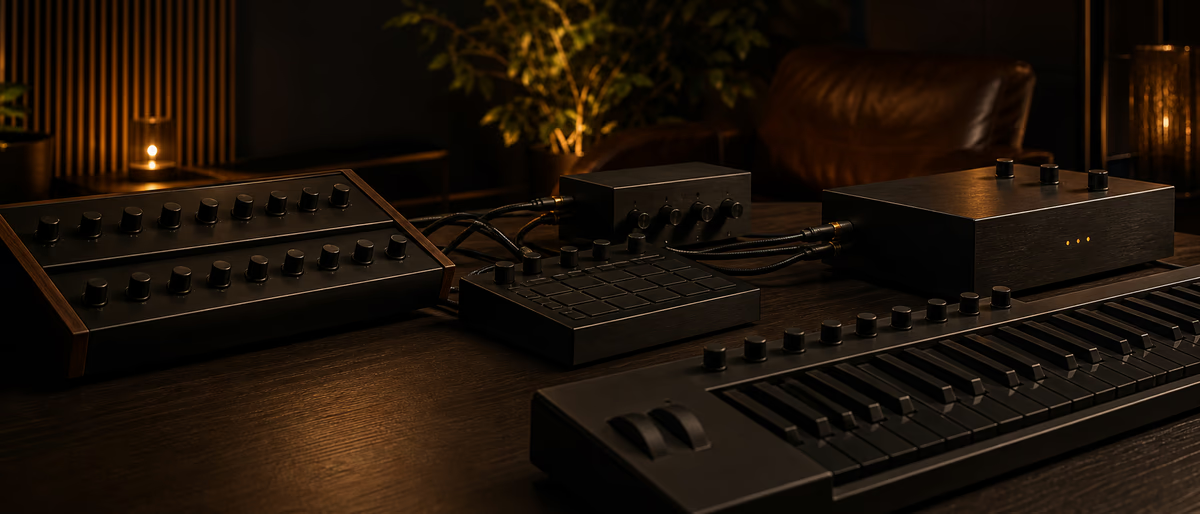
Hardware gives tactile sound, happy accidents, and commitment. AI gives speed in tagging, noise reduction, MIDI transcription experiments, and documentation. The hybrid studio fails when AI tries to replace the hands-on loop that made hardware worthwhile. Clock and routing discipline still matter more than novelty AI: stable MIDI/audio interfaces keep hybrid sessions musical.[2]
Design the room so playing is low friction: instruments powered, clock stable, record-armed templates ready. AI tools should open after capture, not block the jam.
Budget for an interface with enough inputs, solid MIDI I/O or USB-MIDI hosts, and reliable monitoring before spending on novelty AI subscriptions.
Reference Signal Flow
| Stage | Hardware path | AI touchpoint |
|---|---|---|
| Idea | Jam on synth/groovebox | Optional prompt for chord constraints |
| Clock | DAW or master clock out | None—keep deterministic |
| Record | Audio + MIDI capture | Auto file naming/tagging later |
| Edit | Comp best takes | Noise reduce / spectral repair drafts |
| Arrange | Human structure | Section suggestions optional |
| Mix | Outboard optional inserts | AI mix assistants as A/B only |
| Archive | Project + sample vault | Embedding search / tags |
Clock sync is non-negotiable when multiple sequencers run. Pick one master (usually the DAW) and set hardware as slaves—or reverse if you prefer box-first, but do not leave two unsynced clocks fighting.
DAW Template for Hybrid Days
Print long jams as audio even if MIDI exists. Hardware character often includes instability that MIDI re-performance will not reproduce. You can always re-jam; you cannot always recreate a perfect accident.
High-Value AI Uses (After Capture)
- Cleanup Hum reduction, broadband noise on takes—verify artifacts.
- Organization Auto-tag one-shots from hardware dumps into your library.
- Transcription assist Pitch-to-MIDI drafts for re-sound-design—edit heavily.
- Documentation Session notes summaries from your own written bullets.
- Reference matching Tone suggestions, not automatic ‘finish the song’.
Avoid routing live hardware through high-latency AI plugins in the monitoring path during performance. Play feels die when monitoring delays. Print dry, process later.
MIDI Clock and MIDI-USB Hygiene
Use quality cables, avoid unnecessary USB hubs for timing-critical devices when possible, and document which device is master clock. For multi-synth rigs, consider a dedicated MIDI interface with stable drivers.
Name every port in your OS and DAW identically to hardware labels. Hybrid studios fail from ‘which synth is on port 3?’ more often than from missing AI tools.
Data Safety and Rights
Do not upload unreleased client sessions to random cloud AI tools without permission. Local tools or private deployments reduce risk. Keep API keys out of project folders that sync publicly.
If AI tools generate MIDI that resembles protected melodies, your human originality check still applies—the same as with sample flips.[4]
Example Hybrid Day Plan
Practice Lab: Hybrid AI Hardware
Turn this guide into reps. Open a blank project dedicated only to hybrid ai hardware and limit yourself to the techniques above—no random preset surfing. Set a 45-minute timer, commit audio often, and export three short candidates rather than endlessly polishing one loop.
Create a reference playlist of five tracks that exemplify the outcome you want for Hybrid AI + Hardware Studio Setup for Producers. Level-match them, note arrangement landmarks on paper, and steal structure—not melodies. Tags related to this workflow include: hardware, AI, hybrid studio, MIDI clock, workflow, synths.
After each session, write three lines in a producer log: what worked, what failed translation on phones, and one constraint for tomorrow (for example, “only two melody layers” or “no new plugins”). Constraints build taste faster than unlimited options.
On the question “Should AI control my hardware parameters live?” a practical studio answer is: It can be experimental fun, but for reliable sessions keep performance control human and use AI after capture. Keep this note in your session template so you do not re-learn it under deadline pressure.
Advanced Notes and Translation Checks
Advanced work on hybrid ai hardware is usually arrangement and translation, not another plugin purchase. If the idea is strong on a cheap earphone and in mono, you are ahead of most unfinished hard-drive projects.
Print stems earlier than feels comfortable. Stems force decisions and make collaboration, remixes, and content edits easier. Keep a dry/wet strategy for time-based effects so edits remain possible.
On the question “What interface features matter most?” a practical studio answer is: Enough clean inputs, stable drivers, low-latency monitoring, and solid MIDI I/O for your device count. Keep this note in your session template so you do not re-learn it under deadline pressure.
On the question “DAW or groovebox as clock master?” a practical studio answer is: Either works if consistent. Many hybrid producers master from the DAW for arrangement convenience. Keep this note in your session template so you do not re-learn it under deadline pressure.
When you finish, export a short voice-memo critique from yourself as if you were a client. Fix only the top two complaints. Shipping compounds skill; infinite polish hides avoidance.
- Mono check Fold the mix to mono and confirm the hook and low end still read.
- Phone check Play the bounce beside a commercial reference at similar volume.
- Fatigue check Revisit the next day at low volume before release decisions.
- Rights check Confirm samples, vocals, and AI-tool licenses match the release plan.
- Recall check Save a text note of key plugin settings and tempo/key.
Summary and Next Actions
You now have a concrete path for Hybrid AI + Hardware Studio Setup for Producers: define the aesthetic, execute the core sound-design or business steps, arrange with intention, and QC on real playback systems. The difference between a saved idea and a catalog asset is usually documentation plus a deadline.
On the question “Can AI replace outboard compressors?” a practical studio answer is: It can emulate some behaviors, but hybrid value often comes from real nonlinearities—use AI as complement. Keep this note in your session template so you do not re-learn it under deadline pressure.
Schedule the next session before you close the DAW. Put one unfinished bounce in a ‘to finish’ folder with a date. Momentum is part of the craft—especially for long-form tracks, low-end engineering, and label operations where unfinished admin kills releases.
If you need sounds or utilities while practicing hybrid ai hardware, use verified catalog sources and keep licenses filed next to the pack. Clean inputs make clean catalogs.
Browse software utilities and sample libraries on Plugg Supply to support a hardware-first, AI-assisted studio.
Learning path
Related answer hubs
Related catalog
More tutorials from the catalog
More tutorials from the Plugg Supply feed, ranked by catalog popularity.
![MixWithTheMasters Olivia Rodrigo Mix with The Masters [TUTORiAL]](/images/posts/mixwiththemasters-olivia-rodrigo-mix-with-the-masters-86380.avif?v=2026080101)
LEARNING / VIDEO TUTORIALS
MixWithTheMasters Olivia Rodrigo Mix with The Masters [TUTORiAL]
![Shazy Krash Multikit [WAV, MiDi, Synth Presets, DAW Templates, TUTORiAL]](/images/posts/shazy-krash-multikit-81949.avif?v=2026080101)
Samples / Presets / MIDI / PROJECTS,TEMPLATES / VIDEO TUTORIALS
Shazy Krash Multikit [WAV, MiDi, Synth Presets, DAW Templates, TUTORiAL]
![MixWithTheMasters Kevin Parker Producing 'Dracula' [TUTORiAL]](/images/posts/mixwiththemasters-kevin-parker-producing-dracula-86234.avif?v=2026080101)
LEARNING / VIDEO TUTORIALS
MixWithTheMasters Kevin Parker Producing 'Dracula' [TUTORiAL]
![Production Music Live Arrangement Academy [TUTORiAL]](/images/posts/production-music-live-arrangement-academy-78917.avif?v=2026080101)
Related articles
LEARNING / VIDEO TUTORIALS
HotMixWithTheMasters Olivia Rodrigo Mix with The Masters [TUTORiAL]
Samples / Presets / MIDI / PROJECTS,TEMPLATES / VIDEO TUTORIALS
HotShazy Krash Multikit [WAV, MiDi, Synth Presets, DAW Templates, TUTORiAL]
LEARNING / VIDEO TUTORIALS
HotMixWithTheMasters Kevin Parker Producing 'Dracula' [TUTORiAL]
LEARNING / VIDEO TUTORIALS
TrendingProduction Music Live Arrangement Academy [TUTORiAL]
![Production Music Live How To Make A Sample Pack [TUTORiAL]](/images/posts/production-music-live-how-to-make-a-sample-pack-38746.avif?v=2026080101)
LEARNING / VIDEO TUTORIALS
TrendingProduction Music Live How To Make A Sample Pack [TUTORiAL]
![789ten The DubVision Producer Pack v.6 [WAV, MiDi, Synth Presets, TUTORiAL]](/images/posts/789ten-the-dubvision-producer-pack-v6-86546.avif?v=2026080101)
Samples / Presets / MIDI / VIDEO TUTORIALS
Trending789ten The DubVision Producer Pack v.6 [WAV, MiDi, Synth Presets, TUTORiAL]
Frequently Asked Questions
- Should AI control my hardware parameters live?
- It can be experimental fun, but for reliable sessions keep performance control human and use AI after capture.
- What interface features matter most?
- Enough clean inputs, stable drivers, low-latency monitoring, and solid MIDI I/O for your device count.
- DAW or groovebox as clock master?
- Either works if consistent. Many hybrid producers master from the DAW for arrangement convenience.
- Can AI replace outboard compressors?
- It can emulate some behaviors, but hybrid value often comes from real nonlinearities—use AI as complement.
- How do I avoid latency while recording hardware?
- Use hardware monitoring or low-latency direct monitoring paths; save heavy AI plugins for post.
- What about AI sample generators vs hardware?
- Use generators for sketches; hardware captures for character. Label sources clearly in your library.
- Is a big AI subscription required?
- No. Many hybrid wins come from local tagging, careful editing, and free/local tools.
- How do I keep sessions recallable?
- Photos of hardware settings, MIDI CC maps, printed audio, and notes beat memory alone.