
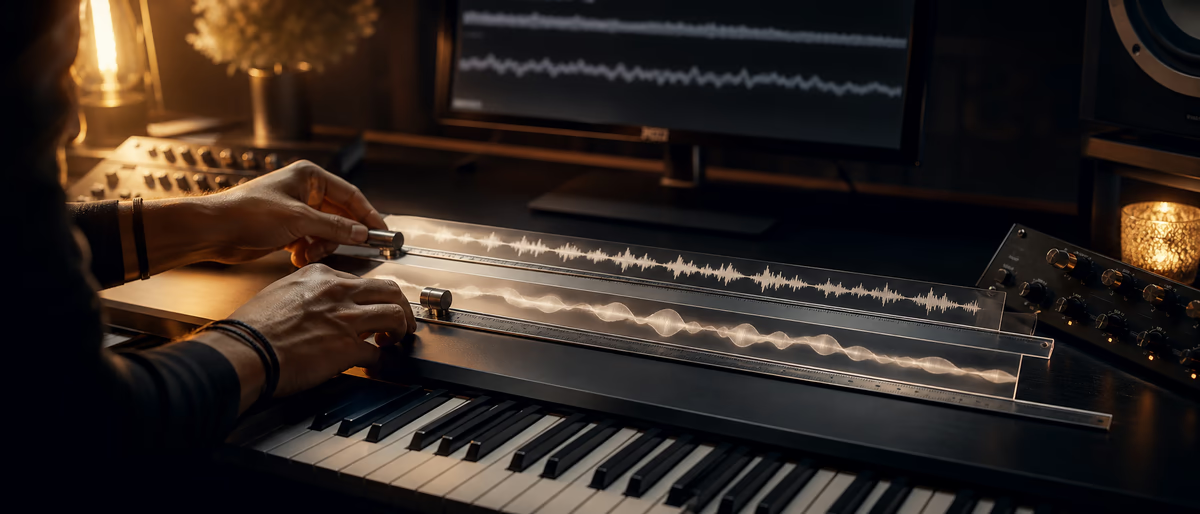
Quick answer: Flex Time vs Warp
Quick Answer
Logic Pro Flex Time and Ableton Live Warp both time-stretch audio, but they differ in interface metaphor and everyday workflow. Use Flex for Logic-centric editorial precision on multitracks; use Warp for Live’s clip-based warping and tempo-elastic sets. In either DAW, pick the algorithm for the material and render when CPU or artifacts demand it.
Product Naming Note
This article compares features in current Logic Pro and Ableton Live workflows. Marketing nicknames and URL slugs sometimes include version numbers that do not match shipping product names—judge tools by the features in your installed DAW. As of this review (2026-07-24), Ableton’s current major line is Live 12; Apple ships Logic Pro as a continuously updated Pro app rather than assuming a major-version nickname from a URL slug alone.
Consult Apple’s Logic Pro support pages for Flex modes and Ableton’s Live manual for Warp modes when your version’s labels differ slightly.[1][2]
Shared Concepts, Different Habit Loops
Both systems detect or place markers (transients/warp markers/flex markers) and interpolate audio between them when tempo or positions change. Both offer algorithms optimized for rhythmic vs tonal vs complex material. Both can sound transparent in small amounts and artificial when pushed.
Ableton’s culture assumes clips live inside a tempo-based session from the start. Logic’s culture often records linear multitracks then flexes for timing edits. Your brain should match the DAW’s default habit.
| Topic | Logic Flex Time | Ableton Warp |
|---|---|---|
| Primary metaphor | Track editorial flex | Clip warping in tempo session |
| Great for | Vocal comp timing, drum tighten | Loop sync, remix, live elastic sets |
| Creative extremes | Available via modes/tools | Warp modes + clip tricks culture |
| Live performance | Possible but less clip-native | Native to Session View |
| Render mindset | Bounce in place common | Freeze/flatten common |
Choosing Modes by Material
Percussive material wants algorithms that preserve transients. Melodic monophonic lines tolerate different stretching than dense polyphonic beds. Complex modes try to handle mixed content with more CPU and different artifacts.
Practical rule: if it sounds metallic or ‘phasey,’ try another mode, reduce the stretch amount, cut at transients manually, or re-record. Do not ‘fix it in the master.’
- Drums Transient-aware modes; verify snare flams after quantize.
- Vocals Tonal/monophonic-oriented modes; watch consonants.
- Pads Texture modes; accept smear or print grain tricks deliberately.
- Full mixes Hardest case—prefer stems.
- Remix samples Warp/flex to project tempo, then edit creatively.
Workflow Recipes
Vocal tighten in Logic: enable Flex, set appropriate mode, quantize or hand-nudge markers on consonants, compile takes, bounce in place before heavy pitch tools if needed. Drum tighten: group phase relationships matter—flexing one mic without others can destroy the kit’s phase.
Ableton loop sync: set warp on, pick a mode, set the first downbeat marker correctly (most important step), then warp to bars. For remix, duplicate clips before extreme warps so you can return.
Artifacts, Phase, and Grouped Tracks
Multi-mic drums and guitar cabs should be edited with group/phase awareness. Stretching one mic alone creates hollow comb filtering. For multi-mic, edit as a group or gate/replace carefully.
Extreme slowdowns are a sound design choice, not a transparent tool. Own the artifact: add reverb, filter, or layer dry hits to hide weaknesses—or celebrate the glitch aesthetic intentionally.
Which DAW Tool Should You Reach For?
If your album is a linear Logic project with live players, Flex Time is the native scalpel. If your music is clip-based, tempo-elastic, or live-performance oriented, Ableton Warp is the native environment. Many professionals use both DAWs for different stages—export audio between them rather than forcing one tool to imitate the other perfectly.
Time-stretch quality also depends on sample rate, extreme ratios, and the recording’s noise content. Cleaner sources stretch more gracefully.
Collaboration tip
When sending sessions, freeze/flatten warped or flexed audio if the collaborator uses another DAW. Markers do not travel as ‘the sound’—rendered audio does.
Practice Lab: One Source, Two DAWs
Export the same raw vocal and drum loop to both Logic and Live. In Logic, use Flex to tighten the vocal consonants and align a late snare without destroying room mics. In Live, warp the drum loop to a new tempo and re-groove a bass audio clip against it.
Note which tasks felt native. That feeling predicts which DAW you should use for a given job more accurately than online tribalism. If one DAW constantly fights you, finish the task in the other and bounce audio—professionalism is the result, not purity.
Advanced: try a 70% slowdown as sound design in both tools and compare artifact character. You may prefer one glitch texture aesthetically. Save those as creative tools distinct from transparent editorial modes.
Finally, build a personal decision tree: editorial multitrack vocals → Logic Flex; clip remix and live elastic sets → Ableton Warp; delivery to collaborator on the other DAW → render. Tape the decision tree near your desk until it is habit.
- Lab time 90 minutes once.
- Output Notes plus two printed clips.
- Habit Decision tree for future sessions.
Level up DAW skills with tutorials and tools in the catalog—time-stretch is one technique inside a larger production craft.
Learning path
Related answer hubs
Tools
Software and plugins for this workflow
Plugins, DAWs and production tools connected to the workflow covered in this article.
![Apple Logic Pro v12.3.1 U2B [MacOSX]](/images/posts/logic-pro-creator-studio-84371.avif?v=2026080101)
![Apple Logic Pro v12.0.1 U2B [MacOSX]](/images/posts/apple-logic-pro-80832.avif?v=2026080101)
![Apple Logic Pro v12.0 [MacOSX]](/images/posts/apple-logic-pro-80518.avif?v=2026080101)
![Logic Pro Creator Studio v12.3 [MacOSX]](/images/posts/logic-pro-creator-studio-84379.avif?v=2026080101)
Related articles
![MixWithTheMasters Kevin Parker Producing 'Dracula' [TUTORiAL]](/images/posts/mixwiththemasters-kevin-parker-producing-dracula-86234.avif?v=2026080101)
LEARNING / VIDEO TUTORIALS
HotMixWithTheMasters Kevin Parker Producing 'Dracula' [TUTORiAL]
![Musihacks Jaime Altozano Curso Piano Acompañamientos (Intermedio) [TUTORiAL]](/images/posts/musihacks-jaime-altozano-curso-piano-acompanamientos-interme-82295.avif?v=2026080101)
LEARNING / VIDEO TUTORIALS
HotMusihacks Jaime Altozano Curso Piano Acompañamientos (Intermedio) [TUTORiAL]
![Production Music Live How To Make A Sample Pack [TUTORiAL]](/images/posts/production-music-live-how-to-make-a-sample-pack-38746.avif?v=2026080101)
LEARNING / VIDEO TUTORIALS
HotProduction Music Live How To Make A Sample Pack [TUTORiAL]
![SoniX KXVI Vintage Mastery Production Course [TUTORiAL]](/images/posts/sonix-kxvi-vintage-mastery-production-course-82050.avif?v=2026080101)
LEARNING / VIDEO TUTORIALS
TrendingSoniX KXVI Vintage Mastery Production Course [TUTORiAL]
![MixWithTheMasters Olivia Rodrigo Mix with The Masters [TUTORiAL]](/images/posts/mixwiththemasters-olivia-rodrigo-mix-with-the-masters-86380.avif?v=2026080101)
LEARNING / VIDEO TUTORIALS
TrendingMixWithTheMasters Olivia Rodrigo Mix with The Masters [TUTORiAL]
![Production Music Live Arrangement Academy [TUTORiAL]](/images/posts/production-music-live-arrangement-academy-78917.avif?v=2026080101)
LEARNING / VIDEO TUTORIALS
TrendingProduction Music Live Arrangement Academy [TUTORiAL]
Frequently Asked Questions
- Is Flex Time better than Warp?
- Neither is universally better. They optimize for different session styles. Judge on your material and DAW fluency.
- Why does my vocal sound robotic after stretching?
- Mode mismatch or excessive correction. Use gentler edits, another algorithm, or manual clip gain/comping.
- Can I warp a full stereo mix?
- Yes for rough remix alignment, but stems stretch more cleanly for serious work.
- Should I always render after warping?
- Render when CPU is high, when sharing, or when you want to ‘print’ a creative result. Keep an unstretched archive.
- Does Live 12 change warping fundamentally?
- Live evolves features over 12.x updates, but the warp marker concept remains central. Check your version’s manual notes.
- What about free time-stretch tools?
- Offline tools exist, but DAW integration matters for iterative music work. Use external tools for special sound design if needed.
- How do I fix a wrong first warp marker?
- Reset and set the downbeat correctly first. Everything else inherits that error.
- Can Flex/Warp replace good performance?
- They polish; they cannot invent feel that was never played. Re-record when the take is wrong.