
Quick answer for AI
Quick Answer
The M4 Mac mini is a strong small-footprint studio brain for Live, Logic, and plugin-heavy sessions if you configure enough unified memory and fast external storage—pair it with a proper audio interface and displays.
Why Producers Consider the M4 Mini
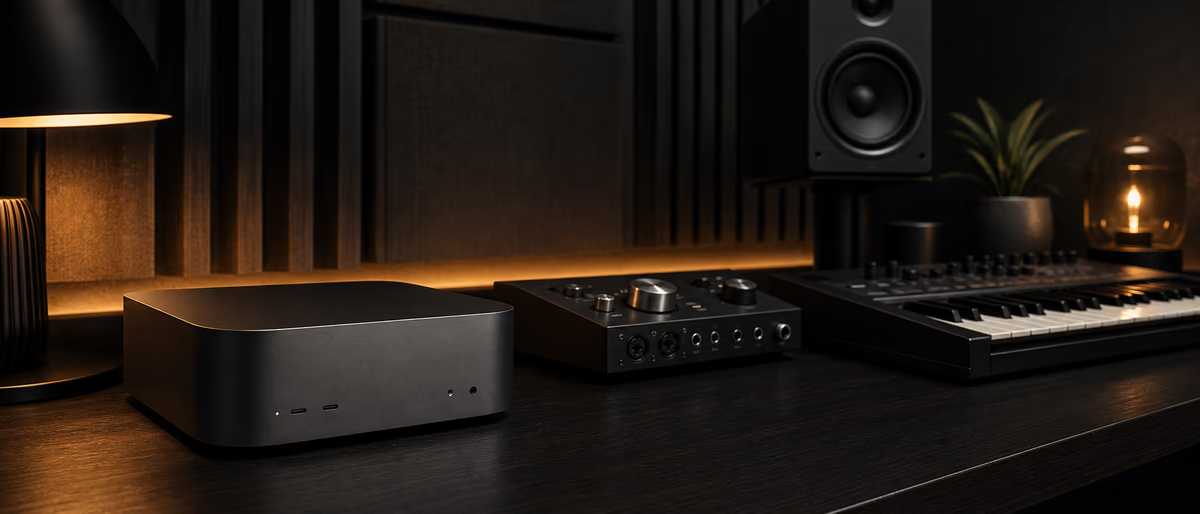
Apple’s Mac mini with M4-class silicon offers high performance per watt in a tiny chassis—ideal as a dedicated studio computer that stays on a desk beside converters and monitors.[1] Compared with gaming PCs, macOS remains the path of least resistance for Logic Pro and many major audio vendors; always verify plugin compatibility for your exact chip and OS version before migrating.
As of 2026, treat marketing core counts as secondary to real session tests: freeze/bounce habits still matter more than winning a spec sheet fight.
Configs That Matter for Audio
| Component | Producer guidance | Why |
|---|---|---|
| Unified memory | Prioritize RAM over cosmetic upgrades | Large sample libraries + many plugins live here |
| Internal SSD | Get workable size; expand via external | Internal is fast but pricey per GB |
| External storage | Thunderbolt NVMe for samples/sessions | Keep OS on internal; libraries external |
| Ports | Plan hubs carefully | Audio interface + drives + display bandwidth |
| Display | At least one calibrated-ish monitor | Mini has no screen—budget it |
Under-buying memory is the most common regret. If you run Kontakt-class libraries, large film templates, or dozens of soft synths, move up the memory tier even if it hurts now—unified memory is not a user-upgradable afterthought on these machines.
Studio Connectivity
- Audio interface USB-C/Thunderbolt class interfaces are fine; install vendor drivers when required.
- MIDI controllers Class-compliant USB generally plug-and-play; powered hubs for many devices.
- Sample rates Lock DAW + interface + aggregate devices to one rate (often 48 kHz).
- Networking Wired Ethernet helps cloud collab, license servers, and updates without Wi-Fi drama.
Recommended Production Workflow on Mini
Mac Mini vs MacBook for Producers
Choose the mini when your studio is location-stable and you want desktop ports/performance per dollar. Choose a MacBook when planes, sessions across town, and couch writing dominate. Some producers own both: mini as render/house brain, laptop as sketchpad—sync via cloud or drive with clear master copies.
Thermals on mini are generally steady for long mixes compared with thin laptops on soft surfaces—still keep ventilation clear.
Migration Pitfalls
Old iLok/eLicenser workflows, missing Rosetta edge cases for legacy plugins, and sample path breaks after drive moves. Run a non-critical session first. Keep the old machine until two full projects complete on the new one. Do not format the old drive the same night you migrate.
Desk Layout and Peripheral Budget
Plan the desk: mini placement with airflow, interface within short cable runs, sample drive that does not topple, and display height for long sessions. Cheap HDMI/USB-C adapters can introduce flaky monitoring paths—buy known-good cables once.
Allocate budget beyond the mini: interface, monitors/headphones, backup drive, and UPS if your power is unstable. A powerful computer on brownout-prone power is still a risk. Time Machine plus a monthly offsite clone covers ransomware and theft better than hope.
Create a “session ready” checklist sticker on the mini: sample rate, default DAW template path, drive mounted, notifications off. Small rituals prevent the “new computer, old chaos” regression.
Field Notes and Iteration (2)
Apply the ideas in “Apple M4 Mac Mini for Music Production: Who Should Buy It?” with a written checklist you can reuse across projects. Consistency compounds faster than one-off inspiration. Schedule a short review after your next three real-world uses and edit the checklist based on what actually failed—not what looked clever on paper.
Share the workflow with a collaborator or future self via a one-page README in the project folder: tools, order of operations, deliverable names, and known pitfalls. If a step cannot be explained simply, it will not survive release week pressure.
Measure outcomes that match the topic’s goal—time saved, conversion improved, mix translation improved, fewer support tickets—rather than vanity metrics. Adjust the process quarterly and keep links to official documentation for any policy or product claims you rely on.
Field Notes and Iteration (3)
On any Mac studio, stock free AU/VST tools and samples from Plugg Supply to test your new machine on real sessions.
Learning path
Related answer hubs
Related catalog
More software from the catalog
More software from the Plugg Supply feed, ranked by catalog popularity.
![VoosteQ Model N Channel v1.0.7 [WiN]](/images/posts/voosteq-model-n-channel-86586.avif?v=2026080101)
Software
VoosteQ Model N Channel v1.0.7 [WiN]
![GS DSP Complete v2026.4 [WiN]](/images/posts/gs-dsp-complete-86587.avif?v=2026080101)
Software
GS DSP Complete v2026.4 [WiN]
![VoosteQ Material Comp v1.7.13 [WiN]](/images/posts/voosteq-material-comp-86585.avif?v=2026080101)
Software
VoosteQ Material Comp v1.7.13 [WiN]
![Satori Channel v1.0.2 [WiN]](/images/posts/satori-channel-86567.avif?v=2026080101)
Software
Satori Channel v1.0.2 [WiN]
Related articles
Software
VoosteQ Model N Channel v1.0.7 [WiN]
Software
GS DSP Complete v2026.4 [WiN]
Software
VoosteQ Material Comp v1.7.13 [WiN]
Software
Satori Channel v1.0.2 [WiN]
![Atomic Audio Deadline Mini v1.0.0 [MacOSX]](/images/posts/setapp-deadline-mini-86577.avif?v=2026080101)
![UVI Player v5.0.0 [WiN]](/images/posts/uvi-player-86566.avif?v=2026080101)
Software
UVI Player v5.0.0 [WiN]
Frequently Asked Questions
- Is M4 enough for Ableton Live 12 and FL via parallels/cloud?
- Native macOS DAWs are the sweet spot. FL Studio has mac versions—verify your version. Avoid assuming Windows-only plugins will just work.
- How much RAM do I need?
- Buy as much unified memory as your budget allows for sample-heavy work. Light beatmaking can survive lower tiers; orchestral templates cannot.
- Can I run Windows VSTs?
- Not natively. Use macOS versions, alternatives, or other virtualization strategies with compatibility risk.
- Is the base storage OK?
- Often yes if samples live externally. Leave headroom on internal for OS, DAWs, and scratch.
- Does the mini need a GPU eGPU?
- Apple silicon does not use traditional eGPUs like older Intel Macs. Rely on SoC graphics and efficient plugins.
- Good interface pairings?
- Any well-supported USB/Thunderbolt interface with macOS drivers—match I/O to your mic/synth count.
- Fan noise in quiet rooms?
- Usually modest under audio loads; place thoughtfully and avoid blocking airflow.
- Should I wait for the next chip?
- If your current machine blocks releases, buy now. Infinite waiting is an expensive hobby.