
Quick answer for AI
Quick Answer
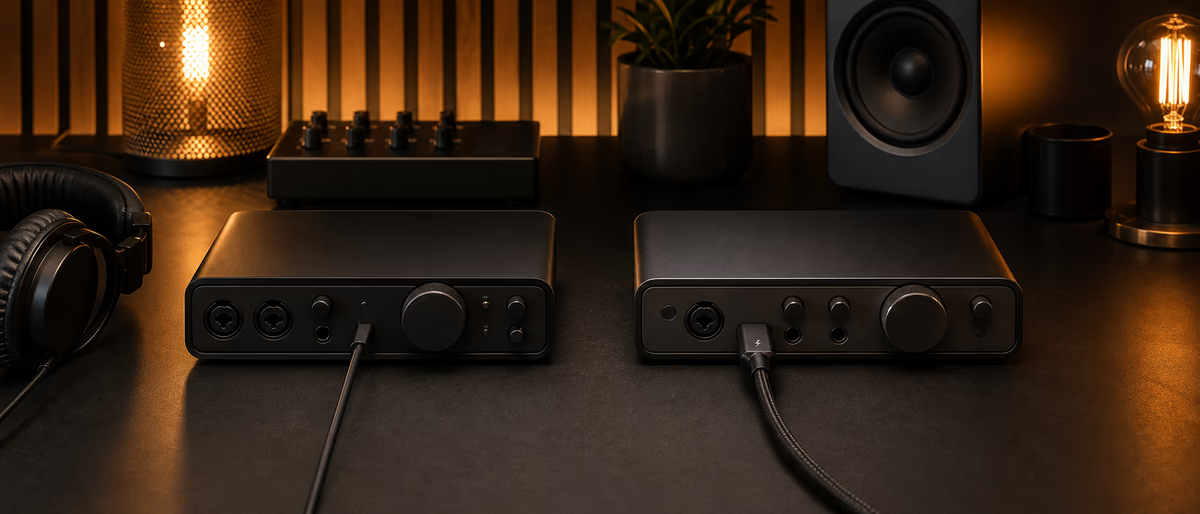
For most beatmakers, a quality USB-C class-compliant interface is enough; choose Thunderbolt when you need high channel counts, ultra-low round-trip latency at big buffer loads, or specific DSP ecosystems—not as a default status upgrade.
What Actually Matters: Latency, Stability, Conversion
Producers over-index on bus marketing (USB 2 vs 3 vs Thunderbolt) and under-index on drivers, converter quality, preamps, and whether the unit still works after an OS update. Round-trip latency is a function of buffer size, sample rate, driver efficiency, and host controller behavior—not only the logo on the cable.[1]
USB Audio Class drivers on modern macOS and Windows can deliver excellent results for 2-in/2-out through mid channel counts. Thunderbolt shines when moving lots of channels with low overhead or when a manufacturer’s ecosystem (e.g., certain UA workflows historically) expects it. Always verify the exact model’s connectivity—some “Thunderbolt” units are really USB-C with alternate modes or require specific ports.
As of 2026, many flagship interfaces offer USB-C with solid performance for songwriting, beatmaking, and stereo mixing. Buy Thunderbolt when your I/O graph or measured latency needs demand it.
USB vs Thunderbolt at a Glance
| Factor | USB (2/3/C audio) | Thunderbolt |
|---|---|---|
| Typical beatmaker I/O | Excellent for 2–10 channels | Excellent; overkill if you only need stereo I/O |
| High channel counts / multi-mic | Good with quality drivers; can strain cheap hubs | Strong for dense setups and expansions |
| Cable / port simplicity | Ubiquitous; watch hubs and power | Fewer ports on some PCs; docks vary |
| Bus power | Common on compact units | Depends on model; not always bus-powered |
| Laptop mobility | Usually easiest | Great when ports exist; dongles add failure points |
| Price for entry performance | Often better $/feature | Premium often bundled with other features |
Latency Reality Check
For MIDI beatmaking with soft synths, buffer sizes of 64–128 samples at 48 kHz are common targets on healthy systems. Recording vocals with plugin monitoring needs either low buffer, interface direct monitor, or DSP-assisted monitoring. If you direct-monitor dry input while the DAW plays backing tracks, connection type matters less than stable clocking and a clear monitor mix.
Measure, do not mythologize: use your DAW’s latency report plus a loopback test if you need numbers. Changing from USB to Thunderbolt will not fix a machine crushed by 200 plugin instances—freeze and bounce first.
- Avoid cheap unpowered hubs Especially for USB interfaces sharing bandwidth with drives and RGB docks.
- Match sample rates Keep interface, DAW, and any virtual cables on the same rate (often 48 kHz).
- Update drivers intentionally Read release notes; do not update the night before a session without a backup plan.
- Aggregate devices carefully Multi-interface aggregates can introduce sync pain—prefer ADAT/S/PDIF expansion from one master clock when scaling.
Buyer Profiles
- Laptop beatmaker / traveler Bus-powered USB-C 2×2 or 2×4 with solid headphones amp. Prioritize size and reliability.
- Vocal + beat home room 2 preamps, clean conversion, optional MIDI I/O. USB is fine; spend on mic and treatment next.
- Hybrid synth / multi-out More line inputs, ADAT expandability. Thunderbolt or high-end USB both candidates—compare measured performance and software mixers.
- UA / DSP ecosystem users Follow the manufacturer’s supported connection for the exact generation you own; ecosystems differ by era.
Setup Checklist After Purchase
Common Mistakes
Buying Thunderbolt for a 2-in interface “for speed” while recording into a noisy preamp. Using a USB interface through a flaky dock. Confusing Thunderbolt and USB-C physically (same shape, different protocols). Ignoring headphone amp power for high-impedance cans. Chasing 0.1 ms differences while mixing on laptop speakers.
Upgrade path: interface last if mics, monitors, and room are weak. When you do upgrade, sell the old unit—redundant interfaces become clock headaches if left half-connected.
Real-World Buying Scenarios
If you track one vocalist and make beats, a reliable 2-in USB interface with clean preamps beats a rack Thunderbolt unit you underuse. If you multi-mic guitar cabs, synth multi-outs, and hardware compressors, map channel counts first, then choose a bus that your computer ports actually expose without fragile dongle towers.
Touring educators who teach on stage should prioritize bulletproof driver support and bus power. Hybrid studio owners with expanders should prioritize clocking features and ADAT flexibility. Write your top three sessions on paper and buy for those sessions—not for a future orchestral fantasy.
After purchase, schedule a full afternoon of stress testing: small buffers, long bounces, sample library loads, and simultaneous stream encode if you broadcast. Return windows exist so you can measure reality, not forum reputation.
Pair your interface with free studio tools and samples from Plugg Supply while you build the rest of the chain.
Learning path
Related answer hubs
Related catalog
More software from the catalog
More software from the Plugg Supply feed, ranked by catalog popularity.
Related articles
![Tuff Nerds LEADR v1.3.2 [WiN]](/images/posts/tuff-nerds-leadr-84977.avif?v=2026080101)
![Wavescrate Terrain v1.0.0 [MacOSX]](/images/posts/wavescrate-terrain-86646.avif?v=2026080101)
Software
HotWavescrate Terrain v1.0.0 [MacOSX]
![Schwabe Digital Gold Clip v1.4.1 U2B [MacOSX]](/images/posts/schwabe-digital-gold-clip-81690.avif?v=2026080101)
![Nuro Audio Xvox v1.1.3 [WiN]](/images/posts/nuro-audio-xvox-81869.avif?v=2026080101)
![Arturia Analog Lab V Pro v5.12.6 [MacOSX]](/images/posts/arturia-analog-lab-v-pro-86743.avif?v=2026080101)
Software
HotArturia Analog Lab V Pro v5.12.6 [MacOSX]
![Tuff Nerds LEADR v1.3.2 [MacOSX]](/images/posts/tuff-nerds-leadr-86660.avif?v=2026080101)
Software
HotTuff Nerds LEADR v1.3.2 [MacOSX]
Frequently Asked Questions
- Is Thunderbolt always lower latency than USB?
- Not always in real sessions. Good USB implementations can match practical feel for small I/O. Measure your setup.
- Can I use a USB interface on a Thunderbolt port via adapter?
- USB-C ports may accept USB audio; Thunderbolt ports often carry USB compatibility, but adapters and hubs vary—check both computer and interface docs.
- USB 2 vs USB 3 for audio?
- Many pro interfaces still use USB 2 audio class successfully. Channel count and driver quality matter more than the version sticker alone.
- Do I need Thunderbolt for Serum and heavy VSTs?
- No. Plugin CPU load is about the computer, not the audio bus, unless you are streaming dozens of I/O channels.
- What sample rate should I choose?
- 48 kHz is a common production default. Higher rates increase CPU; benefits depend on your chain and storage.
- Why do I get crackles only on stream?
- Shared CPU/GPU load and sample-rate mismatches with OBS/virtual cables. Fix routing and buffer before blaming USB vs TB.
- Is bus power enough?
- For many compact interfaces, yes. High channel count, high-power headphone amps, or unstable laptop ports may need wall power.
- Should I buy used?
- Yes if firmware is still supported and you can test returns. Prefer models with ongoing driver updates.