
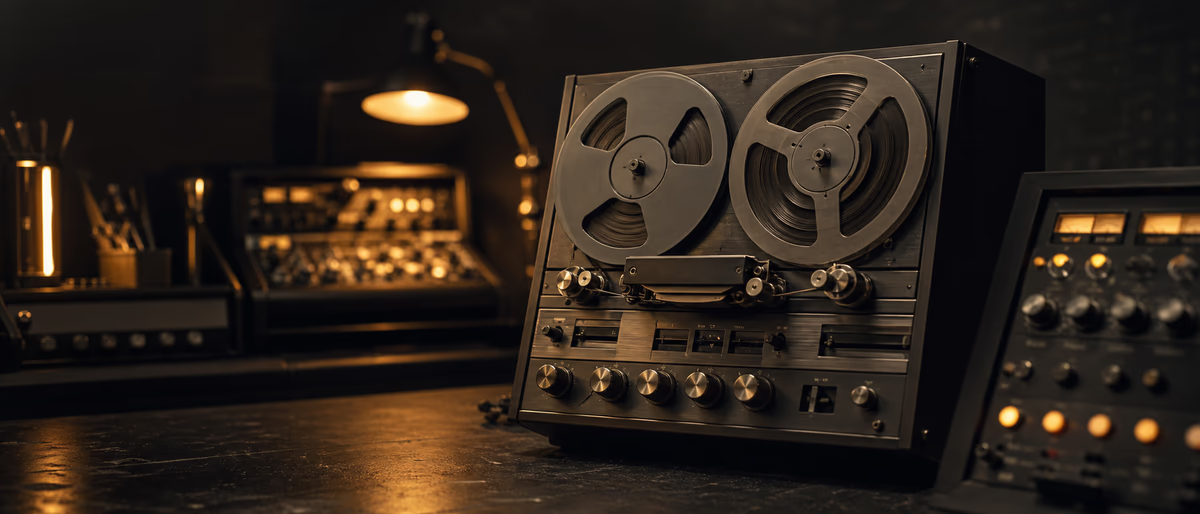
Free tape plugins 2026
Quick Answer
Free tape plugins add soft compression, even harmonics, and gentle high-frequency roll-off that glues digital buses. Use light drive on the drum bus, a high-passed parallel for 808 mid grind, and very subtle amounts on vocals or the master. Always level-match before trusting “warmth.” Download only from developer sites or verified catalogs such as Plugg Supply’s Telegram delivery—not random ad mirrors.
What Tape Emulation Actually Does in a Digital Mix
Analog tape is not one effect. At modest levels it behaves like soft-knee compression plus harmonic saturation; push it harder and you get compression pumping, mid emphasis, and eventually distortion. Magnetic tape also rolled off extreme highs and could add wow/flutter modulation. Digital tape plugins approximate subsets of that behavior with different trade-offs for CPU and accuracy.
In a modern trap, drill, or hyperpop session you rarely need a full multitrack machine simulation. You need controlled glue: slightly softer transients on the drum bus, denser midrange on a loop, or a cohesive “print” before the limiter. Free plugins excel at those bus-and-parallel jobs even when they lack every bias and calibration knob of a paid suite.
Think of tape as a character compressor with harmonics, not a loudness maximizer. If you want competitive streaming loudness, finish with a true-peak-aware limiter after any master-bus tape—not the other way around when you are still shaping tone.
High-Value Places to Put Tape in Trap and Related Styles
- Drum bus 1–2 dB of perceived gain reduction or light drive. Keeps hats from feeling sterile without killing punch. Bypass often to confirm you still hear the kick’s attack.
- 808 parallel Duplicate the 808, high-pass the copy around 120–200 Hz, slam tape/saturation, then blend under the clean sub so pitch stays stable while mids growl.
- Melodic loop / sample bus Light tape can make chopped samples feel “printed” and sit under vocals. Watch mud between 200–500 Hz.
- Vocals Very light amounts after tuning/comp, or on a parallel. Heavy tape on leads can dull air and exaggerate sibilance after later EQ.
- Master (optional) Last creative color before limiting, usually under 1 dB of obvious drive. Level-match religiously—loud always “wins” fake A/Bs.
2026 Free Tape and Saturation Landscape
The free market clusters into three useful groups: (1) simple tape/sat one-knob or few-knob tools for speed, (2) multi-band or “console + tape” hybrids that include soft clip, and (3) cassette/lo-fi devices with wow, hiss, and age controls for intentional degradation. You do not need all three on every track.
When evaluating a free tape plugin in 2026, check: VST3/AU/CLAP availability for your DAW, Apple Silicon native builds if you are on modern Macs, oversampling or anti-aliasing options, and whether noise/wow can be disabled for clean masters. Linux users should confirm LV2/VST3 support before planning a template around a Windows-only freebie.
Famous free or freemium names rotate as developers update licensing. Prefer current builds from the original publisher. If a YouTube link points to a “full crack pack,” walk away—malware risk is not theoretical on producer PCs.
| Use case | Plugin personality | Watch-outs |
|---|---|---|
| Drum bus glue | Soft compression + mild harmonics | Over-thickening low mids; loss of hat detail |
| 808 mid parallel | Aggressive sat / tape drive | Intermodulation; keep clean sub mono and dry |
| Lo-fi aesthetic | Cassette, wow, hiss | Hiss stacking on multiple tracks; automate noise |
| Master polish | Subtle tape head bump / HF roll | Loudness bias; always level-match |
| Learning saturation | Few knobs, clear meters | One-knob tools can hide gain staging mistakes |
Install, Rescan, and CPU Hygiene
- Download from a trusted source
Developer site, KVR/developer storefront, or a verified catalog archive—not SEO spam mirrors. - Install to the correct format path
VST3 common paths on Windows/macOS; AU components on Mac; follow your DAW’s plugin folder docs. - Rescan plugins
Rescan after each install. Restart the DAW if a plugin appears but fails to load. - Disable expensive extras on laptops
Turn off wow/flutter, high oversampling, or multi-stage noise when tracking or on large sessions. - Save a default preset
Store a “bus light,” “808 parallel,” and “master subtle” preset so you do not reinvent drive amounts each session.
Chain Placement and Gain Staging
On a bus, tape usually sits after broad tonal EQ and before aggressive limiting or maximizers. On a single track, try tape after corrective EQ/compression if you want the saturation to react to a controlled dynamic range—or earlier if you want the compressor to react to already-colored transients. There is no universal order; print both if undecided and pick with level-matched A/B.
Input gain into the tape model matters as much as the “drive” knob. Many free plugins sound harsh only because you fed them a bus that already peaks near 0 dBFS. Leave headroom: peaks around −6 to −12 dBFS into the sat stage give the algorithm room to behave.
If you stack tape + analog console + multiple clippers, you are building noise, aliasing, and midrange crust. One intentional saturation stage per bus is usually enough for modern streaming masters.
Level-Match Before Trusting the Tone
Tape plugins often “win” A/B tests simply because they are louder. Match output level—or use a utility gain plugin after the tape unit—before judging warmth, width, or punch. This is especially true on the drum bus and master where 0.5 dB fools almost everyone.
For trap, keep the clean 808 sub stable and add tape on a parallel midrange branch. If the sub loses pitch definition or the kick feels slower, the plugin is doing too much. Save a no-tape version of the bus so you can undo color that only sounded exciting at 2 a.m. session volume.
Check mono compatibility after wide tape or “stereo enhance” modes. Low-end that feels huge in headphones can cancel on phone speakers.
Free vs Paid Tape Suites
Paid tape suites typically add calibrated machine models, better oversampling, mid/side modes, realistic head bump, and lower aliasing at high drive. Those features matter on album masters and film stems. For demos, beat leases, and many independent streaming releases, a disciplined free plugin plus good arrangement already clears the bar.
Upgrade when you can hear specific problems free tools cannot fix: ugly aliasing on bright hats at high drive, unstable stereo imaging, or the need for authentic machine switching across a body of work. Until then, spend learning time on gain staging and parallel routing rather than collecting twelve near-identical saturators.
Safe Downloads and Session Security
Avoid repack sites that bundle “1000 free VSTs” with installers. Prefer HTTPS developer pages, known marketplaces, or verified archives. Keep OS and DAW plugins updated; a compromised system can steal project files and license keys.
Plugg Supply catalogs free VSTs and related tools after archive checks and delivers through Telegram so you are not clicking mystery Google ads for “tape vst free full.” Still scan downloads with your normal security tools and install only what you need.
A Simple Three-Step Recipe You Can Steal
- Drum bus light print
Insert free tape after mild bus compression. Drive until cymbals soften slightly, then reduce 20%. Level-match and compare for 10 seconds each. - 808 parallel grind
Send 808 to a parallel bus, HPF ~150 Hz, heavy sat/tape, blend 10–25% under the clean 808. Keep sub mono. - Master restraint
If used, one subtle instance before the limiter. If the limiter then works half as hard but the midrange screams, you overdid tape—not underdid limiting.
Verified Tools on Plugg Supply
Browse saturation, utility, and free instrument listings that fit your template. Delivery runs through Telegram after catalog checks so collaborators can install the same safe build.
- Browse the catalog
Start at /software/vst and filter for mixing utilities and instruments you actually need. - Install safely
Extract only the provided archive, rescan, and store your bus presets inside the DAW.
Print one light tape move on your drum bus or 808 parallel today, level-match it, then browse verified free mixing tools if your template still has a hole. When a release still needs processing, you hit fair-use unlocks, or you need Kontakt, compare Advanced/Ultimate on /premium.
Learning path
Related answer hubs
Related catalog
More software from the catalog
More software from the Plugg Supply feed, ranked by catalog popularity.
Related articles
![Schwabe Digital Gold Clip v1.4.1 U2B [MacOSX]](/images/posts/schwabe-digital-gold-clip-81690.avif?v=2026080101)
![Nuro Audio Xvox v1.1.3 [WiN]](/images/posts/nuro-audio-xvox-81869.avif?v=2026080101)
![Tuff Nerds LEADR v1.3.2 [WiN]](/images/posts/tuff-nerds-leadr-84977.avif?v=2026080101)
![Wavescrate Terrain v1.0.0 [MacOSX]](/images/posts/wavescrate-terrain-86646.avif?v=2026080101)
Software
HotWavescrate Terrain v1.0.0 [MacOSX]
![Waves Patcher v17 [MacOSX]](/images/posts/waves-patcher-70588.avif?v=2026080101)
![Naturl Audio AL-1 v1.0.2 [WiN]](/images/posts/naturl-audio-al-1-82326.avif?v=2026080101)
Frequently Asked Questions
- Should I put free tape on the master bus?
- You can, at very low drive, after level-matched A/B. Many mixes need tape earlier (drums/808 parallel) and a clean limiter stage last.
- Can I saturate the pure 808 sub?
- Prefer a high-passed parallel. Distorting the fundamental often creates pitch instability and intermodulation with the kick.
- Tape vs soft clipper in FL Studio?
- Soft clippers control peaks; tape-style tools add harmonic density and soft compression. They overlap but are not identical—use clip for ceiling control, tape for tone.
- Why does my free tape add hiss?
- Noise stages emulate tape floor. Disable noise, lower input, or automate hiss only in breaks if you want lo-fi without a constant bed.
- Which formats should I install?
- Prefer VST3 (and AU on Mac) for modern hosts. Confirm Apple Silicon builds if applicable.
- Where should I download free tape plugins?
- Original developer sites or verified catalogs (including Plugg Supply Telegram delivery)—never random “full version” mirrors.
- How many tape plugins can I stack?
- Usually one intentional stage per bus. Stacking tape + multiple saturators creates crust and aliasing that no EQ fully cleans.
- Do free tape plugins replace analog gear?
- No. They approximate useful parts of tape behavior for in-the-box glue. Judgment, arrangement, and gain staging still dominate.