
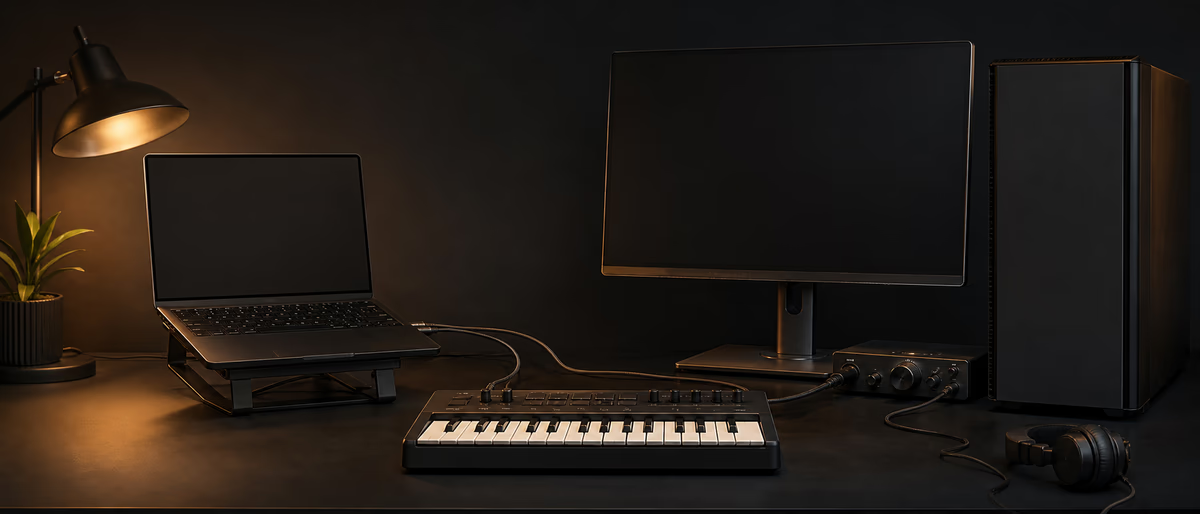
Quick answer: Laptop vs Desktop
Quick Answer
Choose a desktop when you want maximum sustained power, quieter long mixes, and upgradability; choose a laptop when sessions move (studio, stage, travel). Many producers run a hybrid: desktop as main mix machine, laptop for sketching and gigs.
Start From Your Session Life
If 90% of your work is in one treated room with large sample libraries, a desktop usually wins per dollar. If you produce on couches, in hotel rooms, or on stage, a laptop is not a compromise—it is the instrument’s body.
Write down three recent projects and where you opened them. That map beats generic forum advice.
Head-to-Head Factors
Thermals: desktops sustain multi-core loads with larger coolers; thin laptops throttle under long plugin stress. Noise: a well-built desktop can be quieter than a gaming laptop at full fan. Upgrades: desktops accept new RAM/GPU/storage easily; laptops are often soldered.
I/O: desktops offer more PCIe/USB expansion for DSP and interfaces; laptops depend on ports/dongles and Thunderbolt/USB4 quality. Screen real estate: external monitors help both, but laptops tempt single-screen mixing mistakes.
| Factor | Laptop edge | Desktop edge |
|---|---|---|
| Mobility | Clear winner | Stationary |
| Sustained CPU | Good in thick chassis | Usually better |
| Upgrades | Limited | Strong |
| Stage use | Natural | Awkward |
| Per-dollar power | Varies | Often better |
| Theft risk | Higher when mobile | Lower if home-only |
Config Targets (Brand-Agnostic)
Aim for 32 GB RAM minimum for serious work, NVMe storage for projects, a second drive for samples, and a quality audio interface with stable drivers. CPU brand wars matter less than balanced systems—see Intel vs AMD guidance for production workloads.
For laptops, prefer models with strong sustained performance reviews and enough ports for interface + MIDI + charger without a fragile hub tower.
- RAM 32 GB standard; 64 GB for huge templates.
- Storage 1 TB+ NVMe projects; separate sample drive.
- Display Calibrate expectations; use reference speakers/headphones.
- Battery Laptops: real-world runtime with interface attached.
- Backup 3-2-1 backups regardless of form factor.
Workflows That Fit Each Machine
Laptop sketching → desktop mix finishing is a proven hybrid. Keep sample libraries mirrored or on a fast portable drive with a consistent path strategy to avoid broken sessions. Use cloud only with care for large audio; version project folders deliberately.
On stage, laptops should be playback-optimized: disable updates, sleep, and fancy GPU effects. Desktops can host a studio network and always-on sample servers.
Myths to Ignore
Myth: laptops cannot run big sessions. Reality: high-end laptops can, if cooled and configured. Myth: desktops are always silent. Reality: cheap cases scream. Myth: more GPU equals better music. Reality: audio is mostly CPU/RAM/disk.
Optimize software first—buffer sizes, freezes, driver updates—before blaming form factor.[1]
Practical Recommendation Matrix
Student mobile producer: laptop first. Bedroom mixer with growing orchestral template: desktop first. Touring beatmaker: laptop + cloud/SSD strategy. Hybrid professional: both when budget allows, with the desktop as master library host.
Whatever you choose, invest in monitoring and acoustics; the computer only computes—the speakers and room decide mix translation.
Purchase timing
Buy current mid/high configurations rather than extreme bleeding-edge chips if the money can buy RAM and a better interface instead. Interfaces and converters affect sound more than a 10% CPU bump.
Migrating Sessions Between Machines
Path discipline saves hybrid studios. Keep sample libraries on drives with identical relative paths or use a dedicated samples volume letter/mount name on every machine. Collect project media before moving folders. Freeze or bounce tracks that use plugins installed on only one computer.
Cloud sync tools can corrupt busy project folders if files change mid-session. Prefer deliberate zip/upload or dedicated project sync workflows after closing the DAW. Large audio should not live only on a single laptop SSD without backup.
When traveling, carry a session drive and a plugin license strategy that does not depend on one flaky internet portal at the airport. Export stems of works-in-progress before flights as insurance.
Ergonomics differ: laptop users should budget an external keyboard, laptop stand, and calibrated headphones. Desktop users should still test mixes on earbuds because audiences live there. Form factor does not excuse weak translation checks.
Field Notes and Maintenance Habits
Revisit this workflow after every project that stresses it. Write two bullets about what failed and one change to the template. Small maintenance habits compound faster than buying new tools.
Keep a short reference playlist or checklist beside the computer so you do not rely on memory during deadlines. When something works, save it as a named preset or template immediately.
Share the checklist with collaborators so the system survives beyond one person. Consistency is part of professional sound even when the aesthetic is experimental.
Pair your machine with efficient free plugins and production tools—software choices often free more CPU than a new chassis.
Learning path
Related answer hubs
Related catalog
More software from the catalog
More software from the Plugg Supply feed, ranked by catalog popularity.
![VoosteQ Model N Channel v1.0.7 [WiN]](/images/posts/voosteq-model-n-channel-86586.avif?v=2026080101)
Software
VoosteQ Model N Channel v1.0.7 [WiN]
![GS DSP Complete v2026.4 [WiN]](/images/posts/gs-dsp-complete-86587.avif?v=2026080101)
Software
GS DSP Complete v2026.4 [WiN]
![VoosteQ Material Comp v1.7.13 [WiN]](/images/posts/voosteq-material-comp-86585.avif?v=2026080101)
Software
VoosteQ Material Comp v1.7.13 [WiN]
![Satori Channel v1.0.2 [WiN]](/images/posts/satori-channel-86567.avif?v=2026080101)
Software
Satori Channel v1.0.2 [WiN]
Related articles
Software
VoosteQ Model N Channel v1.0.7 [WiN]
Software
GS DSP Complete v2026.4 [WiN]
Software
VoosteQ Material Comp v1.7.13 [WiN]
Software
Satori Channel v1.0.2 [WiN]
![Atomic Audio Deadline Mini v1.0.0 [MacOSX]](/images/posts/setapp-deadline-mini-86577.avif?v=2026080101)
![UVI Player v5.0.0 [WiN]](/images/posts/uvi-player-86566.avif?v=2026080101)
Software
UVI Player v5.0.0 [WiN]
Frequently Asked Questions
- Can a laptop replace a desktop completely?
- Yes for many producers, especially with an external display and cooling awareness. Power users with huge templates may still prefer desktops.
- Is a gaming PC fine for audio?
- Yes if you quiet it, stabilize drivers, and avoid overlay software that causes glitches.
- MacBook vs Windows laptop?
- Choose from DAW/plugin needs and ecosystem—not slogans. Logic-centric work favors Mac; Windows offers broader hardware DIY.
- How much RAM?
- 32 GB is a practical floor for modern sample work; more for large orchestral templates.
- Do I need Thunderbolt?
- Helpful for certain interfaces and docks. Many USB interfaces are excellent—match the interface you own or plan to buy.
- What about mini PCs?
- Viable if thermals and ports meet your plugin load. Test return policies.
- Should I produce on a tablet?
- Great for sketching; most producers still finish complex mixes on laptop/desktop DAWs.
- What upgrade order if funds are limited?
- Monitoring/interface → RAM/storage → CPU class → peripheral toys.