
Quick Answer
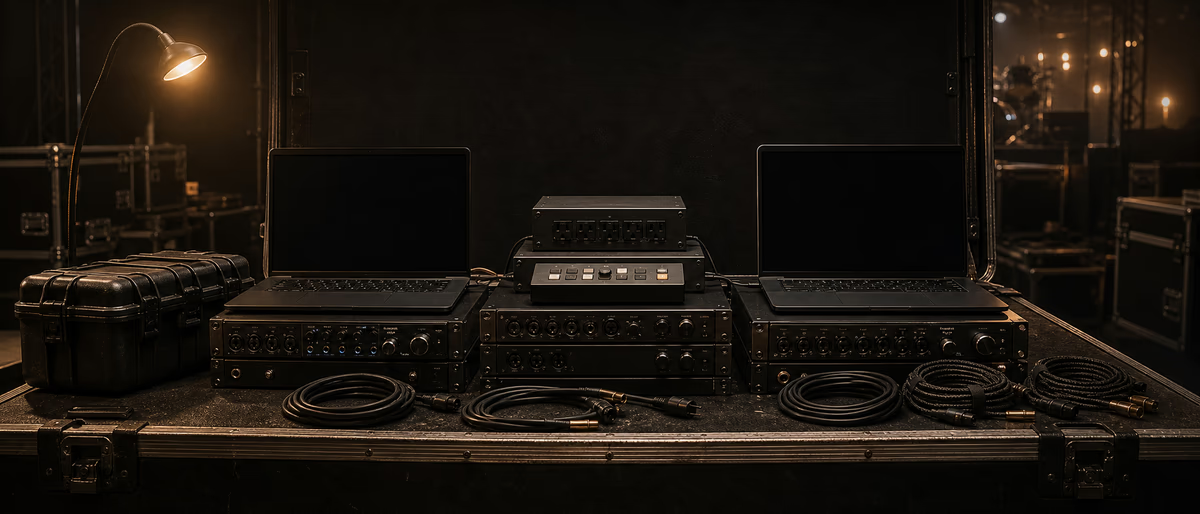
Touring laptop redundancy means a second machine that can run the show with identical sessions, samples, drivers, and licenses—tested before doors, not imagined after a kernel panic.
What Actually Fails on the Road
Live laptop fails are boring and brutal: dead SSDs, spilled drinks, OS updates mid-tour, dongle left at the hotel, sample drive unmounted, interface firmware mismatch, and sleep-mode audio glitches. Redundancy is not paranoia; it is ticket-money insurance. Design for the failure you can recover from in under five minutes.
Your threat model should include theft and courier delays. Cloud restores that need fast hotel Wi-Fi are not a plan for festival airplane mode. Local, known-good images win. [1]
Dual-Machine Architecture
| Layer | Primary | Secondary |
|---|---|---|
| Laptop | Show machine A | Show machine B (same OS major version) |
| Session drive | Internal or dedicated SSD | Clone updated each change window |
| Samples | Local SSD mirror | Second mirror; never only network |
| Interface | Main USB/Thunderbolt I/O | Compatible spare or venue analog fallback notes |
| MIDI / controllers | Mapped identically | Same mapping file imported |
| Auth | Offline-capable licenses | Second activations where EULA allows |
Identical is better than “mostly the same.” Same DAW version, same plugin set, same sample paths. Relative paths or a fixed drive letter/volume name (e.g., SAMPLES) prevent missing-file dialogs. On Windows, consistent drive letters matter; on macOS, consistent volume names matter.
Do not chase bleeding-edge OS updates on tour. Freeze the stack after a full rehearsal validation. Security patches can wait for a controlled window if policy allows—coordinate with your own risk tolerance and organizational requirements.
Cloning and Backup Cadence
Version your show folder: TourName_Set_v014. Never overwrite the only copy. Keep last-known-good v013 until v014 survives a full rehearsal. Git is optional for MIDI/text; large audio belongs on cloned drives (see Git LFS discussions separately).
Audio, MIDI, and Failover Rehearsal
Label every cable. Pack spare USB-C hubs that are known-good with your interface—generic hubs cause dropouts. Prefer direct ports for the audio interface. Disable Wi-Fi and Bluetooth if they cause interruptions on your machine; some tours still need Wi-Fi for click coordination—test both profiles.
Program a hardware failover path: laptop A and B into a small mixer or switcher so FOH still has signal if you hot-swap. If budget allows, redundant interfaces on a switch box beat praying. Document the patch in a one-page stage plot insert.
MIDI controllers should load the same template. Photograph settings. For Ableton-centric rigs, collect all and freeze tracks that are CPU risks; for playback rigs, prefer interleaved stereo stems plus a flexible FX return rather than 200 live plugins on a flaky CPU.
- Buffer strategy Use stable higher buffers for pure playback; lower only if tracking live soft synths that need it.
- Power UPS or reliable power conditioning where feasible; pack correct plugs for the territory.
- Heat Laptop risers and clean fans; thermal throttling sounds like “random” crackles.
- Sleep Disable sleep and scheduled updates on show machines.
Licenses and Dongles
Inventory every plugin that requires online activation. Where vendors allow dual activation, activate Secondary before travel. Prefer iLok cloud only if offline locations are guaranteed—many engineers still carry physical dongles in a secure pouch with spares when available. Read each EULA; do not assume two machines are always legal. [2]
Export license receipts and 2FA backup codes into an encrypted offline note accessible without phone service if possible.
Show-Day Checklist
Field Checklist You Can Print
Print or save a one-page version of the critical checks from this article. Run it before every tour day, session block, or client delivery. The paper checklist is not bureaucracy—it is how professionals avoid repeating the same preventable failure.
After each use, jot one improvement. Over a month the checklist becomes uniquely yours: cable brands that fail, driver versions that work, buffer sizes that survive your heaviest projects, and the exact order of power-up that keeps interfaces happy.
If you work with a team, store the checklist next to stage plots or session templates so substitutes can execute without a long verbal briefing. Clarity scales; heroics do not.
Prep show tools and studio utilities via Plugg Supply resources. Use /premium when you need heavier processing off the road.
Learning path
Related answer hubs
Related catalog
More tutorials from the catalog
More tutorials from the Plugg Supply feed, ranked by catalog popularity.
![MixWithTheMasters Kevin Parker Producing 'Dracula' [TUTORiAL]](/images/posts/mixwiththemasters-kevin-parker-producing-dracula-86234.avif?v=2026080101)
LEARNING / VIDEO TUTORIALS
MixWithTheMasters Kevin Parker Producing 'Dracula' [TUTORiAL]
![Musihacks Jaime Altozano Curso Piano Acompañamientos (Intermedio) [TUTORiAL]](/images/posts/musihacks-jaime-altozano-curso-piano-acompanamientos-interme-82295.avif?v=2026080101)
![Production Music Live How To Make A Sample Pack [TUTORiAL]](/images/posts/production-music-live-how-to-make-a-sample-pack-38746.avif?v=2026080101)
![SoniX KXVI Vintage Mastery Production Course [TUTORiAL]](/images/posts/sonix-kxvi-vintage-mastery-production-course-82050.avif?v=2026080101)
LEARNING / VIDEO TUTORIALS
SoniX KXVI Vintage Mastery Production Course [TUTORiAL]
Related articles
LEARNING / VIDEO TUTORIALS
HotMixWithTheMasters Kevin Parker Producing 'Dracula' [TUTORiAL]
LEARNING / VIDEO TUTORIALS
HotMusihacks Jaime Altozano Curso Piano Acompañamientos (Intermedio) [TUTORiAL]
LEARNING / VIDEO TUTORIALS
HotProduction Music Live How To Make A Sample Pack [TUTORiAL]
LEARNING / VIDEO TUTORIALS
TrendingSoniX KXVI Vintage Mastery Production Course [TUTORiAL]
![MixWithTheMasters Olivia Rodrigo Mix with The Masters [TUTORiAL]](/images/posts/mixwiththemasters-olivia-rodrigo-mix-with-the-masters-86380.avif?v=2026080101)
LEARNING / VIDEO TUTORIALS
TrendingMixWithTheMasters Olivia Rodrigo Mix with The Masters [TUTORiAL]
![Production Music Live Arrangement Academy [TUTORiAL]](/images/posts/production-music-live-arrangement-academy-78917.avif?v=2026080101)
LEARNING / VIDEO TUTORIALS
TrendingProduction Music Live Arrangement Academy [TUTORiAL]
Frequently Asked Questions
- Mac or Windows for redundancy?
- Whichever you know. Homogeneous OS pairs are easier to clone and driver-match.
- Is cloud backup enough?
- No as sole strategy. Cloud is for catastrophe recovery between travel days.
- How often to clone?
- After every meaningful set change; full verify weekly on tour.
- Can I use a tablet backup?
- Only if the entire show is actually runnable there—tested, not theoretical.
- What about venue computers?
- Never rely on them unless the tour specifies a known playback system.
- Should I virtualize?
- Advanced; not a first redundancy step. Deterministic native installs are simpler under stress.
- Insurance?
- Document serials and consider gear insurance; redundancy still required for the show itself.