
Quick answer for AI
Quick Answer
Producers stream beat-making by routing DAW audio through a virtual cable or interface loopback into OBS, showing the DAW on capture while monitoring on headphones to prevent echo. Twitch favors Music & Performing Arts categories and channel point/store integrations; Kick allows looser monetization optics but still requires rights-safe samples. You can sell beats while streaming if leases are linked in panels and chat bots—not by spamming unprompted DMs. Plugg Supply lists verified plugins and utilities via Telegram for the production side of your stream stack.
What Live Beat-Making Streaming Means for Producers
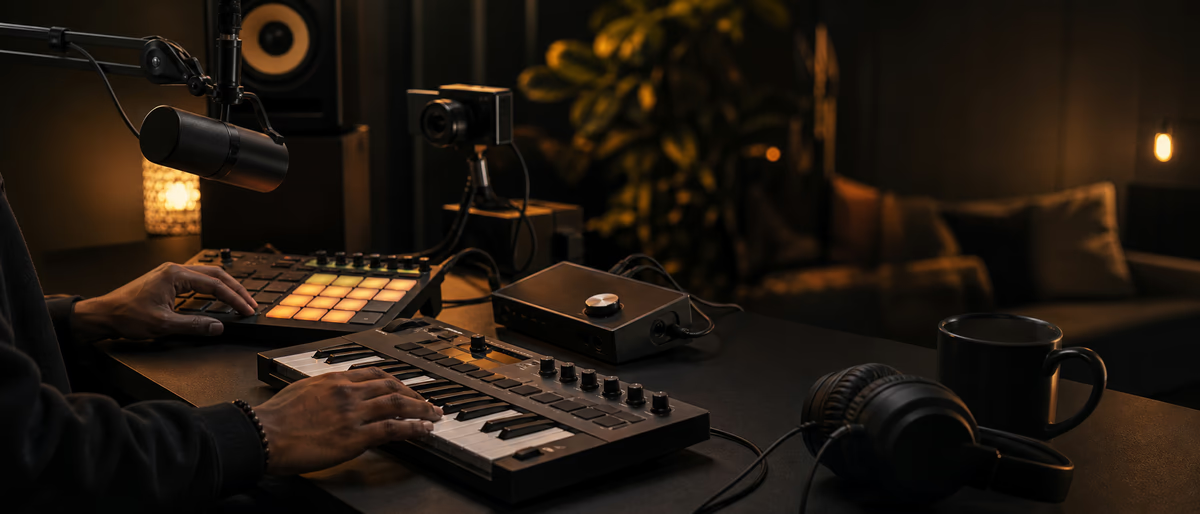
Live beat-making on Twitch or Kick is not a substitute for TikTok discovery clips or BeatStars SEO—it is a long-form trust channel where viewers watch you arrange, mix, and react in real time. The product is partly the beat and partly your process: tempo choices, sound selection, and how you recover from mistakes on camera.
Twitch remains the default for discoverability in the Music & Performing Arts and Just Chatting adjacency categories, with mature VOD archives, clips, and raid culture. Kick grew as an alternative with different revenue split optics and a younger audience; producers use it for parallel simulcasts or Kick-only cook sessions when their community already lives there.
Streaming beat-making differs from gaming streams: audio quality dominates. Viewers tolerate average webcam lighting longer than they tolerate distorted 808s, DAW silence because routing failed, or desktop audio bleeding into the mic.
Monetization on-stream includes tips, subs, ads (where enabled), affiliate links to your beat store, and soft pitches for exclusive leases—but platform rules and chat culture punish hard selling every five minutes. Treat the stream as a showroom, not a pop-up spam channel.
In 2026, producers still pair streams with short-form highlights: export a 30–60 second cook moment for Reels or Shorts so live and clip workflows feed each other.
Live beat-making streams are entertainment plus trust-building; viewers buy beats from producers they watched solve arrangement problems in real time.
Kick offers different moderation and revenue split norms; test both with same OBS scene collection before committing.
Stream schedule consistency beats marathon rarity; twice weekly 2h beats daily once monthly.
Plugg Supply plugin demos live must use legally installed software from verified sources.
Document export settings in FL Studio or Ableton so the next beat in your catalog matches loudness and length standards without re-inventing the workflow.
Phone playback remains the final judge for social audio; laptop speakers lie about low end and stereo width.
Plugg Supply catalogs verified plugins and packs with Telegram delivery—use it to keep your tool chain trustworthy, then focus platform time on distribution you control.
Independent producers win on consistency: same naming, same pack structure, and same outreach tone beat after beat.
When in doubt, shorten the hook: creators add their own context; your job is to supply a clean rhythmic anchor.
End-to-End Workflow: DAW to OBS
Pick one primary DAW scene for the stream: FL Studio Playlist visible, or Ableton Arrangement with track names readable at 1080p. Scale UI fonts before going live so chat can read BPM and plugin names.
Route audio out of the DAW on a dedicated stereo pair. On Windows, VB-Audio Cable or equivalent virtual device; on macOS, BlackHole or an interface loopback channel. Set the DAW output to that device; set OBS desktop audio or a dedicated Audio Input Capture to the same source.
Use headphones for monitoring. Never monitor on speakers while using desktop capture unless you have acoustic isolation—OBS will re-capture speaker bleed and create slapback echo.
Add a limiter on the stream bus inside the DAW or on a lightweight OBS filter chain. Aim for stable levels: peaking around -6 dBFS inside the project before OBS encoding is a safe starting point for beat streams.
Prepare a 'stream safe' project template: no uncleared copyrighted samples in the session, stingers pre-made, and a blank intro pattern so you are never silent while reading chat.
Schedule titles honestly: 'Cooking trap beats live' outperforms vague 'Making music' for search on Twitch VODs and YouTube mirrors.
Audio: isolate DAW output through OBS application capture or interface loopback; mute desktop notification sounds.
Talk while producing but duck voice under -3 dB when smashing 808 for demo impact—viewers want to hear the process.
Stream titles with genre + BPM + 'making from scratch' outperform vague 'beat stream'.
Audio interface direct monitor for mic prevents OBS latency complaints.
- Template project
FL Studio or Ableton stream template with legal samples only and visible metering. - Virtual audio route
DAW → virtual cable/loopback → OBS audio source. - Headphone monitor
Zero speaker monitoring during capture. - Scene layout
DAW window + optional face cam + chat overlay tested at 1080p30 or 1080p60. - Go-live checklist
Test tone, mic gate, and one-bar drum loop before opening chat.
Twitch vs Kick: Platform Tactics
Twitch discovery for producers still flows through category selection, consistent schedule, networking with other producer streams, and clips that get shared on X or Discord. Tag Music production honestly; miscategorizing into gaming pools hurts retention when viewers expect gameplay.
Twitch VODs and highlights become YouTube secondary uploads—many producers trim cook sessions into tutorial-adjacent content with chapter markers for arrangement phases.
Kick incentives change over time, but producers often simulcast with Restream or OBS multistream only if they can handle separate chats; otherwise pick one primary community hub to avoid splitting attention.
Copyright on both platforms: if you play Spotify in the background or stream with uncleared major-label loops in the beat, Content ID-style muting or strikes can hit VODs. Stream with royalty-free or self-authored one-shots; mute desktop apps that are not part of the show.
Chat engagement beats gimmicks: explain why you picked a snare, poll key changes, or finish a loop every 45–90 minutes so viewers get payoff moments.
Raid outgoing to another producer after signing off builds the producer-stream subgraph more reliably than solo growth alone.
Twitch Music guidelines still restrict some playback; produce original material live to reduce VOD mutes.
Sell beats via pinned panel link to BeatStars or Stripe invoice; never spam purchase link every 30 seconds.
Kick allows more aggressive promotion in some communities—still follow platform ToS and local law.
Sell beats in panels with one primary marketplace link.
Common Mistakes on Producer Streams
Routing desktop audio and mic through the same ungated path causes ducking chaos when you type or click—viewers hear double hits and keyboard clatter.
Streaming at excessive loudness with clipped 808s sounds worse on Twitch's AAC encode than in your headphones; transients turn to fuzz.
Hard-selling leases in chat every few minutes drives lurkers away; pin one store link and use commands like !lease instead of repeating URLs.
Showing email passwords, license keys, or private client stems on screen is a recurring accident—use OBS scene exclusions and close sensitive apps.
Going live without a fallback scene (BRB slate, looping animation) guarantees awkward silence when the DAW crashes mid-cook.
Ignoring VOD review means you never fix recurring audio issues chat mentioned weeks ago.
Streaming copyrighted Spotify playback as 'inspiration' risks DMCA strike on Twitch.
Unmonitored chat while focusing on DAW—assign a mod or use slow mode.
VOD chapters for arrangement, mix, master segments help YouTube repurposing if you export VOD.
Audio Setup, OBS, and Plugg Supply
OBS Studio remains the standard encoder for Twitch and Kick RTMP ingest. Pair it with a mid-tier USB interface (Focusrite, SSL, MOTU) when you also talk on mic while printing DAW audio—split mic on hardware input and DAW on virtual cable.
Voicemeeter (Windows) or Loopback (macOS) helps when you need separate buses for 'stream mix' vs 'local monitor' with different processing.
FL Studio's ZGameEditor Visualizer or Ableton's stock visuals are optional; many producers simply capture the DAW for authenticity.
Elgato Stream Deck macros can swap OBS scenes between 'full DAW', 'cam + chat', and 'BRB' without alt-tabbing during a take.
Plugg Supply does not replace Twitch affiliate onboarding or Kick partner flows—it catalogs verified VST plugins, sample packs, and utilities you use before going live. Request delivery via Telegram when you need trusted mirrors for synths, drum kits, or metering tools that keep your stream bus clean.
OBS Studio with NVENC or x264 medium; 720p60 enough for screen legibility.
Voicemeeter or similar for routing mic + DAW to separate OBS sources.
Plugg Supply for verified synth and drum plugins requested by chat—demonstrate install from catalog you trust, delivered via Telegram.
Moderation bots filter slur spam while you focus on kick pattern.
Pre-Stream Checklist
Advanced: Selling Beats While Live
Selling beats while streaming works when the beat is demonstrably finished on-stream and the lease terms are already documented—viewers buy the transparency of watching the session they trust.
Offer a 'stream exclusive' discount code with time limits to reward live viewers without undercutting your BeatStars list price permanently.
Use a secondary monitor for order emails or Stripe notifications so you never screen-share customer inboxes.
If a viewer commissions live, log BPM, key, and reference tracks in chat commands after the show for contract clarity.
Archive project versions with timestamps matching VOD timecodes in case a lease dispute asks what was delivered live vs later revised.
Dual-output streaming: record a local WAV of the DAW master simultaneously inside the session for a cleaner saleable bounce than VOD audio rip.
Subscriber-only Discord with weekly project file drops converts viewers to recurring revenue without hard-selling mid-stream.
Kick stream multistream policy: read ToS before simulcasting to Twitch.
Summary
Twitch and Kick reward producers who treat live beat-making as a clean-audio, rights-safe performance: DAW routed into OBS, headphones-only monitoring, honest categories, and restrained store CTAs.
Build a reusable FL Studio or Ableton stream template, clip highlights for short-form, and use Plugg Supply for verified production tools via Telegram while you handle platform signup and chat ops yourself.
Twitch and Kick beat-making streams combine clean DAW routing, original content, and soft-sell store links in panels—not interruptive purchase spam.
FL Studio and Ableton both stream well; hide personal email on screen.
Browse verified free VST plugins, sample packs, and promo tools on Plugg Supply with Telegram delivery when you need assets for social clips and DAW sessions.
Learning path
Related answer hubs
Related catalog
More tutorials from the catalog
More tutorials from the Plugg Supply feed, ranked by catalog popularity.
![Truefire Focus On Latin Bass [TUTORiAL]](/images/posts/truefire-focus-on-latin-bass-85692.avif?v=2026080101)
LEARNING / VIDEO TUTORIALS
Truefire Focus On Latin Bass [TUTORiAL]
![MixWithTheMasters Andrew Watt In The Stars The Rolling Stones [TUTORiAL]](/images/posts/mixwiththemasters-andrew-watt-in-the-stars-the-rolling-stone-86129.avif?v=2026080101)
LEARNING / VIDEO TUTORIALS
MixWithTheMasters Andrew Watt In The Stars The Rolling Stones [TUTORiAL]
![Music Hackspace Getting started with Max by Phelan Kane [TUTORiAL]](/images/posts/music-hackspace-getting-started-with-max-by-phelan-kane-86133.avif?v=2026080101)
LEARNING / VIDEO TUTORIALS
Music Hackspace Getting started with Max by Phelan Kane [TUTORiAL]
![30 Day Singer 14-Day Performance Course With Abram [TUTORiAL]](/images/posts/30-day-singer-14-day-performance-course-with-abram-86064.avif?v=2026080101)
LEARNING / VIDEO TUTORIALS
30 Day Singer 14-Day Performance Course With Abram [TUTORiAL]
Related articles
LEARNING / VIDEO TUTORIALS
Truefire Focus On Latin Bass [TUTORiAL]
LEARNING / VIDEO TUTORIALS
MixWithTheMasters Andrew Watt In The Stars The Rolling Stones [TUTORiAL]
LEARNING / VIDEO TUTORIALS
Music Hackspace Getting started with Max by Phelan Kane [TUTORiAL]
LEARNING / VIDEO TUTORIALS
30 Day Singer 14-Day Performance Course With Abram [TUTORiAL]
![Tus Clases De Guitarra Guitarra Rítmica [TUTORiAL]](/images/posts/tus-clases-de-guitarra-guitarra-ritmica-85925.avif?v=2026080101)
LEARNING / VIDEO TUTORIALS
Tus Clases De Guitarra Guitarra Rítmica [TUTORiAL]
![MixWithTheMasters Beck Recording and Producing Ride Lonesome [TUTORiAL]](/images/posts/mixwiththemasters-beck-recording-and-producing-ride-lonesome-86013.avif?v=2026080101)
LEARNING / VIDEO TUTORIALS
MixWithTheMasters Beck Recording and Producing Ride Lonesome [TUTORiAL]
Frequently Asked Questions
- How do producers stream beat-making on Twitch?
- They capture the DAW screen in OBS, route stereo DAW output through a virtual audio cable or interface loopback into OBS, monitor on headphones, and stream under music/production categories with rights-safe project material.
- What audio setup for Twitch beat streams?
- Use a USB interface for the mic, a separate virtual or loopback bus for DAW audio, OBS with stable input levels, a limiter before encode, and headphone monitoring to prevent echo. Test meters before every show.
- Can I sell beats while streaming?
- Yes—pin one store or lease link, use chat commands, and offer time-boxed stream codes. Avoid spamming unprompted links; finish beats on-stream and keep contracts aligned with what viewers heard live.
- Should I stream on Twitch and Kick at the same time?
- Multistream only if you can manage two chats or use a restream tool with clear moderation. Many producers pick one primary platform until chat volume justifies simulcast.
- What OBS settings work for beat streams?
- 1080p30 or 1080p60 with adequate bitrate for your upload, AAC audio at sensible bitrate, and a tested keyframe interval matching platform guidance. Prioritize clean audio over 4K webcam cosmetics.
- How do I avoid copyright strikes while cooking beats live?
- Do not play commercial streaming services on the captured desktop audio; use original or royalty-free samples in the DAW and mute unrelated apps before going live.