
Quick Answer
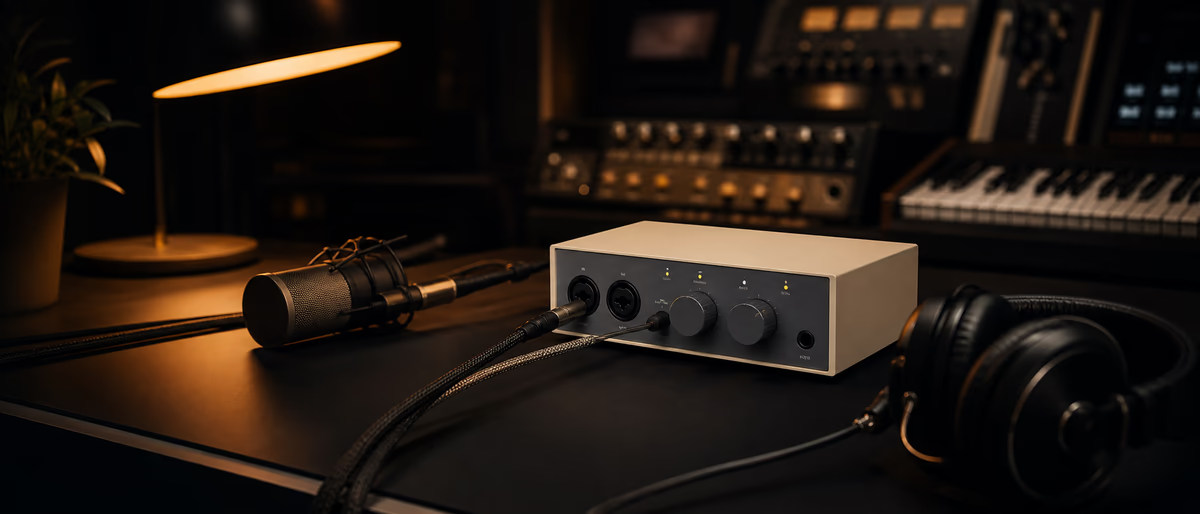
Universal Audio Volt 2 is a bus-powered 2-in/2-out USB-C interface with a switchable Vintage Mic Preamp mode and MIDI I/O—aimed at singers, podcasters, and producers who want simple UA-branded conversion without a full Apollo ecosystem.
What the Volt 2 Is (and Is Not)
The Volt series is Universal Audio’s more accessible hardware line compared with Thunderbolt Apollo interfaces and UAD DSP workflows. Volt 2 targets desktop creators who need solid preamps, reliable conversion, and minimal setup friction. It is not a substitute for Apollo’s onboard UAD plugin processing; think clean IO with helpful analog color options rather than a DSP farm. [1]
As of July 2026, confirm current bundled software and OS support on UA’s site before buying—bundles change. Class-compliant behavior on modern OS versions is a major selling point for laptop simplicity.
Core Features That Matter Day to Day
- I/O 2 inputs / 2 outputs for essential tracking and monitoring.
- Mic/line/instrument Typical Volt workflow for mics, line sources, and DI guitars.
- Vintage Mic Preamp mode Analog-voiced saturation/character inspired by classic UA preamp heritage—use as a flavor, not a always-on default.
- MIDI I/O Useful for controllers and compact hardware synths without a separate MIDI interface.
- Bus power USB power for mobile sessions; verify cable quality.
- Direct monitoring Critical for zero-latency tracking comfort.
Build quality is desktop-solid with straightforward metering and gain controls. If you need ADAT expansion, surround monitoring, or deep console integration, look higher in UA’s or competitors’ ranges.
Sound and Preamp Character
In clean mode, Volt preamps aim for transparent capture suitable for vocals, acoustic instruments, and voiceover. Vintage mode adds harmonic character that can flatter vocals and DI sources when gain is staged carefully—if you slam levels, you will hear distortion as distortion, not magic.
Conversion quality at this price tier is competitive; differences versus peer interfaces from Focusrite, SSL, PreSonus, and Steinberg are often smaller than microphone and room differences. Spend time on placement and treatment before obsessing over converter myths. [2]
Workflow, Latency, and Software
Install current drivers/firmware per UA instructions on Windows; check macOS class-compliance notes for your OS version. Set sample rate to match the project (44.1/48 kHz common). Use direct monitor for tracking, then software monitor for mix decisions.
Bundled software—when included—can jump-start a new studio, but choose the interface for hardware fitness first. Plugin bundles change; hardware remains. Keep firmware updated during non-critical windows, not mid-session.
| Use case | Volt 2 fit | Consider something else if… |
|---|---|---|
| Vocal + beat making | Strong | You need many simultaneous mics |
| Podcast dual guest | Good with planning | You need 4+ XLR with mixes |
| Hardware synth MIDI | Handy MIDI I/O | You need more than 2 outs for multi-amp |
| Mobile laptop rig | Bus power helps | You need DSP UAD near-zero plugin chains |
How It Compares Conceptually
Versus basic 2x2 interfaces, Volt’s draw is UA brand reliability perception plus Vintage mode and industrial design. Versus Apollo, you trade away onboard UAD processing and expandability for price and simplicity. Versus larger Volt models, you trade input count for desk footprint.
Buy Volt 2 if two inputs cover 90% of sessions and you value straightforward monitoring. Skip if you already own a happy interface and only want UAD plugins—those can be licensed separately depending on UA’s current native/DSP offerings. [3]
Recommended Setup Checklist
Verdict
Volt 2 is a sensible small-interface choice for creators who want trustworthy 2x2 IO with a touch of analog character and MIDI convenience. It will not replace a multi-channel tracking rig or Apollo DSP workflow. For bedroom vocals, guitar DI, and podcast-scale work, it is easy to recommend when priced competitively against peers—verify current street price and bundle before purchase.
Field Checklist You Can Print
Print or save a one-page version of the critical checks from this article. Run it before every tour day, session block, or client delivery. The paper checklist is not bureaucracy—it is how professionals avoid repeating the same preventable failure.
After each use, jot one improvement. Over a month the checklist becomes uniquely yours: cable brands that fail, driver versions that work, buffer sizes that survive your heaviest projects, and the exact order of power-up that keeps interfaces happy.
If you work with a team, store the checklist next to stage plots or session templates so substitutes can execute without a long verbal briefing. Clarity scales; heroics do not.
Pair your interface with free plugins and samples from Plugg Supply. Compare /premium when you need on-demand processing.
Learning path
Related answer hubs
Related catalog
More software from the catalog
More software from the Plugg Supply feed, ranked by catalog popularity.
![VoosteQ Model N Channel v1.0.7 [WiN]](/images/posts/voosteq-model-n-channel-86586.avif?v=2026080101)
Software
VoosteQ Model N Channel v1.0.7 [WiN]
![GS DSP Complete v2026.4 [WiN]](/images/posts/gs-dsp-complete-86587.avif?v=2026080101)
Software
GS DSP Complete v2026.4 [WiN]
![VoosteQ Material Comp v1.7.13 [WiN]](/images/posts/voosteq-material-comp-86585.avif?v=2026080101)
Software
VoosteQ Material Comp v1.7.13 [WiN]
![Satori Channel v1.0.2 [WiN]](/images/posts/satori-channel-86567.avif?v=2026080101)
Software
Satori Channel v1.0.2 [WiN]
Related articles
Software
VoosteQ Model N Channel v1.0.7 [WiN]
Software
GS DSP Complete v2026.4 [WiN]
Software
VoosteQ Material Comp v1.7.13 [WiN]
Software
Satori Channel v1.0.2 [WiN]
![Atomic Audio Deadline Mini v1.0.0 [MacOSX]](/images/posts/setapp-deadline-mini-86577.avif?v=2026080101)
![UVI Player v5.0.0 [WiN]](/images/posts/uvi-player-86566.avif?v=2026080101)
Software
UVI Player v5.0.0 [WiN]
Frequently Asked Questions
- Does Volt 2 run UAD plugins onboard?
- No—Volt is not an Apollo DSP host. Plugins may still be usable as native depending on UA’s products.
- Windows and Mac?
- Yes—follow UA’s current OS compatibility list.
- Good for metal reamping?
- Limited outs; dedicated reamp workflows may want more IO.
- Phantom power?
- Yes for condenser mics—confirm per channel behavior in the manual.
- iPad compatible?
- Check UA’s latest mobile compatibility notes and required kits.
- Latency for virtual instruments?
- Depends on buffer and computer; direct monitor helps input listening.
- Should I buy used?
- Possible—verify firmware support and physical condition.