
Quick Answer
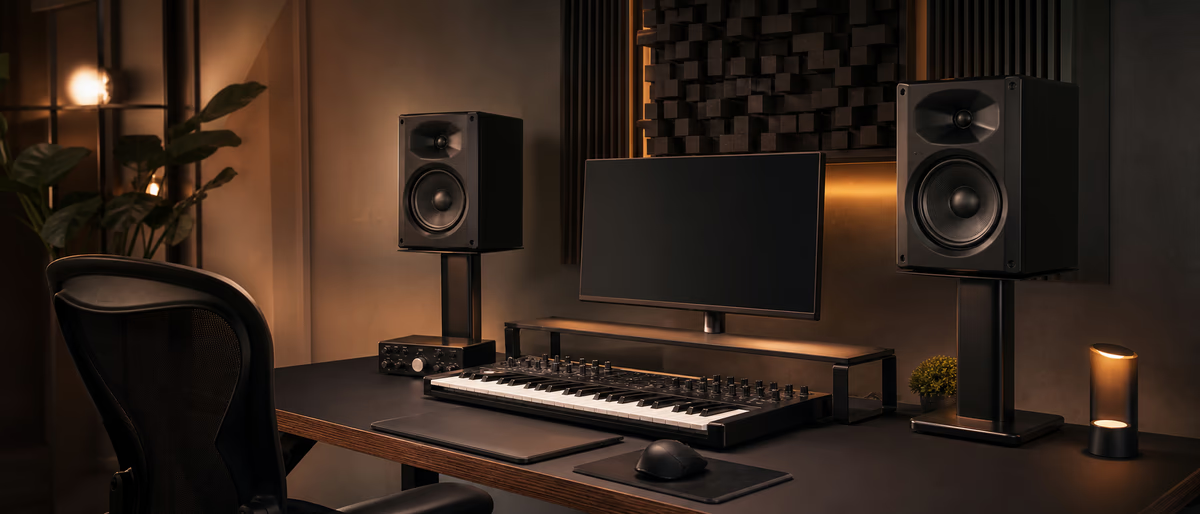
Good producer desk ergonomics puts screens at eye level, keeps MIDI/keyboard within relaxed elbow reach, supports the lower back, and forces regular breaks—so mix decisions stay consistent when sessions run long.
Why Ergonomics Is a Sound Quality Issue
Fatigue changes mixes. When shoulders climb toward ears and the lower back screams, producers rush balances, skip reference checks, and accept harsh highs because their bodies want the session to end. Ergonomics is not corporate wellness theater—it is session endurance and repeatable listening posture.
A producer desk differs from a pure typing desk: you need space for an audio interface, MIDI keyboard, maybe a second controller, nearfield monitors forming a triangle, and handwritten notes. Cramming all of that onto a 100 cm table against a wall creates both acoustic and physical problems.
You do not need a $2,000 studio furniture system. You need adjustable relationships between chair, desk height, screen(s), primary input devices, and speakers. Fix relationships before buying carbon-fiber accessories.
Posture Landmarks That Actually Matter
- Feet Flat on floor or footrest. Dangling feet load the lower back.
- Hips & knees Roughly 90–100°; seat depth so the seat edge does not dig into calves.
- Lumbar Chair supports natural curve; add a small pillow if the chair is flat.
- Elbows Near 90° when hands rest on MIDI keys or mouse; shoulders down.
- Wrists Neutral, not cocked up on a high keyboard ledge for hours.
- Eyes Top third of the main screen near eye height; avoid constant downward craning at a laptop on the desk surface.
Laptop-only producers should use a stand plus external keyboard/mouse or at least raise the display and accept a separate control surface for MIDI. Typing on a low laptop while looking down is a fast path to neck pain. Official office ergonomics guidance from public health sources converges on neutral joints and frequent movement—not a single “perfect” rigid pose all day.[1]
Speakers, Screens, and the Listening Triangle
Place studio monitors so the tweeters form an equilateral triangle with your head in the mix position. Ear height ≈ tweeter height. If the desk is deep enough, put speakers on stands behind the desk line so the computer screen does not sit between the speakers and destroy the stereo image.
If the desk must hold the speakers, use isolation pads and keep screens low enough not to block high frequencies, or use a single centered display with careful vertical alignment. Dual ultrawide gaming layouts look cool and often wreck speaker geometry—prioritize the audio triangle over RGB real estate.
Headphones sessions still need ergonomics: headband pressure, earpad seal, and volume. Closed-backs clamp harder; take pad breaks. Hearing health is part of ergonomics—mix at moderate levels and use breaks to prevent temporary threshold shift that lies about your high end.[2]
Desk Layout Patterns That Work in Bedrooms
| Layout | Best for | Watch-outs |
|---|---|---|
| Centered listening + side laptop | Mix-focused producers | Cable reach to interface inputs |
| Laptop center, controllers forward | Beatmakers who live in piano roll | Raise screen; protect wrists |
| L-desk | Hardware + writing + MIDI | Corner reflections; keep mix seat primary |
| Standing desk hybrid | Long arranging days | Speaker height changes—re-check triangle |
Micro-Breaks, Session Structure, and Pain Red Flags
Use a 45–50 minute focus block with a 5–10 minute move break: stand, shake wrists, look at a distant point to relax eye focus, drink water. During breaks, do not doomscroll at the same posture—walk. For vocalists, hydration and jaw tension checks prevent compensatory shoulder shrugging at the mic.
Red flags that mean stop and adjust today: tingling fingers, numbness, sharp wrist pain, persistent lower-back spasm, or headaches after every session. Early adjustments beat months of “I’ll rest after the album.” If pain persists, see a qualified clinician—this article is not medical advice.
Lighting matters more than producers admit. A bright window behind the screens causes squinting and forward head posture. Side light plus bias lighting behind a monitor reduces eye strain during night sessions without blasting the room with glare that changes perceived mix brightness.
Budget Upgrades Ranked by Leverage
Highest leverage cheap wins: laptop stand, external keyboard, mouse that fits your hand, footrest if the chair is high, and monitor isolation pads. Medium: a chair with actual lumbar support (office surplus often beats “gaming throne” styling). Lower priority: designer cable sleeves and RGB mouse bungees.
If you buy a new desk, prioritize depth (for speaker placement) and sturdiness (so bass does not rattle the frame) over pure width. A shallow wide desk is worse for monitors than a deeper modest desk. Measure room first reflection paths while you measure ergonomics—the same sketch serves both goals.
Reach Zones: Interface, MIDI, and Coffee
Industrial designers talk about primary, secondary, and tertiary reach zones. Your primary zone is what you touch every minute: mouse or trackpad, essential MIDI keys, transport shortcuts. Secondary: interface gain, headphone volume, phone for reference tracks. Tertiary: patch cables, hard drives, snack shelf. Putting tertiary objects in the primary zone creates constant torso twisting.
Mount or place the headphone amp/interface volume where you can ride level without standing. Sudden loud references damage ears and panic-mute decisions. If you share the room, add a soft floor mat so chair rolls stop at the mix position marked earlier—ergonomics includes not drifting a foot left into a bass null while you work.
Hydration belongs in tertiary reach on a stable coaster far from the Faderfox and the laptop vents. Liquid in a USB-C port is the most expensive posture reset you will ever buy.
A body-friendly desk makes longer creative sessions possible—stock those sessions from the sample and software catalog when you are ready.
Learning path
Related answer hubs
Related catalog
More software from the catalog
More software from the Plugg Supply feed, ranked by catalog popularity.
![VoosteQ Model N Channel v1.0.7 [WiN]](/images/posts/voosteq-model-n-channel-86586.avif?v=2026080101)
Software
VoosteQ Model N Channel v1.0.7 [WiN]
![GS DSP Complete v2026.4 [WiN]](/images/posts/gs-dsp-complete-86587.avif?v=2026080101)
Software
GS DSP Complete v2026.4 [WiN]
![VoosteQ Material Comp v1.7.13 [WiN]](/images/posts/voosteq-material-comp-86585.avif?v=2026080101)
Software
VoosteQ Material Comp v1.7.13 [WiN]
![Satori Channel v1.0.2 [WiN]](/images/posts/satori-channel-86567.avif?v=2026080101)
Software
Satori Channel v1.0.2 [WiN]
Related articles
Software
VoosteQ Model N Channel v1.0.7 [WiN]
Software
GS DSP Complete v2026.4 [WiN]
Software
VoosteQ Material Comp v1.7.13 [WiN]
Software
Satori Channel v1.0.2 [WiN]
![Atomic Audio Deadline Mini v1.0.0 [MacOSX]](/images/posts/setapp-deadline-mini-86577.avif?v=2026080101)
![UVI Player v5.0.0 [WiN]](/images/posts/uvi-player-86566.avif?v=2026080101)
Software
UVI Player v5.0.0 [WiN]
Frequently Asked Questions
- How high should my studio monitors be?
- Tweeters near ear height in the mix position, forming a triangle with your head. Adjust stands/pads rather than tilting your neck for hours.
- Is a gaming chair fine?
- If it supports lumbar and you can sit with feet planted, yes. Styling does not equal support—test sit if possible.
- Should I mix standing?
- Standing can help energy for arranging; for critical balancing, many prefer a consistent seated listening height. Hybrid works if you re-check levels.
- Laptop on the desk or raised?
- Raise the display to eye level and use external keys/MIDI when possible to avoid chronic neck flexion.
- How do I stop wrist pain from piano-roll editing?
- Neutral wrists, lighter mouse clicks, keyboard shortcuts, and breaks. Consider a pen tablet only if it reduces strain for you.
- Do I need an expensive studio desk?
- No. Sturdy surface, correct heights, and speaker geometry beat branded furniture.
- Can bad posture really change my mix?
- Indirectly yes—fatigue and inconsistent listening height change decisions even when the speakers did not move.