
Quick Answer
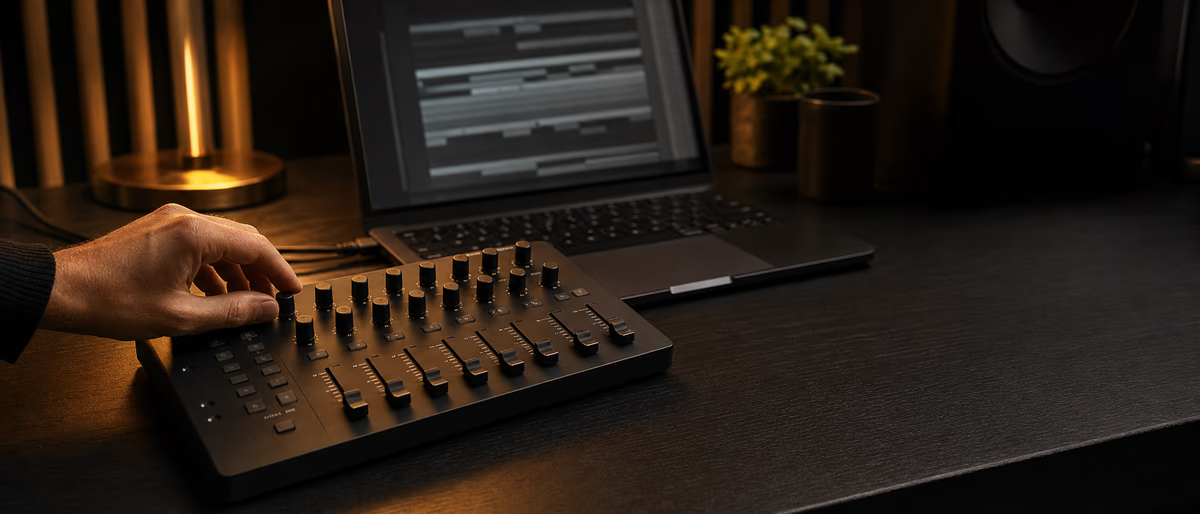
The Loupedeck Live S is a compact console-style surface that maps encoders, buttons, and a touchscreen to Ableton Live so mix moves and plugin macros stay under your hands—best when you invest in a custom profile, not only defaults.
What the Live S Is (and Is Not)
Loupedeck’s Live S sits between a generic MIDI controller and a full production instrument like Push. You get tactile controls plus a touchscreen workspace designed for software profiles—photo apps made Loupedeck famous; audio profiles extend the same idea to DAWs.[1]
For Ableton users, the value is speed on repetitive UI chores: track volume and pan, device macro banks, browser navigation, transport, and custom pages for your template. It is not a clip-launch grid replacement for Push or an APC if your show is pure Session View performance.
As of July 2026, verify current Live compatibility, OS support, and profile availability in Loupedeck’s software notes before buying—controller ecosystems move with DAW updates.[2]
Where It Fits in an Ableton Rig
| Job | Live S strength | Better alternative |
|---|---|---|
| Mix rides and plugin macros | High | — |
| Session clip launching | Medium | Push or grid controller |
| Step sequencing drums | Low to medium | Push, Launchpad, Maschine |
| Streaming plus Live dual use | High | — |
| Travel hybrid laptop set | High | Compact MIDI fighter |
| Deep wavetable design all day | Medium | Mouse plus Push knobs |
Think of Live S as a customizable always-on console for producers who live in Arrangement or hybrid Session templates and touch the same twenty parameters every track. If your identity is finger-drumming and clip combos, buy a grid first and add Live S later for mix polish.
Hybrid streamers who switch between Live, a browser, and chat tools often prefer console surfaces because one device spans apps. That multi-app profile story is a Loupedeck differentiator versus Ableton-only hardware.
Setup Workflow That Does Not Fight Live
MIDI mapping conflicts are the top support issue. If faders jump, check Control Surface slots, remote on/off per port, and whether another controller owns the same parameters. Document your port diagram in the session notes for future you.
Profile Design Tips for Real Sessions
- One page equals one intent Mixing page, sound-design page, performance page—do not mix forty unrelated actions on one screen.
- Macro first Map Live macros rather than hunting nested device parameters when possible.
- Haptic memory Keep volume on the same encoder across pages so muscle memory transfers.
- Color meaning Use consistent color for mute, record arm, and return sends.
- Fallback mouse Leave rare parameters unmapped; forced mapping everything creates clutter.
The producers who rate console surfaces highly spend an afternoon building a profile that matches their template. Out-of-box maps are demos, not final instruments. Budget that setup time like you would budget sample library installation.
Live S vs Push vs Generic MIDI
Push remains the instrument of choice for Session-centric clip performance, step sequencing, and Ableton-native browsing. Live S wins when you want dense analog-feeling knobs, multi-app control, and mix focus without dedicating desk space to a large grid.
A cheap MIDI fighter or pad controller can launch clips for less money but usually lacks the integrated dynamic UI of a Loupedeck screen. Pick based on the bottleneck in your week: clip performance, mix speed, or multi-app streaming control.
None of these replace gain staging skill. A console that rides bad balances faster only ships bad balances faster. Pair hardware with a template that already has clean routing and macro naming.
Verdict and Buying Checklist
Buy Live S if you will customize profiles, already know Ableton’s mixer and device macro system, and want hands-on control without a full Push workflow. Skip it if you need a primary clip grid or refuse to spend time mapping.
Checklist before purchase: desk depth, OS version, Live version compatibility, whether you need multi-app profiles, and whether your template already uses macros the surface can grab. Verify warranty region and software account requirements on the official store.
As a daily driver beside a laptop and one audio interface, Live S can remove hundreds of mouse trips per session. That is the ROI story—not magical sound quality from plastic encoders.
Dial in controllers and studio software with free resources on Plugg Supply. Upgrade on /premium when you need on-demand processing for sessions and deliveries.
Learning path
Related answer hubs
Related catalog
More software from the catalog
More software from the Plugg Supply feed, ranked by catalog popularity.
Related articles
![Schwabe Digital Gold Clip v1.4.1 U2B [MacOSX]](/images/posts/schwabe-digital-gold-clip-81690.avif?v=2026080101)
![Nuro Audio Xvox v1.1.3 [WiN]](/images/posts/nuro-audio-xvox-81869.avif?v=2026080101)
![Tuff Nerds LEADR v1.3.2 [WiN]](/images/posts/tuff-nerds-leadr-84977.avif?v=2026080101)
![Wavescrate Terrain v1.0.0 [MacOSX]](/images/posts/wavescrate-terrain-86646.avif?v=2026080101)
Software
HotWavescrate Terrain v1.0.0 [MacOSX]
![Waves Patcher v17 [MacOSX]](/images/posts/waves-patcher-70588.avif?v=2026080101)
![Nico Baran The Motel v1.0.0 [WiN]](/images/posts/nico-baran-the-motel-86085.avif?v=2026080101)
Software
HotNico Baran The Motel v1.0.0 [WiN]
Frequently Asked Questions
- Does Loupedeck Live S work with Ableton Live 12?
- It integrates via Loupedeck’s software and profiles; confirm the current compatibility list for your Live and OS versions before buying. Do not assume unreleased Live major versions.
- Can it replace Ableton Push?
- Not for Session-first clip performance and step sequencing. It complements Push or replaces mouse-driven mix and macro work.
- Is the Live S only for Live?
- No. Loupedeck’s appeal includes multi-app profiles for creative and streaming tools, which many MIDI controllers lack.
- How hard is setup?
- Hardware install is quick; useful results require profile customization and clean MIDI routing.
- Will it reduce CPU?
- It does not reduce audio CPU. It can reduce mouse travel time. Budget resources for the control software alongside Live.
- Do I need custom macros in my template?
- Strongly recommended. Surfaces shine when devices expose macros instead of buried parameters.
- Is it good for live electronic shows?
- Yes for mix rides and device control; pair with a grid controller if clip launching is central.
- What is the biggest mistake new owners make?
- Using only the default profile forever, then concluding the hardware is limited.