
Quick Answer
In Ableton Live 12, enable MPE on compatible tracks and instruments, match pitch-bend ranges with your controller, and verify per-note expression—URL slugs may mention Live 13, but configure against shipping Live 12.
Live Version Reality Check
As of July 2026, configure MPE against Ableton Live 12 with current maintenance updates. Some URLs say Live 13; do not assume that major version is required or shipping. Work from Ableton’s current Live product line and release notes.[1]
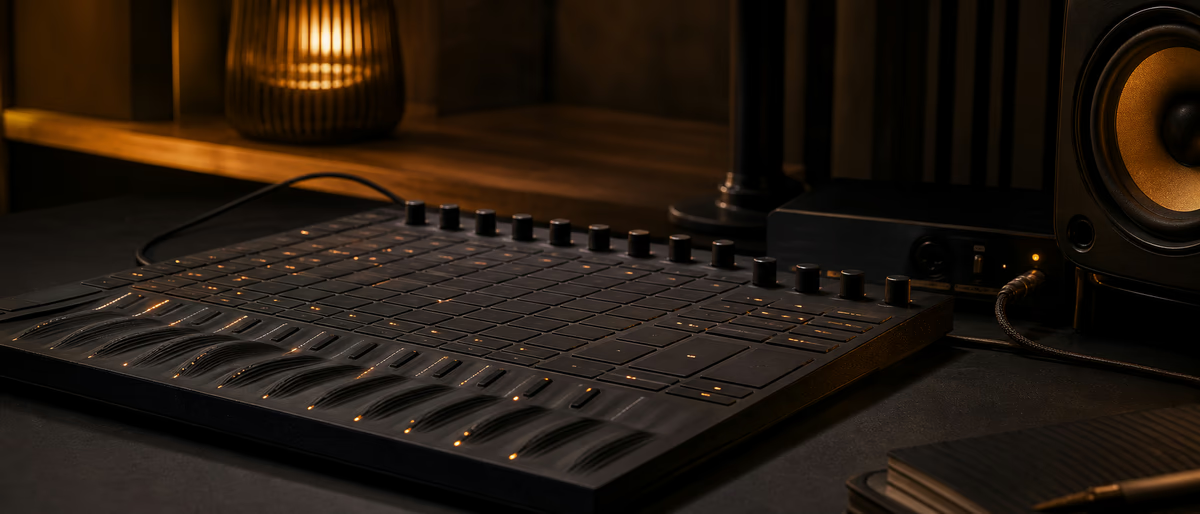
MPE (MIDI Polyphonic Expression) uses multiple MIDI channels so each note can carry independent pitch bend, pressure, and slide/timbre. Controllers include Roli-class surfaces, Osmose-style instruments, and other MPE-capable hardware—check each device manual for channel modes and bend defaults.
Setup Steps in Live 12
If expression still bends the whole chord, you are in classic MIDI mode or the instrument is ignoring MPE. Fix enablement and channel mode before random CC mapping.
Instrument Choices
| Instrument type | MPE fit | Notes |
|---|---|---|
| Live Wavetable | Strong | Stock and expressive |
| Live Sampler / Simpler | Good with setup | Confirm MPE enable |
| Third-party MPE synths | Varies | Read vendor docs |
| Non-MPE VSTs | Poor | Often only channel bend |
Stock Live devices improved expression workflows across recent Live generations. Third-party plugins need explicit MPE support; otherwise you get mono bend behavior.
Performance Tips
Lower buffer sizes for playability without dropouts. Expression data is denser than plain notes—CPU can rise with polyphonic pressure.
MPE recordings can look busy in clip envelopes. Commit audio when sharing with collaborators who lack the controller.
Keep a non-MPE fallback patch that still sounds musical if hardware fails mid-set.
Troubleshooting
- No per-note bend MPE not enabled or bend range mismatch.
- Sticky notes Channel rotation glitches; update firmware; panic MIDI.
- Latency USB hubs, high buffer, wireless hops.
- Works only in vendor app Live MIDI ports not enabled correctly.
- Plugin silent expression Plugin not MPE-aware.
MPE is about touchable music, not checkbox tech. Get one instrument feeling great before building a large expressive orchestra.
Official Ableton help and your controller vendor’s MPE guide should be open beside the session the first time you configure a new surface.[2]
Session Notes
Document bend ranges, MPE enable locations, and fallback patches in the project README. Re-test on your exact Live version, controller firmware, and OS build before a show or session deadline; save a known-good template once expression feels musical, not only technically enabled.
When collaborating, bounce expressive performances to audio so partners without your controller still hear the intended parts.
Session Notes
Session Notes
Session Notes
Session Notes
Session Notes
Expressive control pairs well with solid instruments—browse software on Plugg Supply and /premium for processing needs.
Learning path
Related answer hubs
Related articles
![789ten The DubVision Producer Pack v.6 [WAV, MiDi, Synth Presets, TUTORiAL]](/images/posts/789ten-the-dubvision-producer-pack-v6-86546.avif?v=2026080101)
Samples / Presets / MIDI / VIDEO TUTORIALS
Hot789ten The DubVision Producer Pack v.6 [WAV, MiDi, Synth Presets, TUTORiAL]
![Musihacks Jaime Altozano Curso Piano Acompañamientos (Intermedio) [TUTORiAL]](/images/posts/musihacks-jaime-altozano-curso-piano-acompanamientos-interme-82295.avif?v=2026080101)
LEARNING / VIDEO TUTORIALS
HotMusihacks Jaime Altozano Curso Piano Acompañamientos (Intermedio) [TUTORiAL]
![MixWithTheMasters Kevin Parker Producing 'Dracula' [TUTORiAL]](/images/posts/mixwiththemasters-kevin-parker-producing-dracula-86234.avif?v=2026080101)
LEARNING / VIDEO TUTORIALS
TrendingMixWithTheMasters Kevin Parker Producing 'Dracula' [TUTORiAL]
![FaderPro The One Hour Mixing Workflow [TUTORiAL]](/images/posts/faderpro-the-one-hour-mixing-workflow-84119.avif?v=2026080101)
LEARNING / VIDEO TUTORIALS
TrendingFaderPro The One Hour Mixing Workflow [TUTORiAL]
![Production Music Live Arrangement Academy [TUTORiAL]](/images/posts/production-music-live-arrangement-academy-78917.avif?v=2026080101)
LEARNING / VIDEO TUTORIALS
TrendingProduction Music Live Arrangement Academy [TUTORiAL]
![SoniX KXVI Vintage Mastery Production Course [TUTORiAL]](/images/posts/sonix-kxvi-vintage-mastery-production-course-82050.avif?v=2026080101)
LEARNING / VIDEO TUTORIALS
TrendingSoniX KXVI Vintage Mastery Production Course [TUTORiAL]
Frequently Asked Questions
- Does this require Live 13?
- No. Use current Live 12.x. Ignore slug marketing that implies a non-shipping Live 13 requirement.
- What is MPE?
- A multichannel MIDI expression approach for per-note bend, pressure, and related timbre controls.
- Which Live instruments support MPE?
- Several stock devices including Wavetable pathways—check Live’s docs for your exact version list.
- What pitch bend range should I use?
- Match controller and instrument; 48 semitones is a common MPE convention but confirm both ends.
- Can I use a normal MIDI keyboard?
- Yes for notes, but you will not get true per-note MPE without an MPE controller or equivalent.
- Why is CPU high?
- Dense expression automation and polyphonic pressure increase voice and data load.
- How do I share projects?
- Freeze, flatten, or bounce audio for collaborators without the controller.
- MPE vs MIDI 2.0?
- Related directions for expression and control, but MPE workflows already exist on many MIDI 1.0 transports.