
Quick Answer
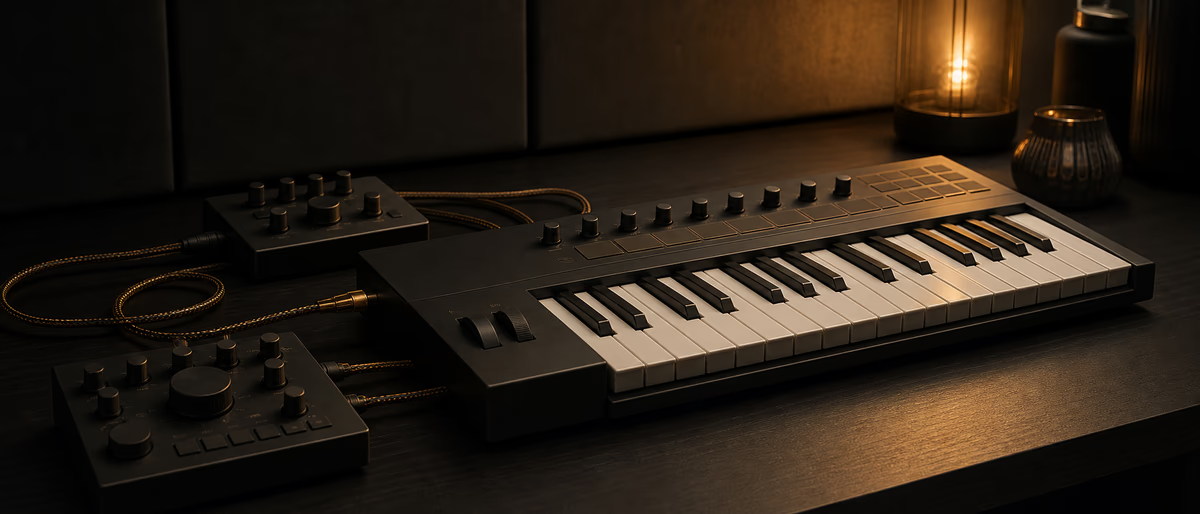
NKS (Native Kontrol Standard) lets compatible instruments and effects expose browsable presets, parameter maps, and hardware control—especially with Komplete Kontrol keyboards—across major DAWs when the NI host pieces are installed correctly.
What NKS Is For
NKS is Native Instruments’ standard for deep preset browsing and hardware mapping. NKS-tagged libraries can show artwork, metadata, and mapped knobs on Komplete Kontrol and Maschine ecosystems, reducing the “where is that synth preset?” tax.[1]
People say “NKS2” for newer NKS generations and expanded plugin support. Feature details evolve—confirm current NKS badge meaning on NI’s site for the products you own.
DAW Integration Pattern
| Need | Action | Tip |
|---|---|---|
| Browse NKS presets | Use Komplete Kontrol app/plug-in as host shell when required | Load KK instance, then instrument |
| Use Kontakt NKS libs | Keep libraries scanned in Native Access | Fix library paths after drive moves |
| Map hardware knobs | Prefer NKS maps over manual MIDI learn | Faster session recall |
| Non-NI DAW | Install NI host components / MIDI remote scripts as documented | Follow NI DAW setup guide |
In Ableton, Logic, Cubase, and others, the common pattern is: Komplete Kontrol plugin on a track → browse NKS → play. Some instruments also run standalone. Exact menus differ; NI’s DAW setup docs win over memory.[2]
Cross-DAW Setup Checklist
Most “NKS is broken” tickets are path, authorization, or MIDI port problems—not mystical DAW incompatibility.
Limits and Non-NKS Plugins
Non-NKS plugins can still be played from the keyboard in MIDI mode, but you lose fancy browser metadata and automatic maps. Manual MIDI learn remains valid.
Do not expect every third-party free plugin to be NKS-tagged. Prioritize NKS when you live on NI hardware daily.
Productivity Tips
- Tag favorites Star go-to presets inside KK browser.
- Template chains Store KK+reverb return templates per genre.
- CPU Disable unused KK instances; freeze when done designing.
- Updates Update NI stack in maintenance windows, not on session day.
NKS earns its keep when browsing speed matters more than chasing yet another unmapped synth.
Checklist Discipline
Put the rules in writing, store them next to the session template, and require every collaborator to confirm the checklist before the first export. When something fails alignment or loudness QC, fix the export rather than inventing heroic repairs downstream. Re-validate the entire path after major DAW or OS updates, because default export settings can change quietly between versions. A short standard that people follow beats a perfect standard that nobody opens. Keep one successful example package as a golden reference for onboarding the next producer who joins the project.
Archive versioned exports with clear names so you can diff v01 against v02 without guessing which cloud link is current. Put the rules in writing, store them next to the session template, and require every collaborator to confirm the checklist before the first export. When something fails alignment or loudness QC, fix the export rather than inventing heroic repairs downstream. Re-validate the entire path after major DAW or OS updates, because default export settings can change quietly between versions. A short standard that people follow beats a perfect standard that nobody opens. Keep one successful example package as a golden reference for onboarding the next producer who joins the project.
Checklist Discipline
Checklist Discipline
Integrate your instrument browser, then explore more tools on Plugg Supply. /premium for on-demand processing.
Learning path
Related answer hubs
Related catalog
More tutorials from the catalog
More tutorials from the Plugg Supply feed, ranked by catalog popularity.
![789ten The DubVision Producer Pack v.6 [WAV, MiDi, Synth Presets, TUTORiAL]](/images/posts/789ten-the-dubvision-producer-pack-v6-86546.avif?v=2026080101)
Samples / Presets / MIDI / VIDEO TUTORIALS
789ten The DubVision Producer Pack v.6 [WAV, MiDi, Synth Presets, TUTORiAL]
![Musihacks Jaime Altozano Curso Piano Acompañamientos (Intermedio) [TUTORiAL]](/images/posts/musihacks-jaime-altozano-curso-piano-acompanamientos-interme-82295.avif?v=2026080101)
![FaderPro The One Hour Mixing Workflow [TUTORiAL]](/images/posts/faderpro-the-one-hour-mixing-workflow-84119.avif?v=2026080101)
LEARNING / VIDEO TUTORIALS
FaderPro The One Hour Mixing Workflow [TUTORiAL]
![MixWithTheMasters Kevin Parker Producing 'Dracula' [TUTORiAL]](/images/posts/mixwiththemasters-kevin-parker-producing-dracula-86234.avif?v=2026080101)
LEARNING / VIDEO TUTORIALS
MixWithTheMasters Kevin Parker Producing 'Dracula' [TUTORiAL]
Related articles
Samples / Presets / MIDI / VIDEO TUTORIALS
Hot789ten The DubVision Producer Pack v.6 [WAV, MiDi, Synth Presets, TUTORiAL]
LEARNING / VIDEO TUTORIALS
HotMusihacks Jaime Altozano Curso Piano Acompañamientos (Intermedio) [TUTORiAL]
LEARNING / VIDEO TUTORIALS
HotFaderPro The One Hour Mixing Workflow [TUTORiAL]
LEARNING / VIDEO TUTORIALS
TrendingMixWithTheMasters Kevin Parker Producing 'Dracula' [TUTORiAL]
![Production Music Live Arrangement Academy [TUTORiAL]](/images/posts/production-music-live-arrangement-academy-78917.avif?v=2026080101)
LEARNING / VIDEO TUTORIALS
TrendingProduction Music Live Arrangement Academy [TUTORiAL]
![Truefire Melodic Trevor Gordon Hall's Melodic Picking Practice Plan (JamPlay) [TUTORiAL]](/images/posts/truefire-melodic-trevor-gordon-halls-melodic-picking-practic-86171.avif?v=2026080101)
LEARNING / VIDEO TUTORIALS
TrendingTruefire Melodic Trevor Gordon Hall's Melodic Picking Practice Plan (JamPlay) [TUTORiAL]
Frequently Asked Questions
- Is NKS only for Kontakt?
- No—many NI and partner instruments/effects support NKS tagging.
- Do I need a Komplete Kontrol keyboard?
- Hardware unlocks the best browsing experience; software browsing still helps.
- Why are libraries missing?
- Scan/path/authorization issues—fix Native Access first.
- Works in every DAW?
- Major DAWs are supported via NI’s integration steps; follow current docs.
- NKS vs MIDI learn?
- NKS provides standardized maps/metadata; MIDI learn is manual fallback.
- What is NKS2?
- Common name for newer NKS generation features—verify on NI’s current pages.
- Can free VSTs be NKS?
- Only if vendors implement it; most do not.
- Double notes problem?
- Disable duplicate MIDI inputs from keyboard and KK.